So, you already have a website. Maybe it’s been sitting there for a while and you’ve completely outgrown it, or maybe your business has evolved and you’re just ready for something that feels a little more you.
If you’ve had your site for a while, chances are you’ve built up quite a bit of content along the way. Maybe you’ve been blogging, adding to your portfolio over time, or creating pages that are already bringing in lovely clients. And the idea of refreshing your website sounds exciting… but it might also make you wonder:
What happens to all of that content?
The good news is that giving your website a fresh new look doesn’t mean losing everything you’ve already created.
So if a template has caught your eye and you’re dreaming about a website glow-up, let’s talk about how it actually works and what happens to your existing site when you decide to make the switch.
Let's dive in!
What are Website Templates (and how do they work)?
A website template is essentially a professionally designed website that’s already been thoughtfully laid out for you. Instead of starting from a blank page and wondering where everything should go, the structure is already there. All you need to do is make it your own!
Website templates are perfect if you:
Want a beautiful website without starting from scratch
Need a strategic layout that is built to convert
Love the idea of a professional design without the custom design price tag
Want to launch faster
These days, most website builders include basic templates as a starting point, but there are also premium templates designed by professional designers that offer more strategic layouts and elevated design, like our premium Squarespace templates👇
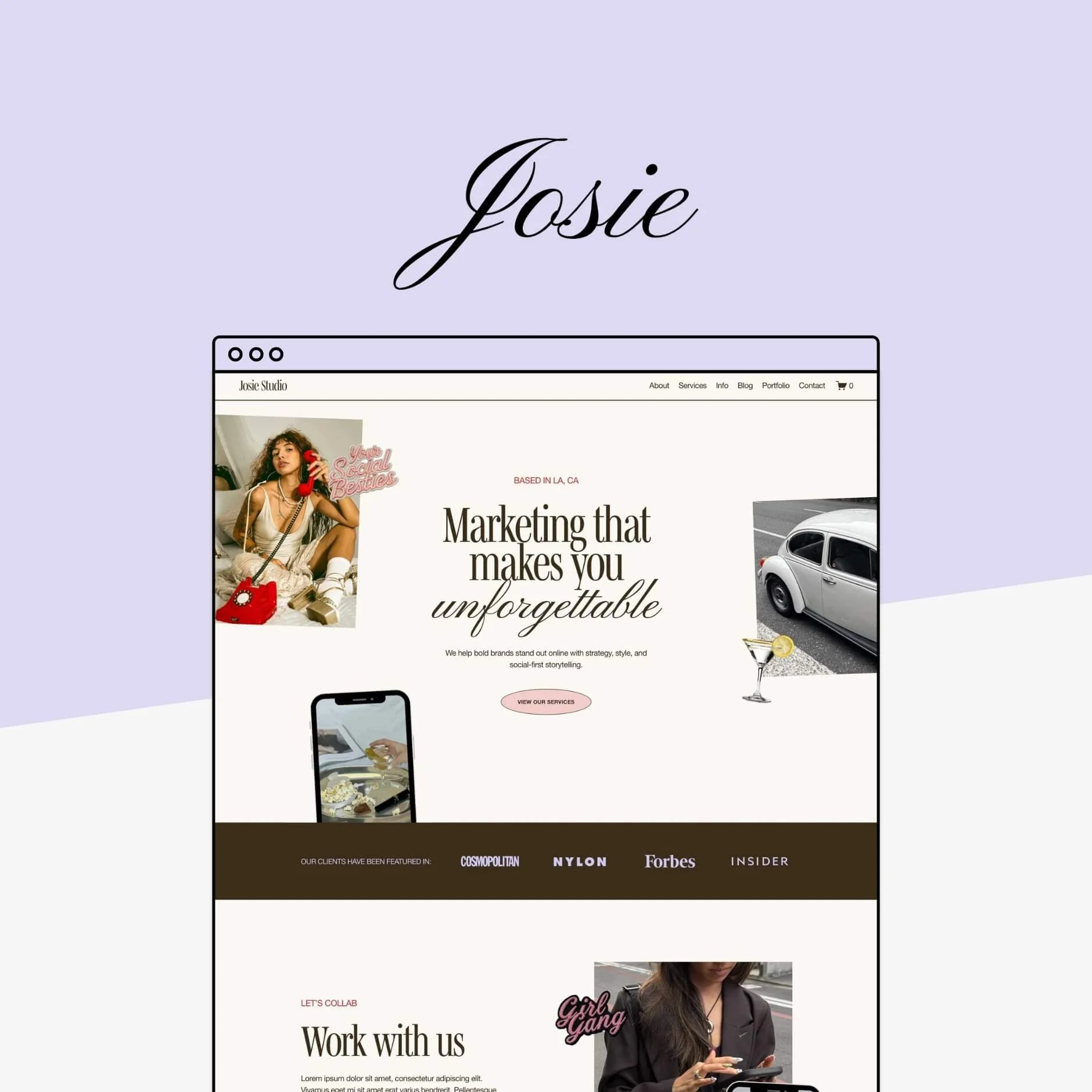
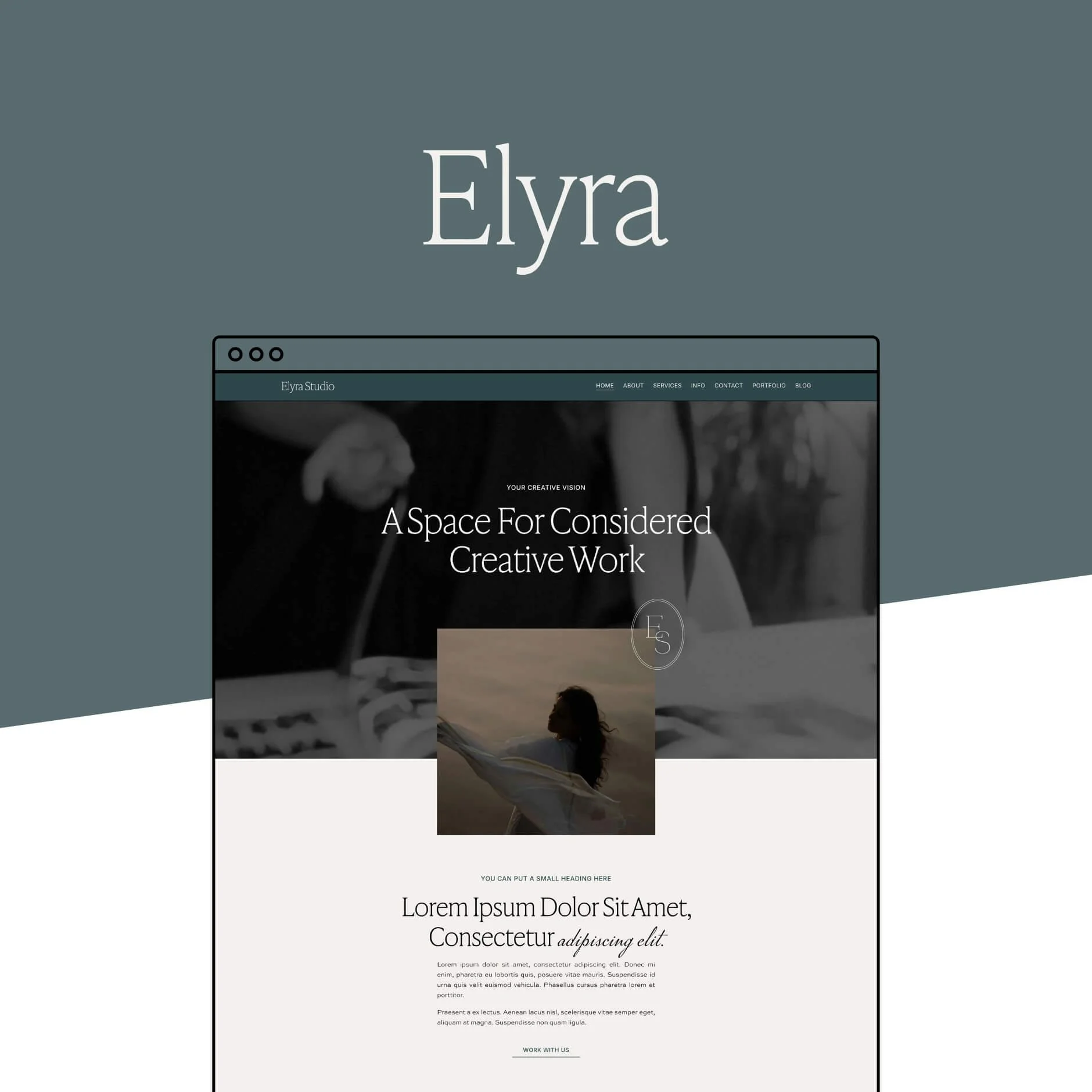
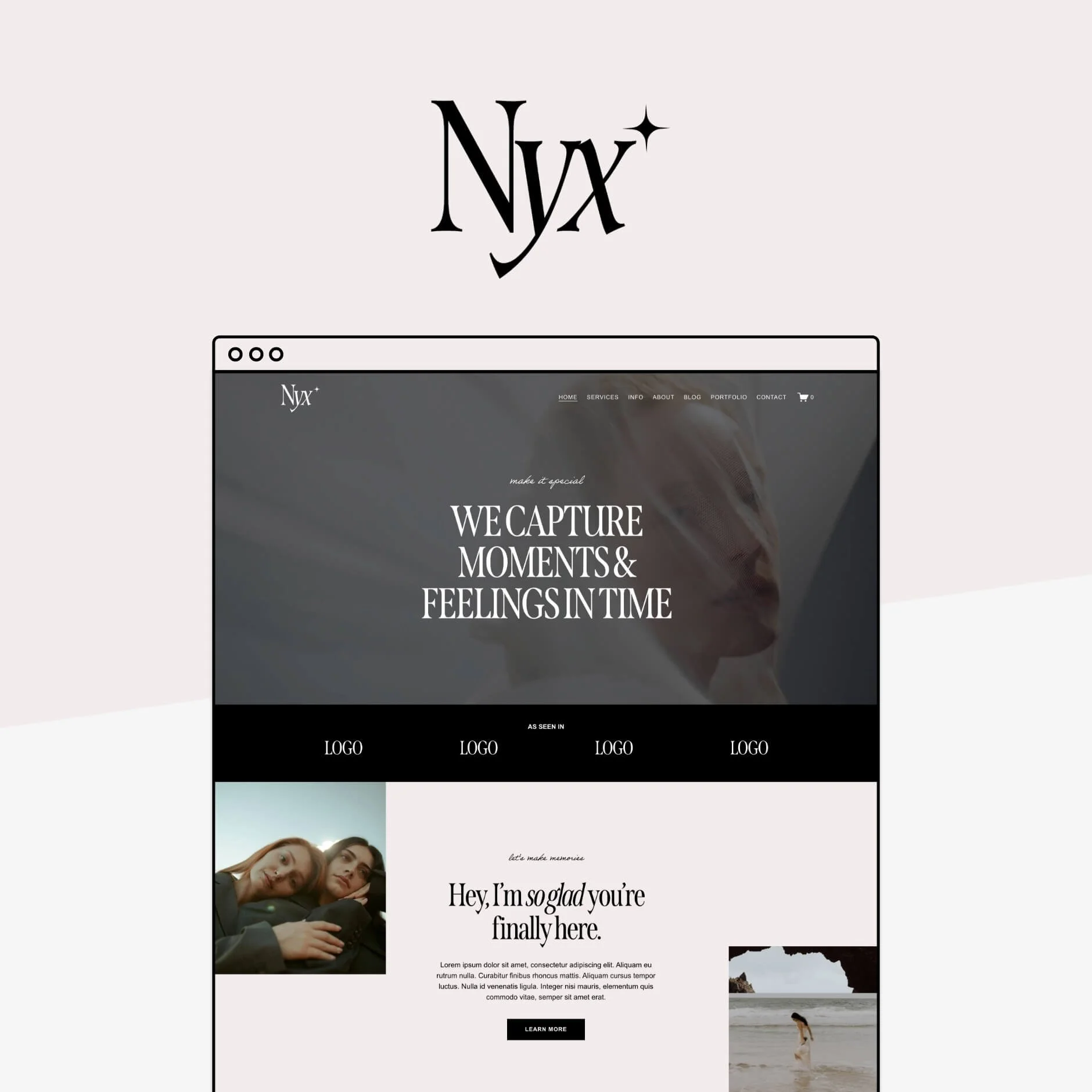
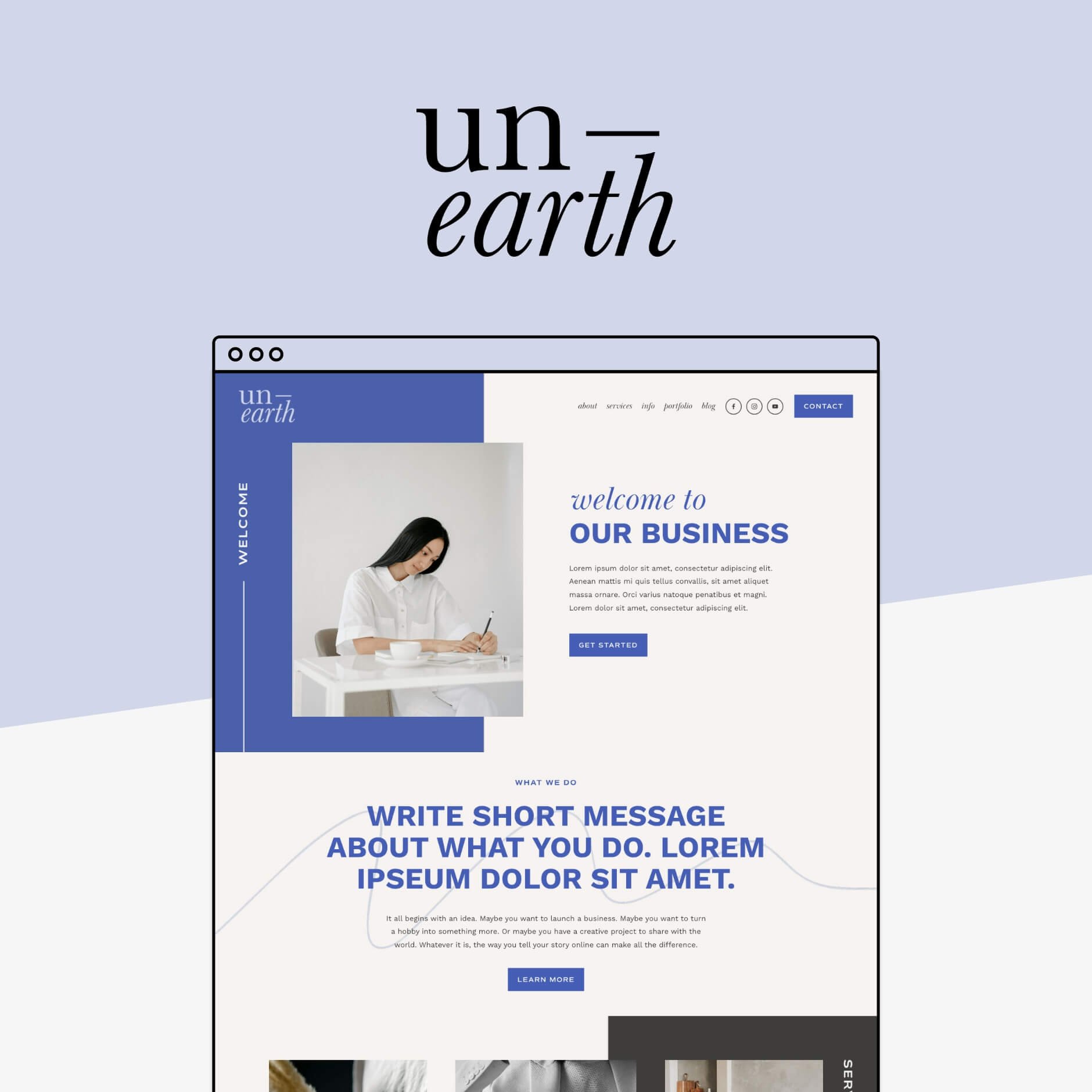


Templates work a little differently depending on the platform you’re using, so it’s always worth doing a bit of research before you buy. When it comes to Squarespace templates, they’re typically delivered as a brand new website in your Squarespace account, already set up with the full design and page layouts. From there, you simply customize it with your own text, images, colors, and fonts to bring your brand to life.
👉 How do our Squarespace Templates Work? From Purchase to Launch
👉 Free vs Premium Squarespace Templates: What’s the Difference and Which One Should You Choose?
What Happens if you Already Have a Squarespace Website?
Now for the big question.
What if you already have a Squarespace website with pages, blog posts, images, and content you’ve been building for months (or even years)?
First things first: Don’t panic!
Refreshing your website with a template doesn’t mean you have to delete everything and start from scratch. In fact, there are a couple of really simple ways to use a template alongside your existing Squarespace website.
When you purchase a Big Cat Creative template, you’ll be able to choose how you’d like the template delivered. There are two main options, and each works a little differently depending on how you want to approach your redesign.
Option 1: Have the Template Delivered as a new Website
The most common option is to have your template delivered as a brand new website inside your Squarespace account.
When you choose this option, we load the template into your account as a completely separate site with a 12-month free Squarespace trial which gives you plenty of time to edit your site without having to pay for a Squarespace subscription (the standard free trial is just 2 weeks + you'll get 25% off your first annual subscription once you're ready to go live!). This does mean you’ll temporarily have two websites in your Squarespace dashboard:
Your current website
Your new template website

This is actually a really lovely way to redesign your site because it gives you the space to build and customize everything behind the scenes without touching your live website.
No stress. No broken pages. No rushed changes.
Just a calm little corner where you can update your content, swap in your images, and slowly bring your new site to life.
Moving Your Content Over
Once your new template site loaded into your account, you can simply move over any content you’d like to keep from your old website.
This is a bit of a manual process and might include things like:
Copy and pasting text
Re-uploading images
Updating the color palette
Adding your brand fonts
It's also a great opportunity to refresh your content. Think of it as a website spring clean! 🧹✨
Who it's best for:
Small sites that don't have a lot of existing content
Those that want to give their site a significant refresh (updating most of the content or styles)
Those who want to keep their existing site live while they can take their time working on their new site behind-the-scenes
Who it's not so good for:
Those that have A LOT of existing content on their site that they want to keep (like tons of blog posts, portfolio projects, or strong SEO)
Tip! If you’re planning a fresh start or would simply prefer a little extra help, we also offer an extra support service that can help you transfer pages, blog posts, portfolios, or products between Squarespace sites. Just get in touch here!
What Happens to Your Domain and Subscription?
When you’re ready to launch your shiny new site, you’ll simply need to:
Purchase a Squarespace subscription for that site
If you’re already paying for a Squarespace plan on your old site, Squarespace can usually provide a prorated refund for the remaining time on that subscription, just reach out to their support to let them know that you're moving sites!
Once everything is connected, your new site goes live and your old one can simply be archived 👏
Option 2: Install the Template Into Your Existing Squarespace Website
If you have quite a lot of content and would rather not have to move it all to a whole new site, there’s another option for you.
We can install the template directly into your existing Squarespace 7.1 website (at no extra cost! 👏).
This means:
Your current pages and content stay exactly where they are
Your domain stays connected
Your subscription stays the same
How Template Installs Work
If you decide to have your template installed into your existing Squarespace site, the process is actually very straightforward.
First, you’ll be asked to complete a short form so we can gather a few details and get temporary administrator access to your Squarespace website. Once we have access, we’ll go into your site and add the template pages into the “Not Linked” Pages section of your current site.

This keeps them hidden so you can customize the new pages with your content before swapping them in when you’re ready.
Important! Our templates are all built on Squarespace 7.1 and can only be installed into existing Squarespace 7.1 sites! If your site is on Squarespace 7.0, you will need to upgrade your site to 7.1 first or go with option 1 to have the template delivered as a new site.
👉 Not sure which version your site is on? Check out this post!
Site Styles
During the install process, you’ll also be able to choose what happens with your site styles (things like fonts, colors, and spacing).

You have two options:
Use the template styles
If you choose this option, your site’s design settings will update to match the template. This helps the new pages look exactly like the demo but it does mean that it will affect the styling of your existing pages (ie. they will take on the fonts and colors of the template which can make things look a little out of sorts). In this case, we usually recommend putting your site under construction.

Keep your current styles
If you’d prefer to keep your existing branding, you can leave your site styles as they are. In this case, the template pages will simply adapt to your current fonts and colors, which can be really helpful if your brand styles are already set up but does mean that the template pages may not look exactly like the demo.
Customizing Your Template Pages
Once the template pages are installed, it’s time to start making them your own!
You’ll go through the new pages and swap out the demo content for your own. This might mean copying over text from your current pages, uploading your images, updating links, and adjusting sections so everything fits your business perfectly.
The good news is that not everything on your website needs to move. Any existing pages you’d like to keep can stay exactly where they are and you can simply redesign them a little bit to match the rest of the new template pages.
When everything is looking just how you want it, you can swap the new pages into your navigation, remove or hide the old ones, and connect everything together.
And just like that, your refreshed website will be live. ✨
Who it’s best for:
Sites with a lot of existing content that you want to keep right where it is
Businesses with many blog posts, portfolio projects, or shop products already set up
Those with strong SEO or traffic they don’t want to disturb
Anyone wanting a design refresh without rebuilding their entire site
Who it’s not so good for:
Small sites with very little content
Those planning a major revamp of their pages or content anyway
Anyone who would prefer to start fresh with a clean slate
Those who want to keep their site live while they edit (you'll likely need to put your site under construction for at least a little bit of time while you tinker!)
Bonus! Option 3: Let us do it for you!
If you love the idea of using a template but don't love the idea of doing it all yourself, there’s another option… we can do it for you ✨
Our Template Restyle services are designed for anyone who wants to use one of our premium Squarespace templates, but with a little extra design help to bring everything together.
Depending on the service you choose, we can:
Add your copy and page content into the template for you
Help refine your brand styling (fonts, colors, overall look)
Customize multiple pages from the template
Guide you through the launch process so everything goes live smoothly
👉 Learn more about our Template Restyle services here
Want to see some results?
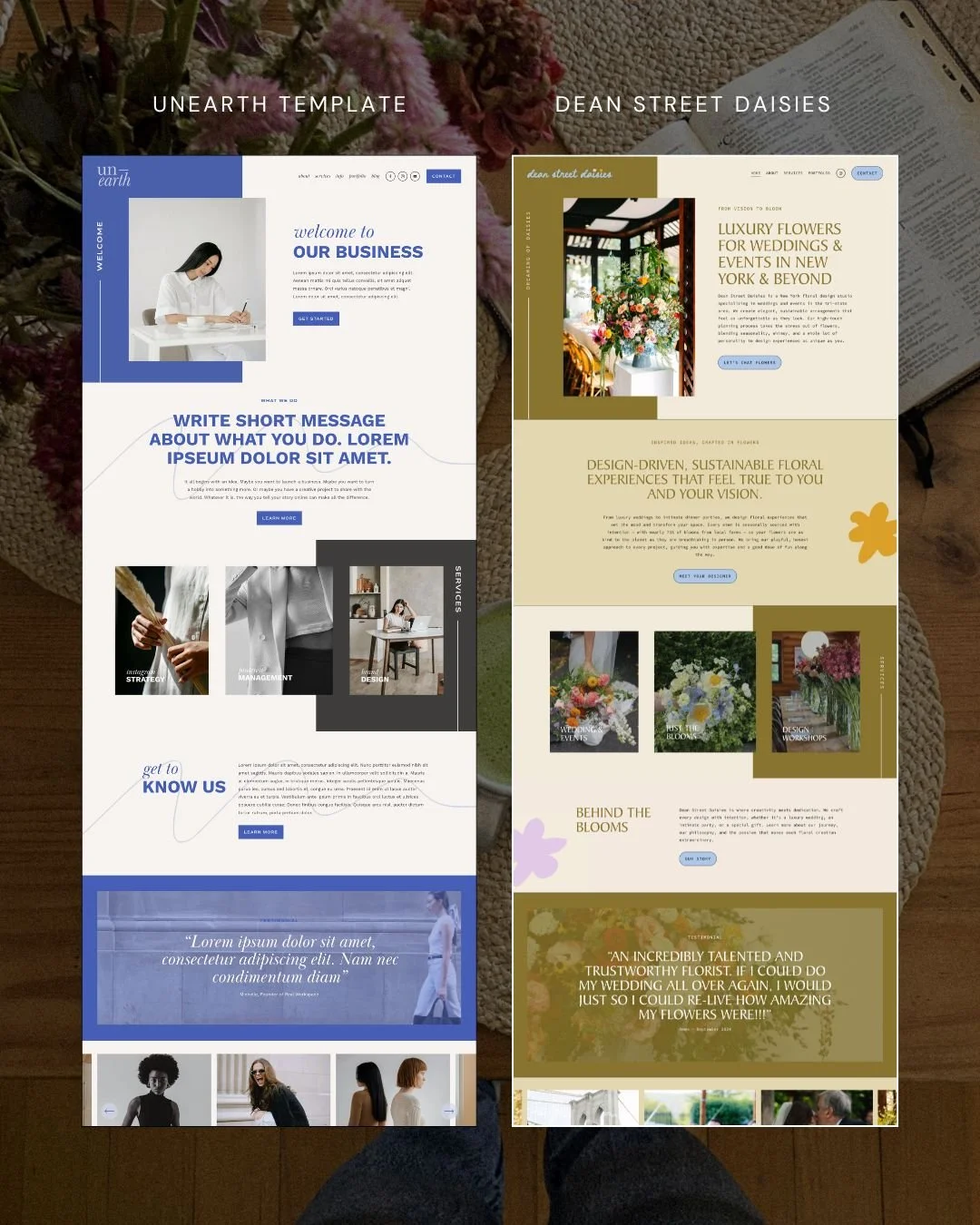
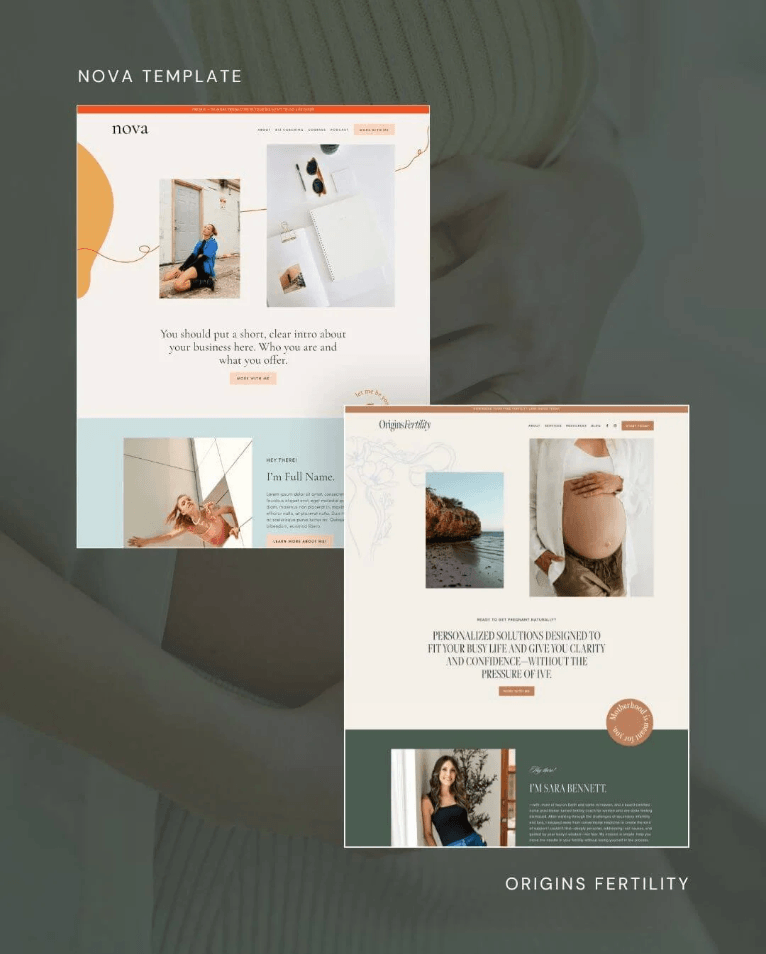
Not Sure Which Option Is Right for You?
All three options work beautifully. It really just comes down to how you’d prefer to work on your new site.
If you love the idea of building your new website quietly behind the scenes, taking your time to customize everything before it goes live, then having the template delivered as a new site is usually the perfect fit.
If you’d rather keep everything inside your current website, installing the template directly into your existing site can be a really smooth option.
And if you love the template but would prefer to have a designer bring everything together for you, our Template Restyle services might be the perfect middle ground.
And if you’re still not quite sure which path is right for you, that’s completely okay too. Our support team is always happy to chat things through and help you choose the option that will make the process easiest.
Ready for a Website Refresh?
Whether you choose to start fresh with a new site or install a template into your existing one, a website template makes it easy to give your site a beautiful, strategic glow-up without starting from scratch.
Explore our Squarespace templates below and find the one that feels like the perfect fit for your next website chapter.✨
We hope this helped clarify how templates work with existing Squarespace websites, but if you still have questions, our support team is always happy to help!
Want more tips? Check out the posts below:
How to Build a Beautiful Website (in Just Hours!)
Does Using a Squarespace Template Affect my SEO?
7 Best Website Layouts for Seamless Navigation and Eye-Catching Design
Website Pages That Will Increase Your Revenue (and you Should add Today!)
If you liked this post, Pin it to Pinterest! 👇🏻