Squarespace vs Wix: Which Website Builder Is Best for Your Business?
If you’re someone who is getting ready to launch a business, build a portfolio, or sell products and services, then you’re probably in the thick of researching which website platform is best for you.
This can be one of the most daunting parts of getting your website up and running because there are so many platforms to choose from and each has its own pros and cons. But don’t worry, we’re here to help!
Squarespace and Wix are two of the most popular platforms out there and, while we’re huge Squarespace fans over here, both have awesome features for small business owners. It’s just a matter of figuring out what will work for you.
In this post we’ll cover
Pricing and value
The design capabilities for each platform and how easy each one is to use
SEO capabilities and marketing features
How each platform utilizes AI as well as other integrations
How to determine which platform will be best for your business and so much more
Disclosure: This post contains a paid partnership with Squarespace, which means we may receive compensation for featuring or recommending their products. That said, all thoughts and opinions are genuinely our own.
Let’s dive in!
So, is Squarespace or Wix Better for Your Business?
QUICK ANSWER: If you're a web design beginner, service based business, or avid DIYer, Squarespace is going to be the simplest and most reliable choice for long term success. While Wix might better fit the needs of experienced designers or advanced e-commerce shops who are looking for more customization flexibility.
| Features | Squarespace | Wix |
|---|---|---|
| Pricing | More value across paid plans with strong all-in-one features | Offers a free plan that comes with significant limitations |
| Ease of Use | Easier for beginners with a simpler, cleaner editor | Slightly more complex with a less simplified interface |
| Templates | Smaller template library, designer-level quality | Large template library, less advanced quality |
| Customization Features | Structured editor with less clutter, easier workflow | Greater design flexibility with more tools and creative freedom |
| AI Features | Helpful built-in AI tools | Helpful built-in AI tools |
| E-Commerce & Selling | Simple selling tools, can sell on lower-tier plans, ideal for straightforward stores | More advanced e-commerce features, integrations, and selling flexibility |
| Marketing Features | Stronger built-in email marketing tools | More varied additional marketing tools |
| Integrations & Apps | Convenient built-in tools and native integrations | Greater third-party app marketplace and widget flexibility |
| Domain Features | Free custom domain for one year | Free custom domain for one year |
Pricing and Value
Pricing is a massive factor when choosing a website platform (understandably)! It’s important to make sure that the platform you go with not only fits into your budget, but also gives you the most bang for your buck. Squarespace plans start at $16/month (billed annually), with a 14-day free trial while Wix starts at $17/month, but offers a permanent free tier (with significant limitations). Let’s take a closer look at Squarespace vs Wix when it comes to pricing and value.
Squarespace Pricing
Squarespace subscriptions start around $16/month (if you pay annually) and go up to around $99/month for advanced needs. They don’t offer a free plan, but every single website gets a 14-day free trial which is super nice for getting familiar with the system as you start to build your website.
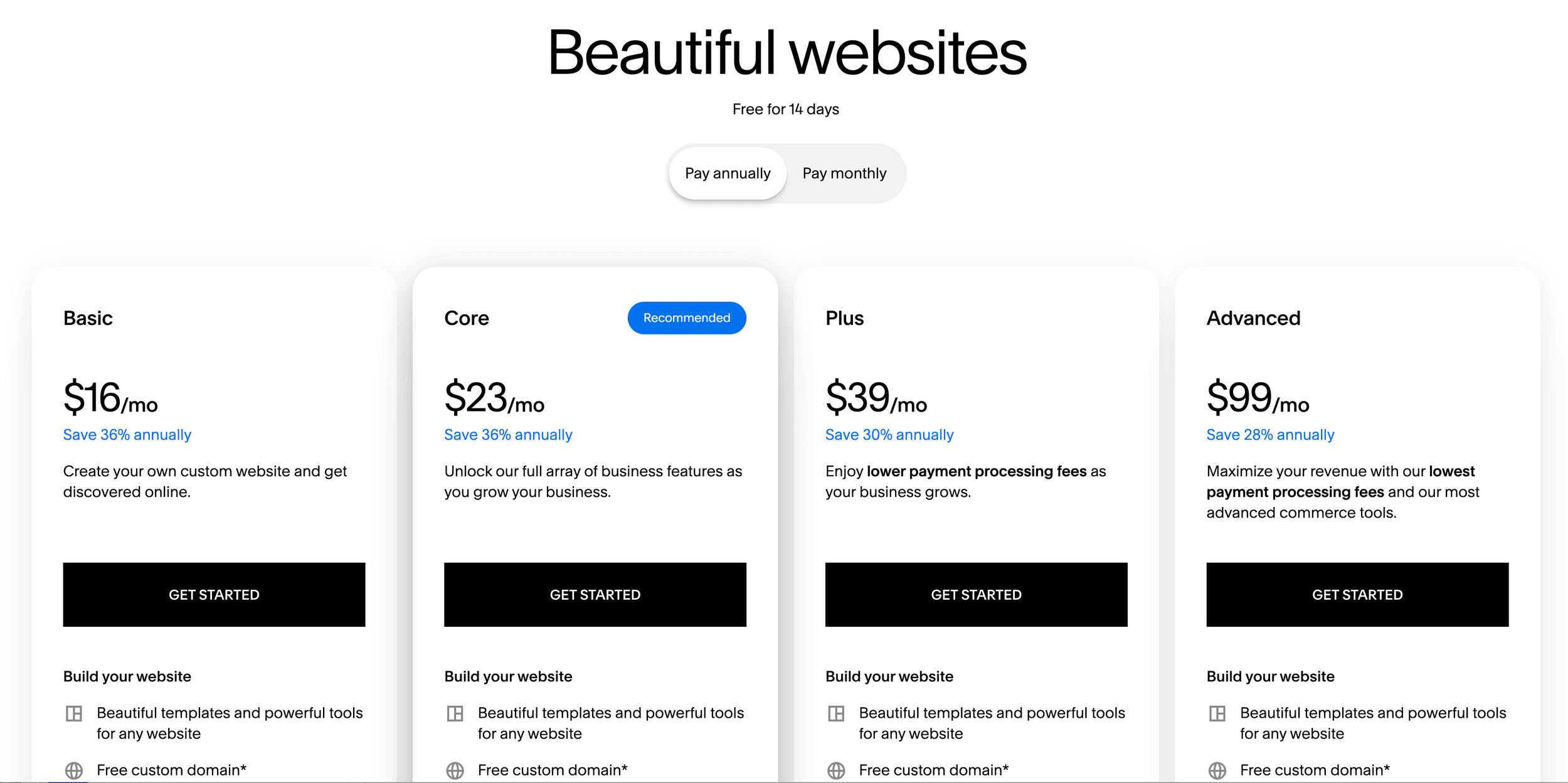
👉 Find updated pricing information for Squarespace plans here
The best thing about Squarespace’s plans is that, even on the lowest one, you get access to most all of their design, SEO, and blog tools, plus a free domain for your first year and unlimited use of all AI features. Plus, all of their plans have selling capabilities! So,although fees might be a little bit higher, you can get a store up and running even on their cheapest plan (huge bonus!).
The higher tiers do unlock things like
Advanced Analytics and Integrations
Scheduling Capabilities
Custom Code
Lower Transaction Fees
But for brand new or super small businesses, you might be able to get by without those things (at least at first). And you can always upgrade down the line if needed!
Wix Pricing
The thing that everyone loves about Wix is that they offer a free plan that you can remain on for as long as you want! From there, the plans start around $17/month and go up to around $159/month for super elite businesses.
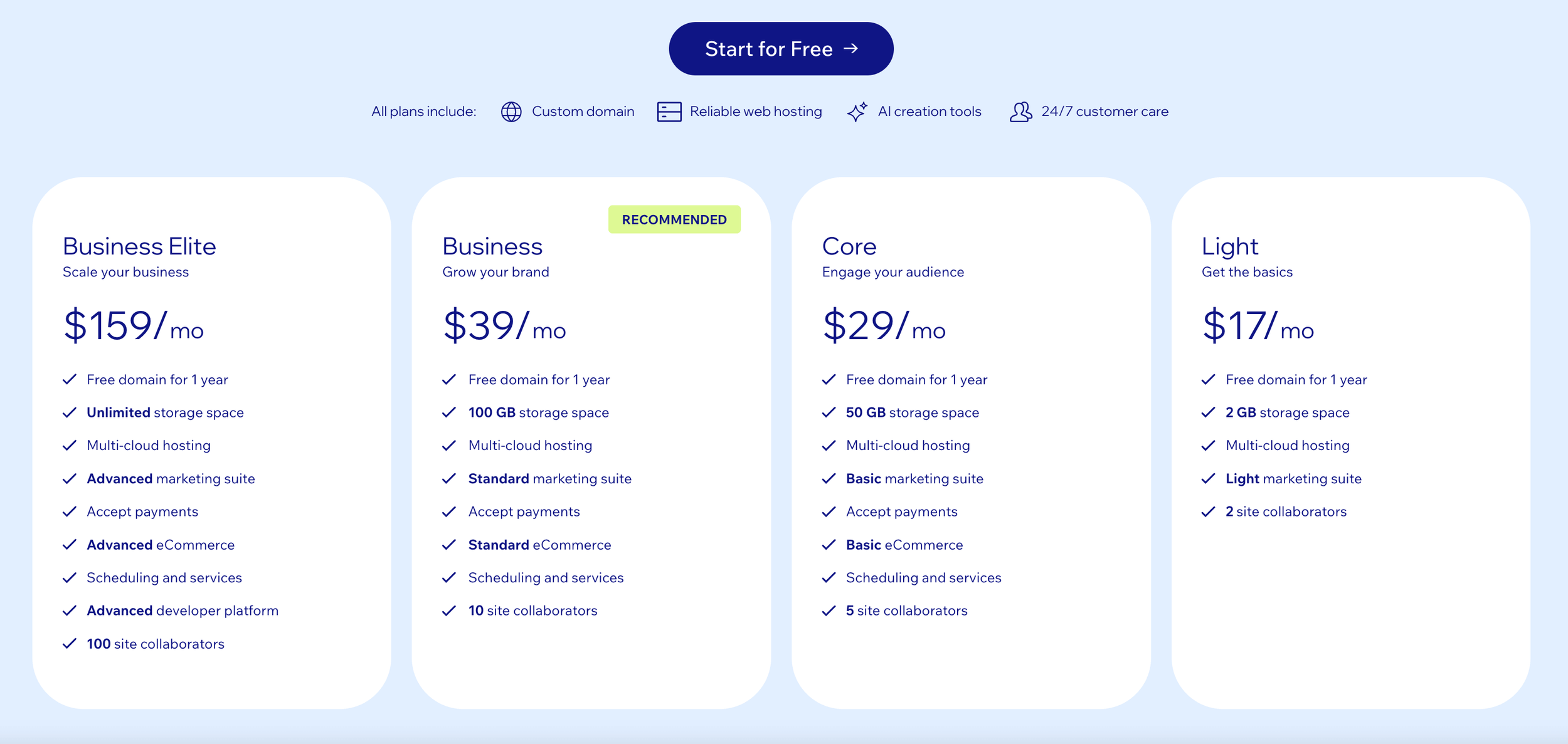
👉 Find updated pricing information for Wix plans here
Now, even though it’s great to have a free option, it’s not a complete win here. This is because the free Wix plan does come with some pretty significant limitations, including
Mandatory Wix branding and ads on your site
Limited storage and bandwidth
No custom domain: instead you'll be given a subdomain like username.wixsite.com/site
No e-commerce payment or selling capabilities
These are all pretty massive obstacles, so you’ll definitely want to consider the cons of the Wix free plan and decide if it’s worth it for your business. But, if you’re just starting out and need something budget friendly, it’s nice to have the option!
The rest of Wix’s plans are pretty standard. The Light plan (their cheapest plan above free) has a decent number of features included, but not everything. For example, you aren’t able to accept any online payments on the Light plan. The more you pay, the more you get access to.
Which platform is cheaper, Squarespace or Wix?
At the end of the day, Squarespace and Wix have pretty similar pricing options!
✅ Wix edges ahead just a bit with the fact that they offer a free plan, making it the most reasonable option for new business owners who don’t have a large budget.
✅ BUT, we also think that you get a little bit more value no matter which Squarespace plan you go with, and if you do have the money to spend, and you're serious about having a professional website with a domain, Squarespace is a great choice.
Ease of Use
When you’re starting a new business, it’s important to consider your time and energy. The truth is, you most likely don’t have the hours and brain space it takes to learn a super complicated system while you’re also trying to get your business off the ground.
Because of that, you need to choose a website platform that will be easy to learn and get started with so you can spend less time stressing and more time launching.
Squarespace Ease of Use
Squarespace is easy to get started with and the system is actually quite easy to grasp as a new user.
As soon as you create your account and choose a template, you’ll be brought to an organized dashboard with different checklists for getting started and using various features.
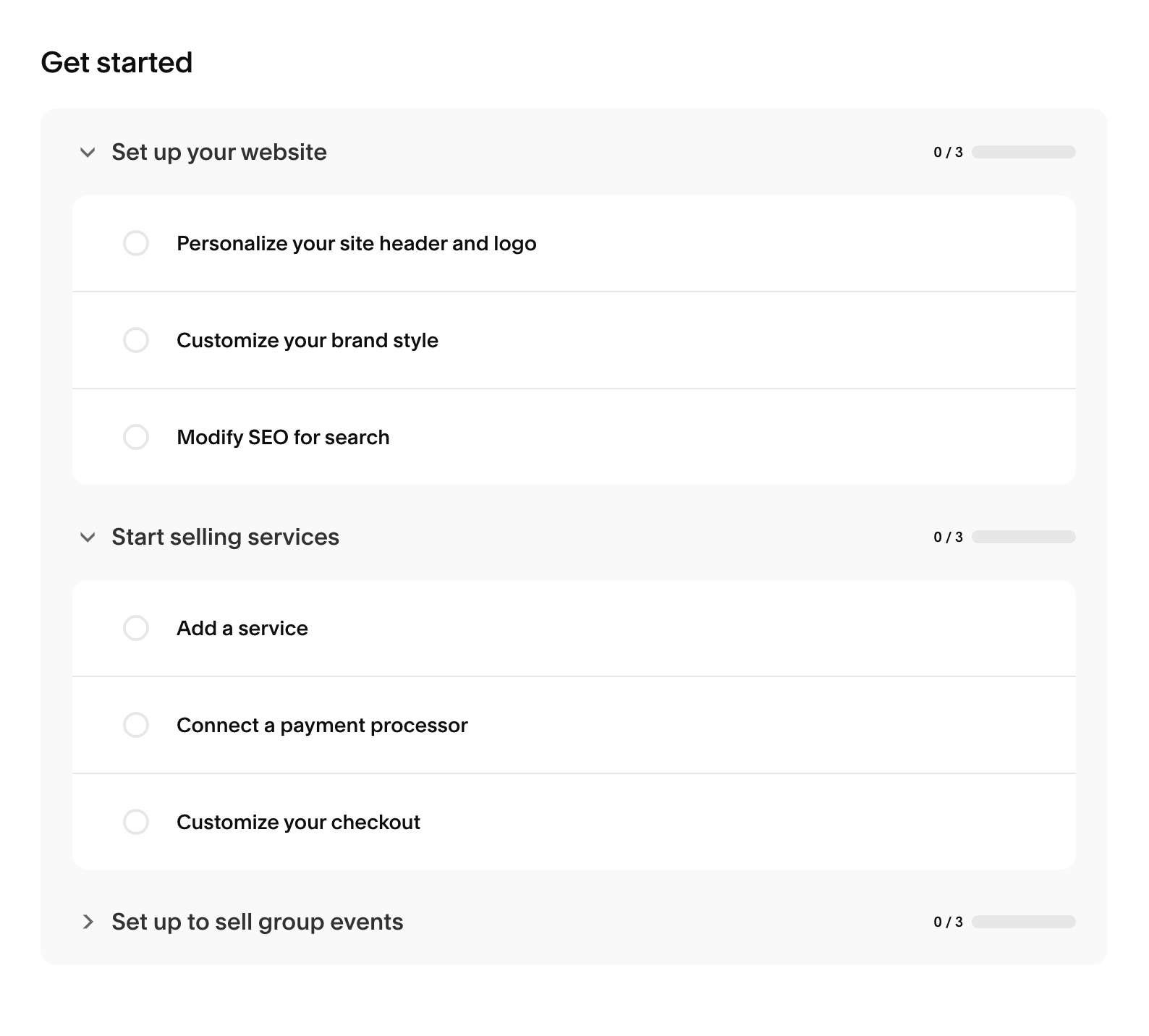
In this dashboard, Squarespace also provides direct links to video tutorials and AI tools so that you don’t need to go searching for the information. You can start learning and creating as soon as possible!
You’ll also notice that the menu and navigation in the back end of your Squarespace website is super clean and easy to follow. Everything is very clearly labeled.
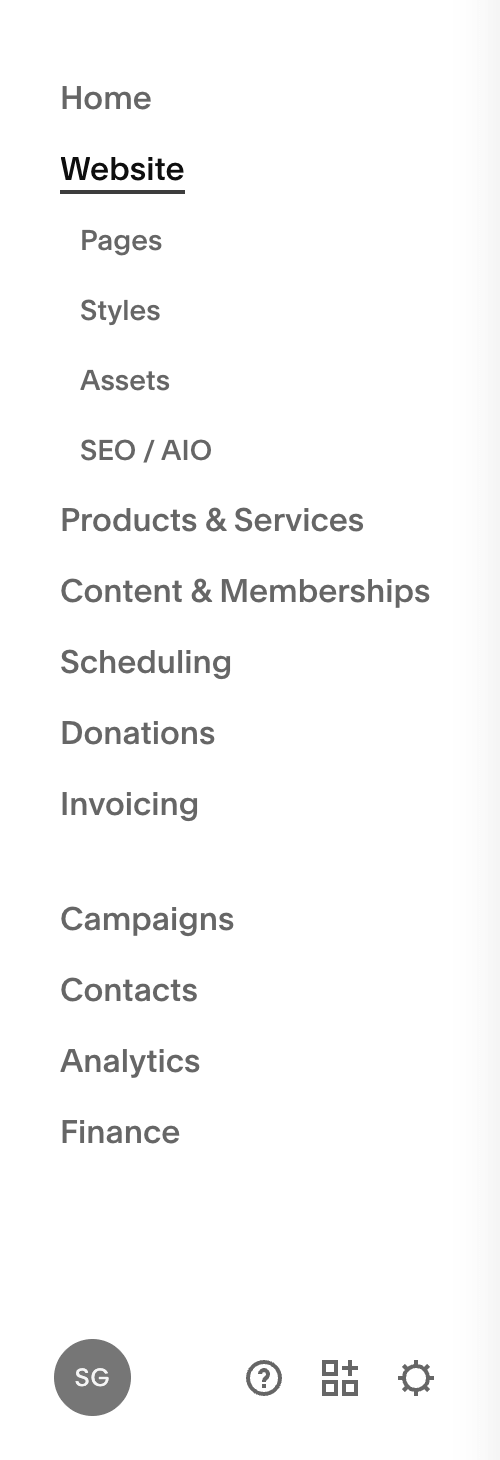
And when it comes to editing, the Fluid Engine editor in Squarespace makes it easy to drag and drop content blocks into sections. There's more guidance within the editor and it's harder to mess things up, which is why it's so great for DIYers.
Of course, there’s always going to be a little learning curve, especially if you’ve never used the platform before. But if you have a few hours to play around with things, you shouldn’t have much trouble learning how Squarespace works. It’s so DIY friendly it’s not even funny!
Wix Ease of Use
When it comes to starting a website with Wix, it’s also very simple to get things up and running.
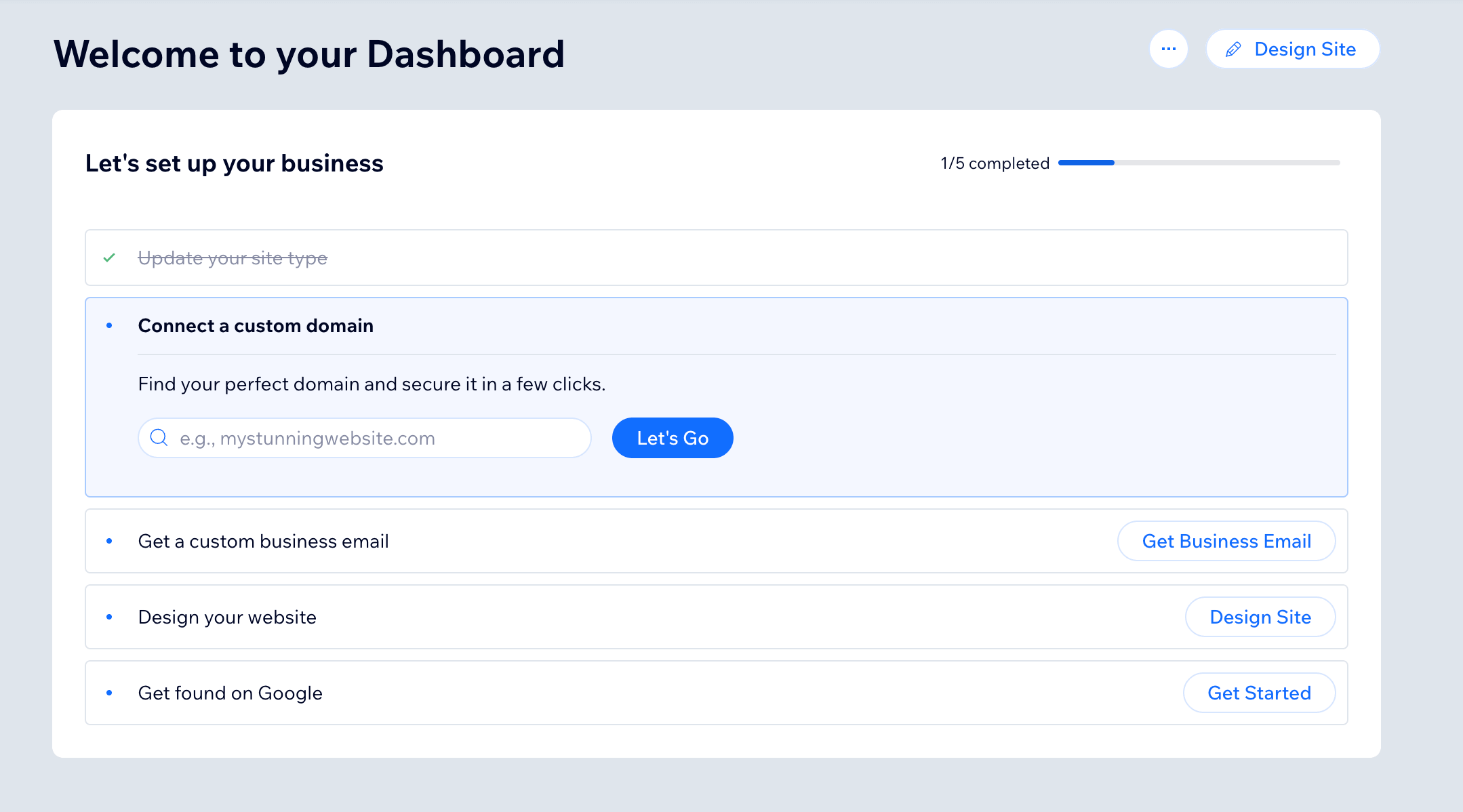
You can start by creating a free account and from there Wix gets right into offering you helpful tips. For example, once you’re inside your dashboard, you’ll find a convenient checklist to help you get started with the most important elements.
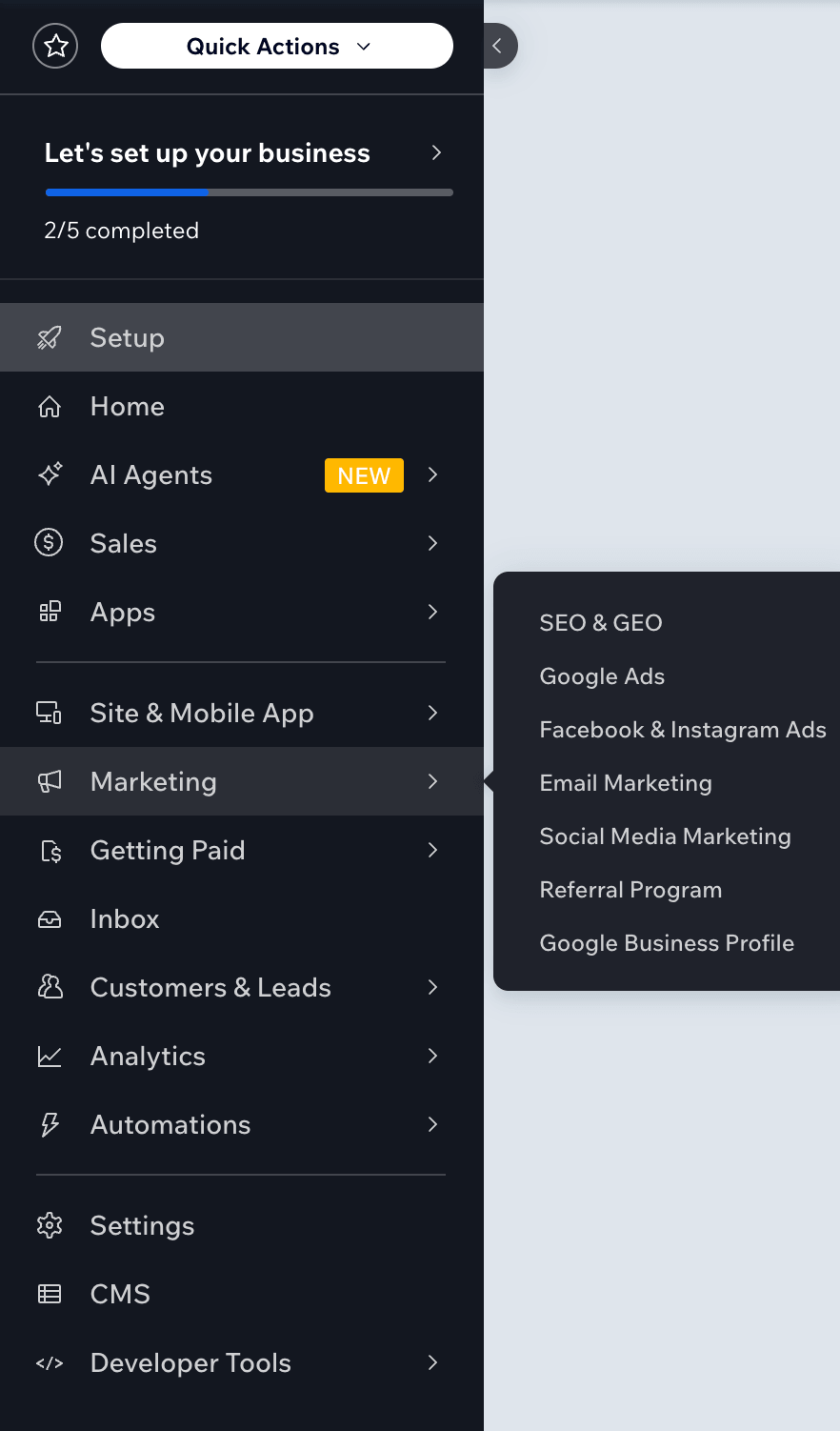
The main menu in your Wix backend has quite a few tabs and options, however once you've spent some time familiarizing yourself with everything, it's all fairly standard and self explanatory! It might feel like a lot to wrap your head around because it's not as simplified as Squarespace, but don't let that scare you.
And when it comes to editing, the drag and drop nature of the Wix editor is very similar to Squarespace and easy to grasp, however they provide even more design flexibility and there are more features to learn. So while it's easy to make customizations, it might take a bit more time to master the ins and outs of everything they offer.
Which platform is easier to use, Squarespace or Wix?
✅ When it comes to ease of use, we’ve got to give it to Squarespace!
As a beginner or DIYer, you’re going to find the easiest path to getting started with Squarespace. Wix isn’t far behind, but the platform is a little less simplified and there are more design features to learn.
Templates
If you have researched anything about DIY website design, then you probably know how integral templates are to the design process. This is likely the first thing you’ll encounter when setting up your site, and a good template can take you so far when it comes to design quality and professionalism.
P.S. Did you know that we sell Premium Squarespace Templates?! Designed specifically with DIYers in mind, our templates will get you a beautiful and functional website fast. Check them out here 🙌
Squarespace Templates
When it comes to templates in Squarespace, you really can’t go wrong. They offer a library with hundreds of templates that are beautifully and professionally designed for all different business types.

There might be fewer templates to choose from overall than you’ll find on Wix, but to make up for that, Squarespace provides high quality, full site layouts that you might not even need to edit much! Squarespace templates are designed to be
Strategic
Functional
Aesthetic
Easy to Navigate
And are built to give your visitors the best experience possible without causing you the stress of building a website from scratch.
When you select a template that you’re interested in, you can start with the design “as is” or choose from a variety of different colorways and font packs to begin customizing right away. And when you’re ready, you can click “start with this design” to head into your website backend where further customizations will take place.
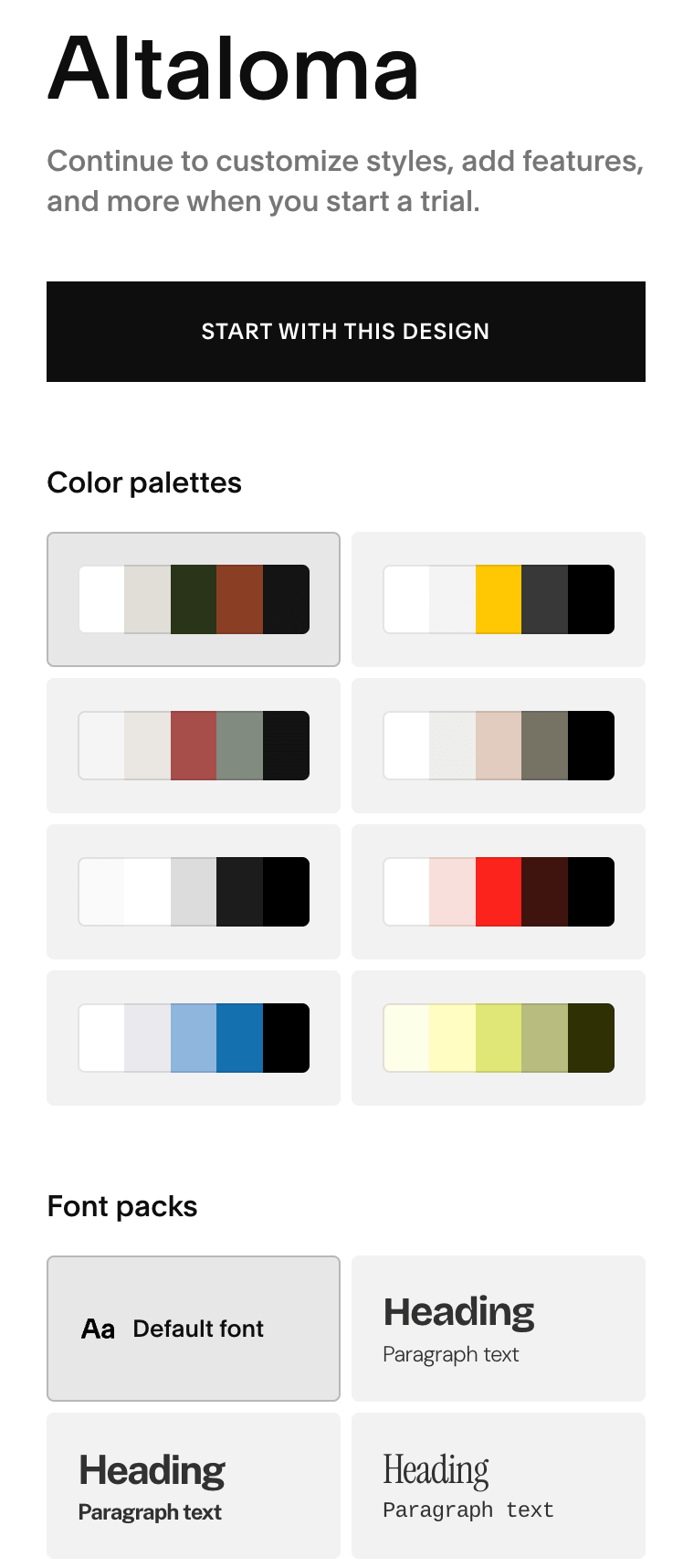
Important! If you decide later on that you aren't happy with your template choice, you can always create a new website with a new template, however you are not able to switch templates within the same site. Because of this, it's best that you make template changes earlier on so that you don't lose all of the customizations you make!
👉 How to Pick the Best Squarespace Template for your Business
👉 Free vs Premium Squarespace Templates: What’s the Difference and Which one Should you Choose?
Wix Templates
While Squarespace has hundreds of templates to choose from, Wix has thousands!
They have a truly impressive library of pre-designed templates that you can start with, appropriate for all different types of entrepreneurs and businesses. You can filter the templates by industry to get more specific options and even choose between styled templates or blank templates (if you want to input all content and style settings yourself).
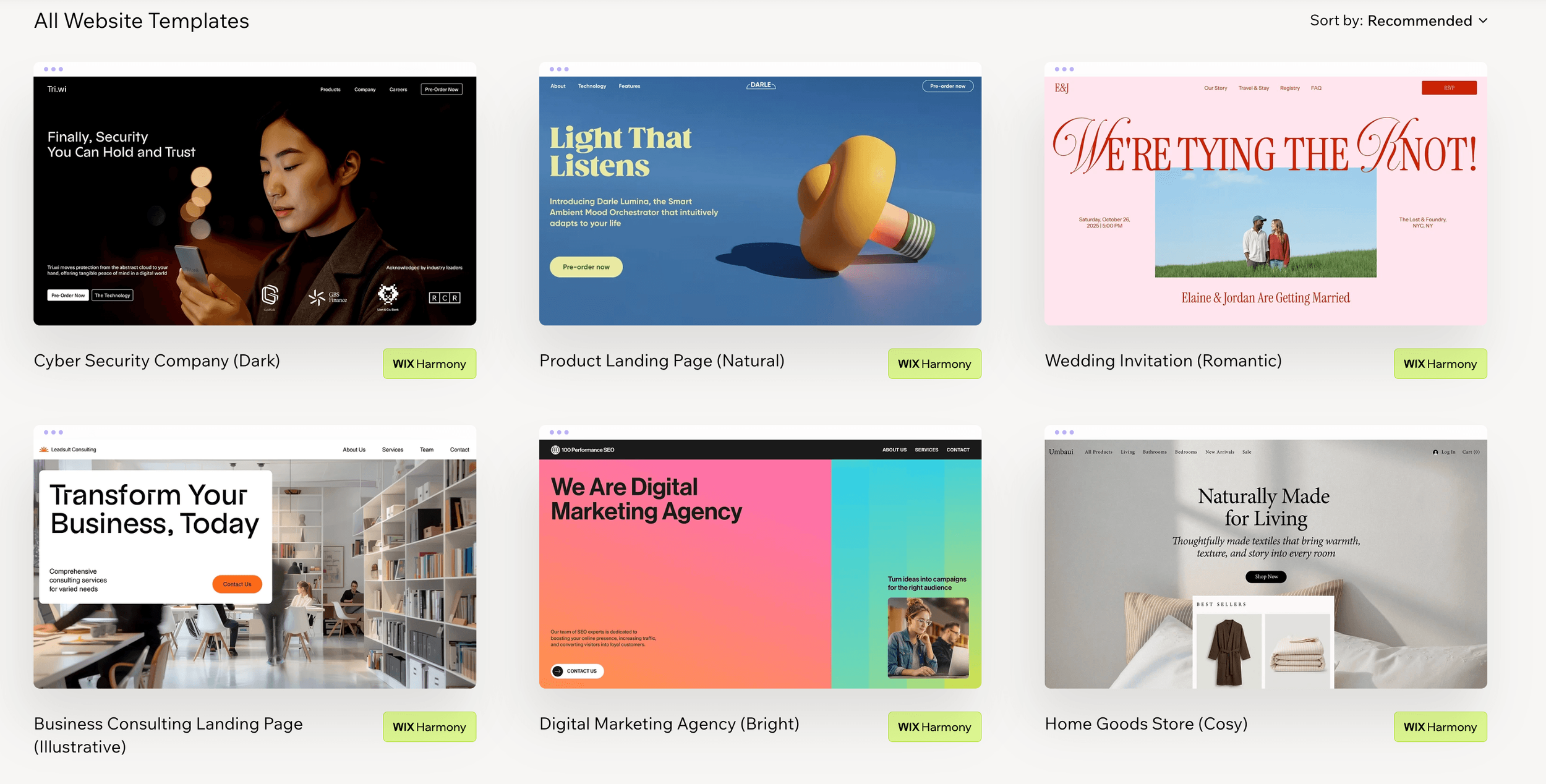
You can click on any template you’d like to view a demo version or just click Edit and that will take you into the Wix editing portal.
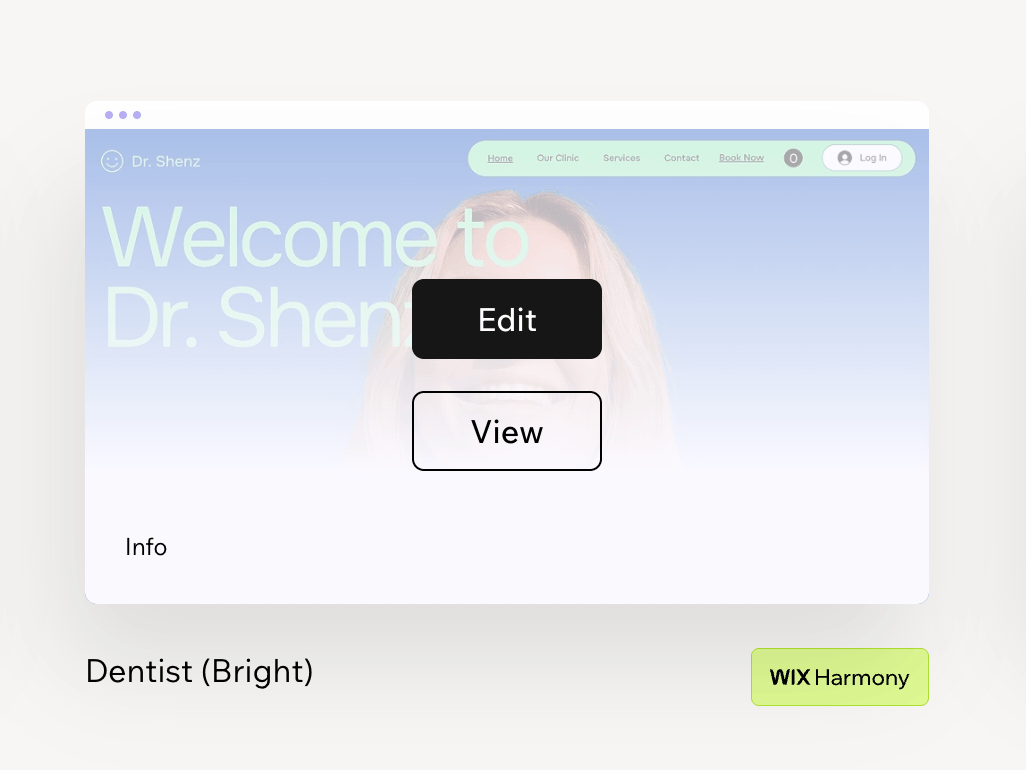
Important! In Wix you cannot switch templates within the same site. If you find that you don’t love the template you chose, you’ll have to start a new website and leave any customizations you’ve made behind. With that being said, Wix does give you the option to copy content and import media from your old site, so if you have the time and patience to reconfigure everything you can definitely do so!
Who has better templates, Squarespace or Wix?
Both Squarespace and Wix offer a large library of beautifully designed templates to choose from so we have to give credit to both platforms.
✅ However when it comes to quality vs quantity, Squarespace definitely comes out in front! Wix offers a lot of templates, but the designer-level quality you'll find in every Squarespace template is unmatched.
Customization Features
Now, making a template choice is great, but the design features of the specific website platform you’re using will determine just how custom you can get with your starting template. In this section, we’ll compare Squarespace vs Wix where customization is concerned.
Squarespace Customization Features
When it comes to customizing your starting template with Squarespace, you have multiple choices. You can keep things exactly as they are in the template and just swap in your own copy and images, you can pick and choose which sections and pieces of content you want to keep from the template, OR you can add brand new pages to start your own design from scratch.
Pro Tip: You can even save sections in Squarespace, so if there are certain aspects of a template that you love and want to use on other pages or within your own custom design, simply save that section and re-add it anywhere else on your website!
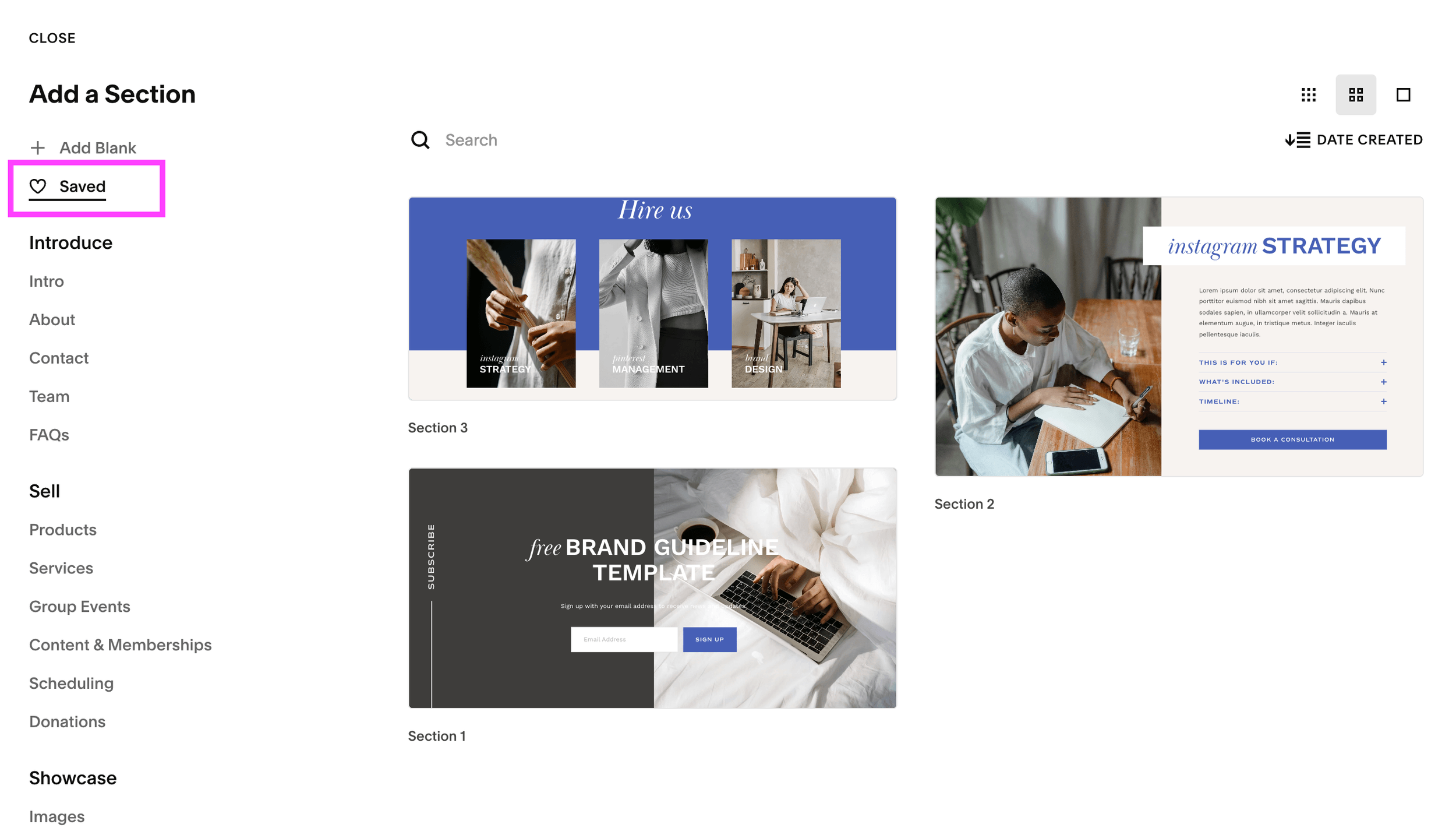
And when you're ready to fully dive into custom design changes, the Squarespace Fluid Engine editor functions the same within every single template and with every piece of content you want to add!
The editor does use sections and a grid structure to organize content, so you can’t move content blocks around an entire page 100% freely. Some people might find this restricting or frustrating, however it also helps to keep the editing process streamlined and your website clean.
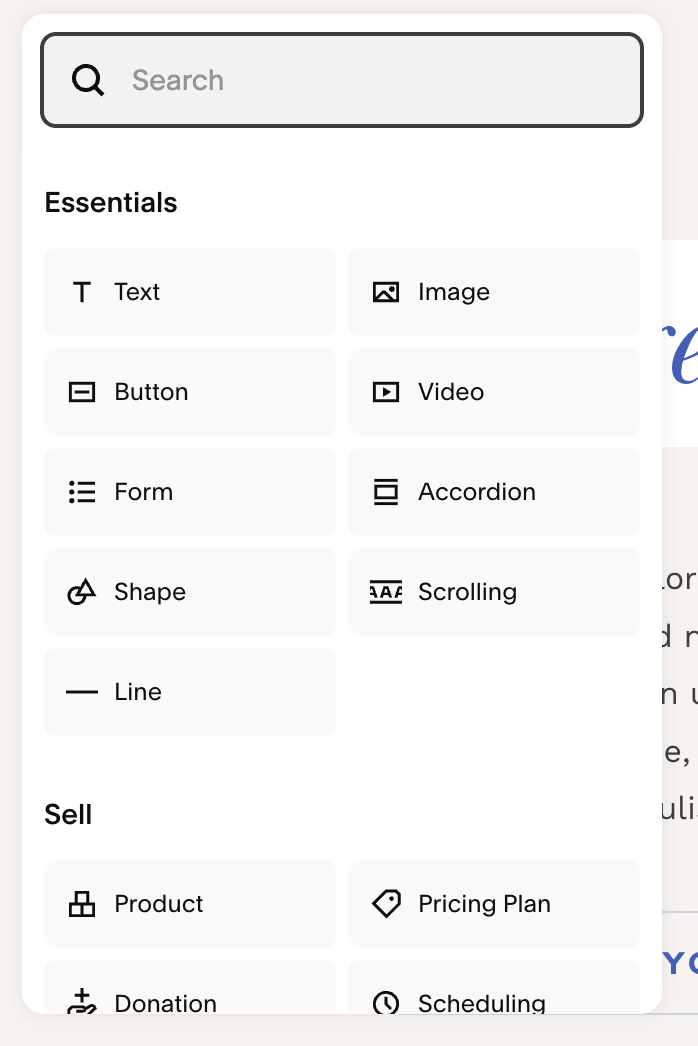
When you want to add new content blocks to a section, you simply click the Add Block button in the top left corner, choose from dozens of options, and customize your content accordingly.
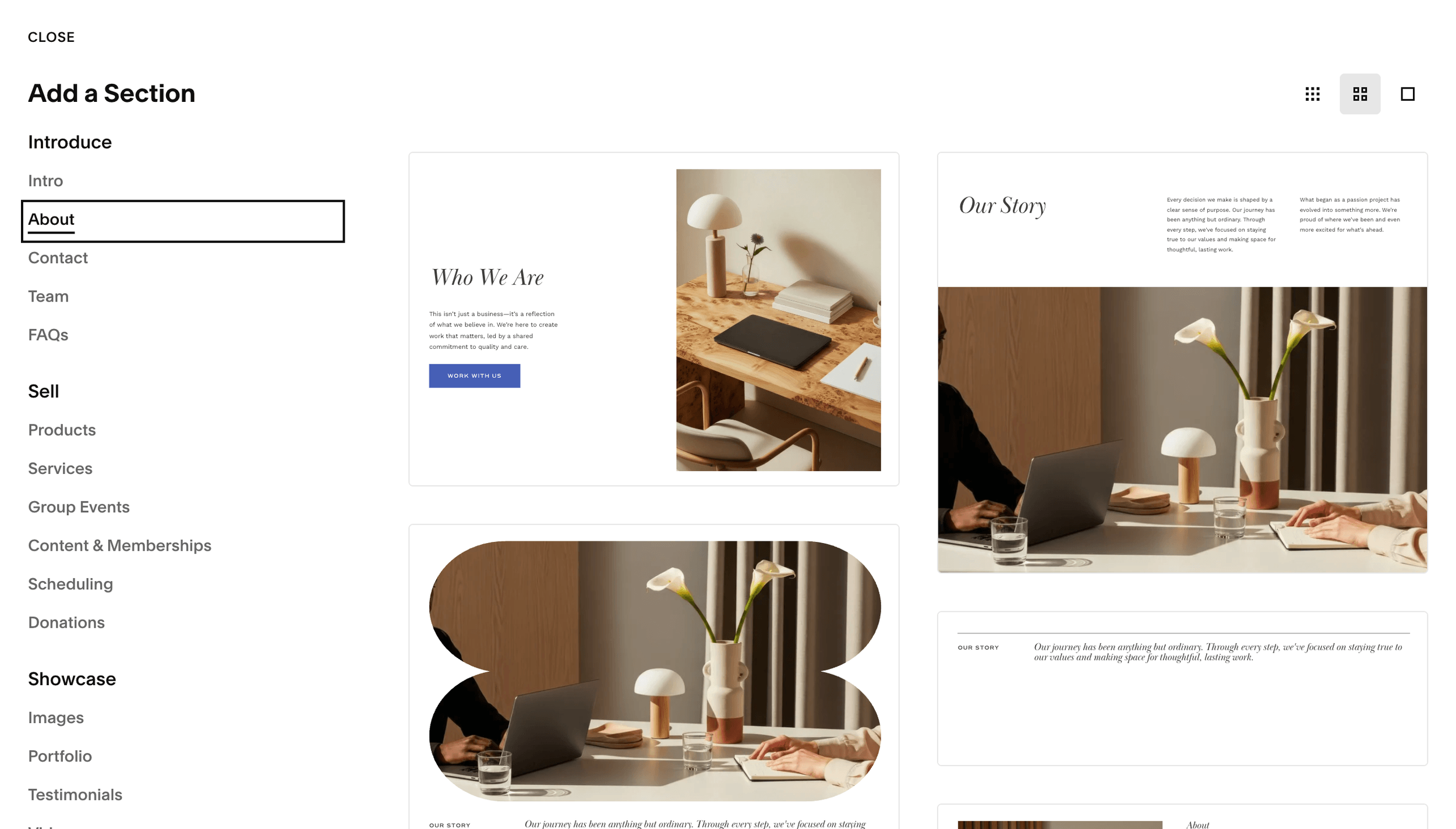
Squarespace also offers pre-designed sections that automatically match the design settings of your site, so if you’re not completely happy with the template layout and are struggling to come up with your own, you can use these sections to help.
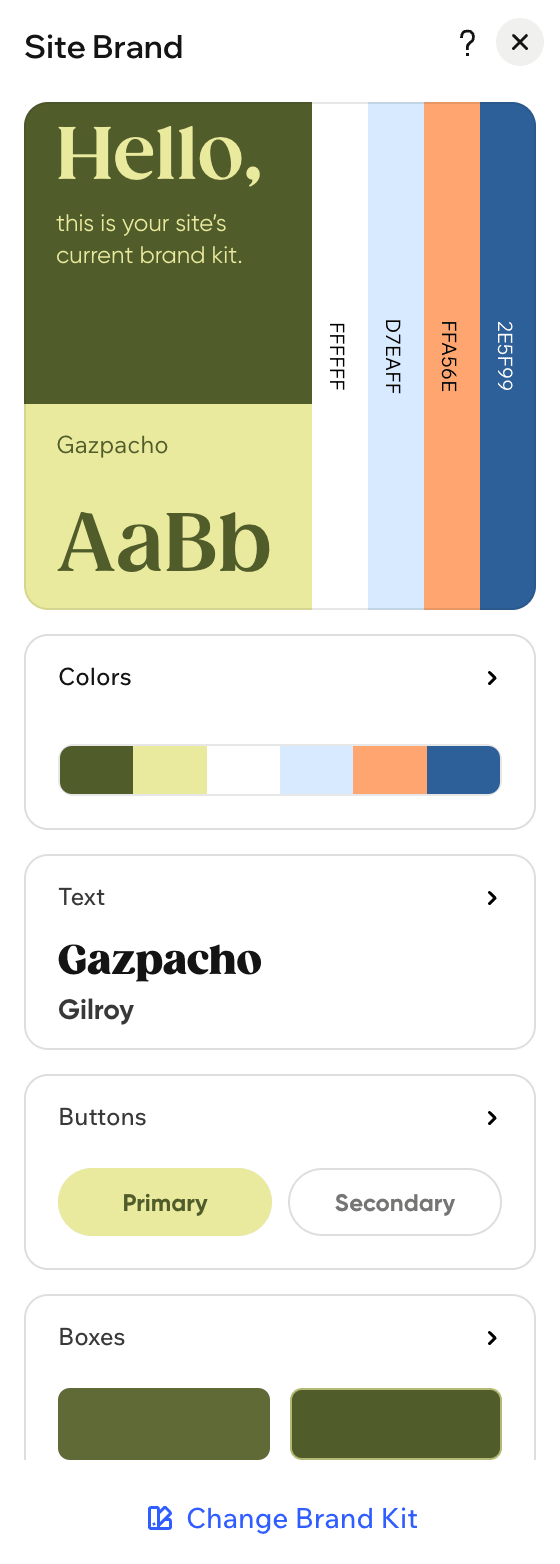
Finally, all of your fonts, colors, button, and spacing specifics are set globally in your website Site Styles. This is nice because you only need to style these things once, and everything will remain consistent throughout your site.
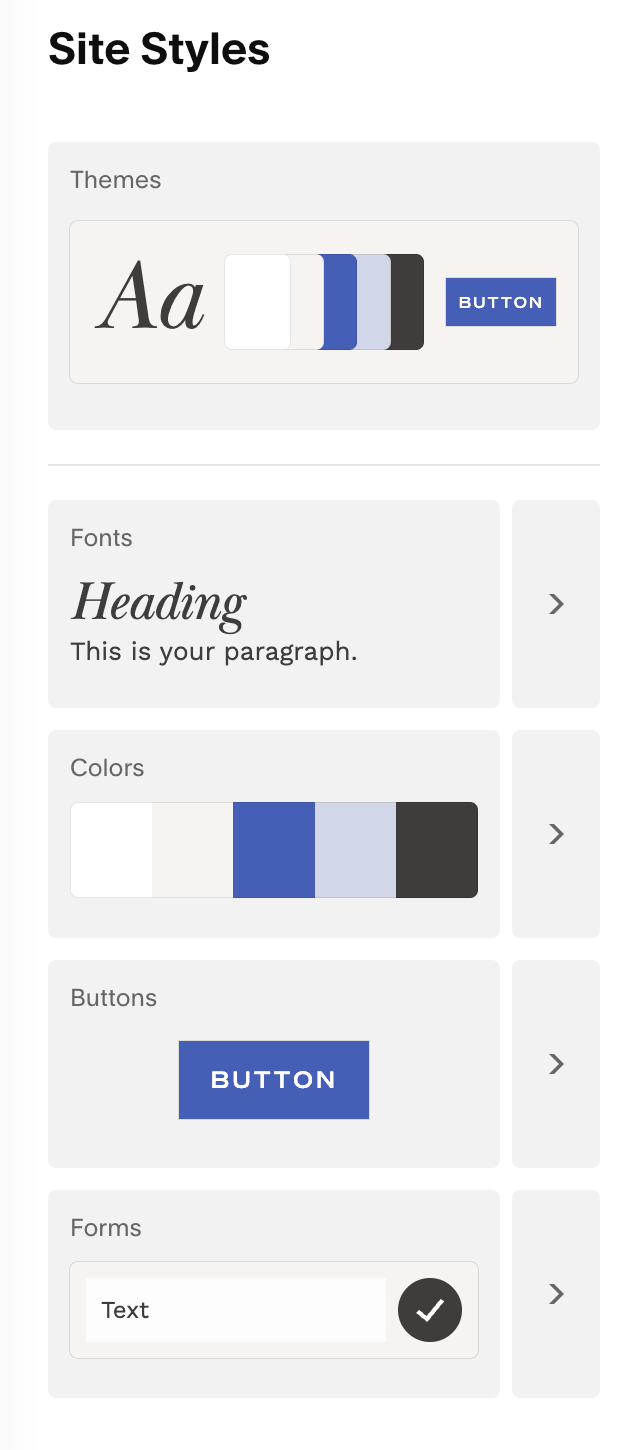
And again, there's a ton of flexibility here. If you want to keep the design settings that come with your chosen template, you can leave the Site Styles settings alone. Or, you can easily customize just your colors or just your fonts.
No matter how you choose to customize, you'll be able to achieve the site you’ve been envisioning!
👉 How to Edit in Squarespace 7.1 with Fluid Engine - Best Practices and Tips
👉 Squarespace 7.0, 7.1, Fluid Engine, Classic Editor: What are the Differences?
Mobile Responsiveness
With the Squarespace Fluid Engine editor, everything is mobile responsive by default. This means that all of the content on your website will adapt well to fit different screens.
You also have the option to edit your mobile view separately from your desktop view, which you'll likely need to do, as it doesn't always transfer over perfectly.
You can resize blocks or change the order of things on mobile view without affecting anything on desktop, which is really nice for achieving a smoother flow and making things easier to read and navigate through on mobile.
To view the mobile view for your chosen template or for the custom site that you’re working on, click the mobile icon in the top right corner of your screen.

From here, you can edit things further or just simply scroll through to make sure that the automatic content adaptation looks good.
👉 Mobile Optimization: Creating Responsive Squarespace Sites
Wix Customization Features
When it comes to customizing your Wix template, you can keep the design as is or change things as much as you want. The templates don’t restrict you from using any of the editing features so anything you’d do to a blank site, you can do to a template.
Now (like we mentioned previously), Wix offers much more design flexibility, which can be a little bit overwhelming at first, but it also means that the possibilities are nearly endless when it comes to customizations.
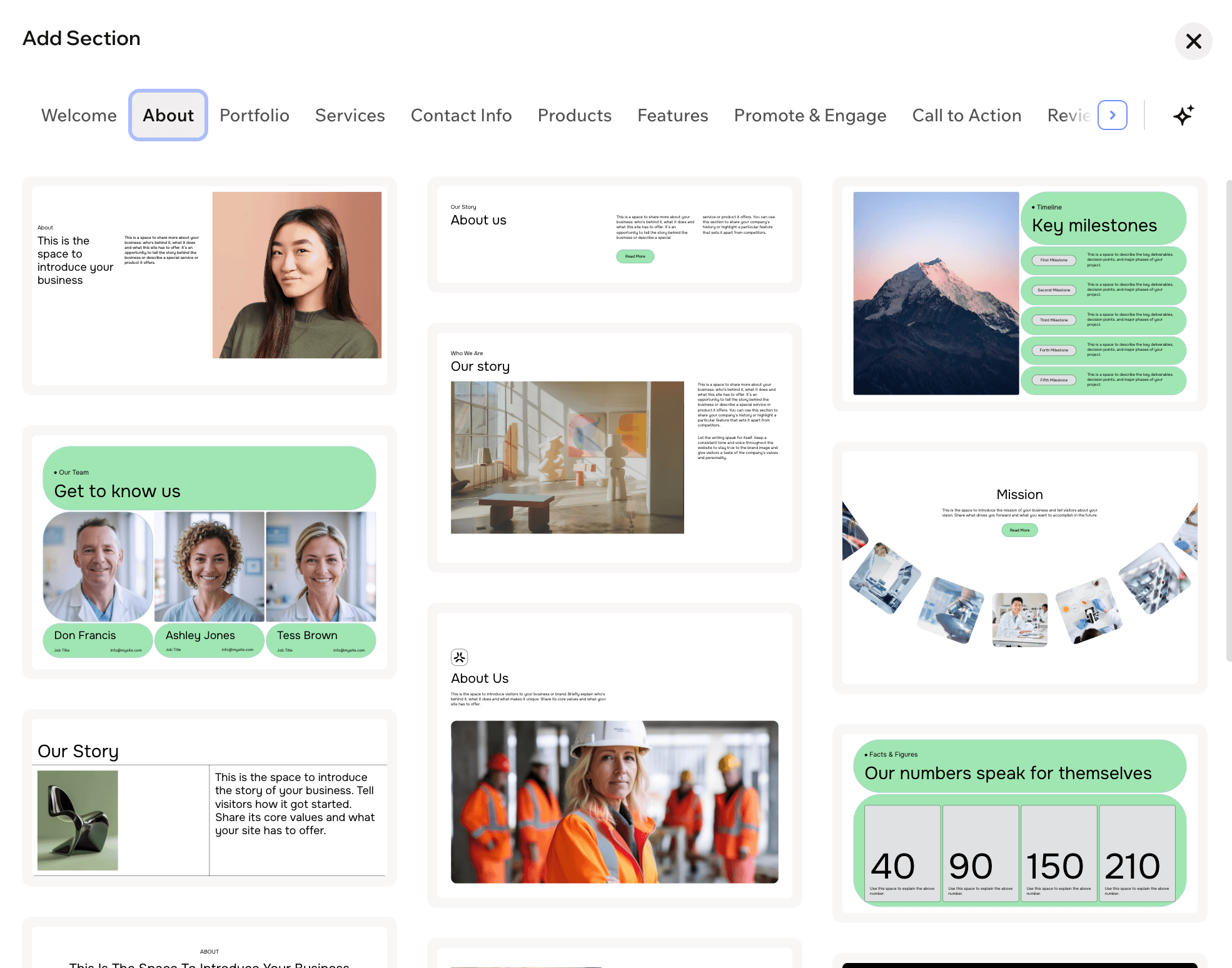
To help you out at first, if you're not using a template (or even if you are), Wix provides pre-designed sections that you can add to any page!
To utilize these designs, you’ll click on the blue Add Section button anywhere on the page and choose Designed Section. From here, you can navigate through a bunch of categories and pick the section that you like best.
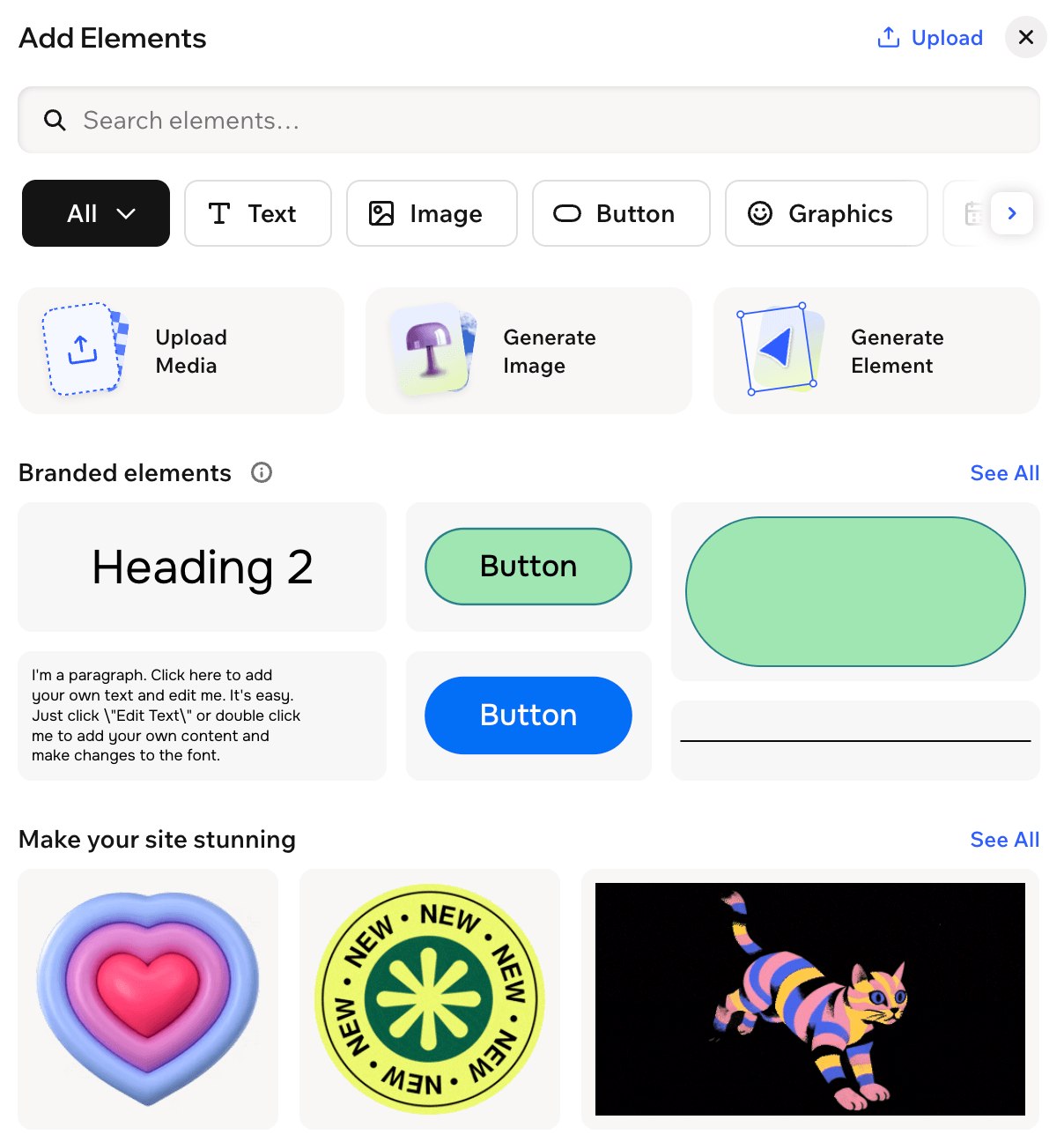
From there, content is just drag and drop. To add something new to the page, you can click the Add button at the top left of your screen, choose from all of the different content blocks and elements Wix offers (text, images, buttons, graphics, etc.), and further customize things from there.
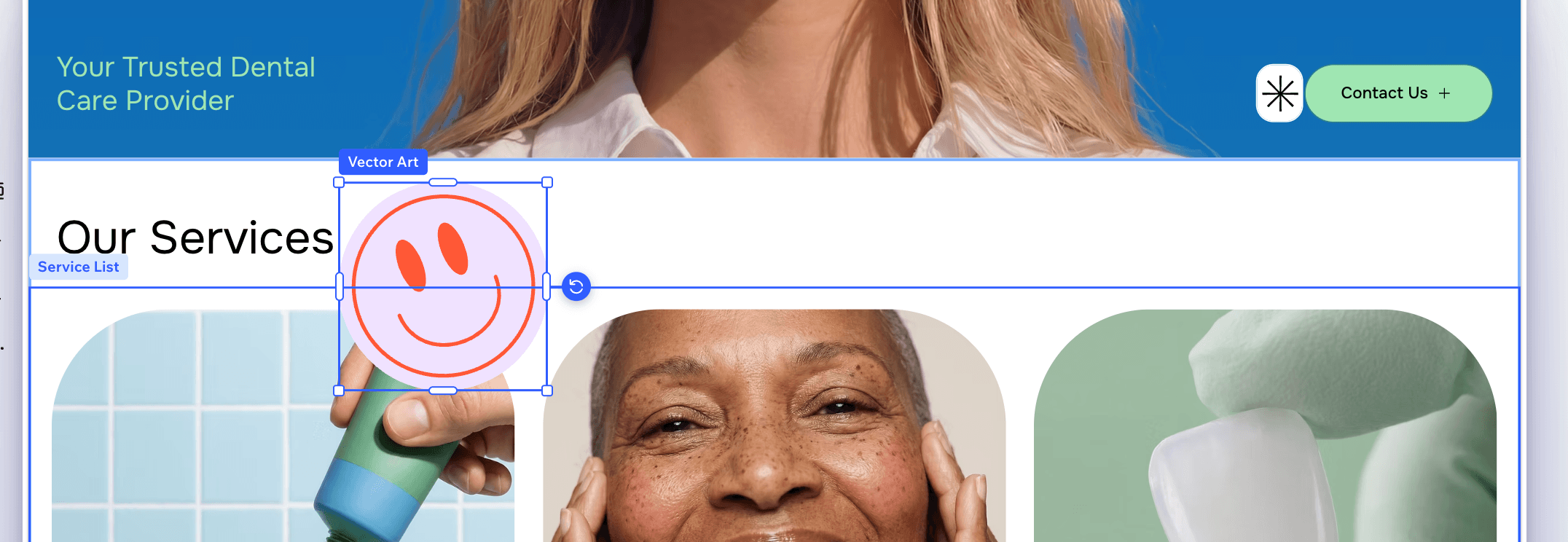
And, even though Wix does use sections, the entire page is an open canvas, so you can actually drag and place content wherever you'd like (even between sections). This means that you can overlap things without any code or special tweaks! Simply drag a piece of content on top of a section divider or image and it will remain where you drop it.
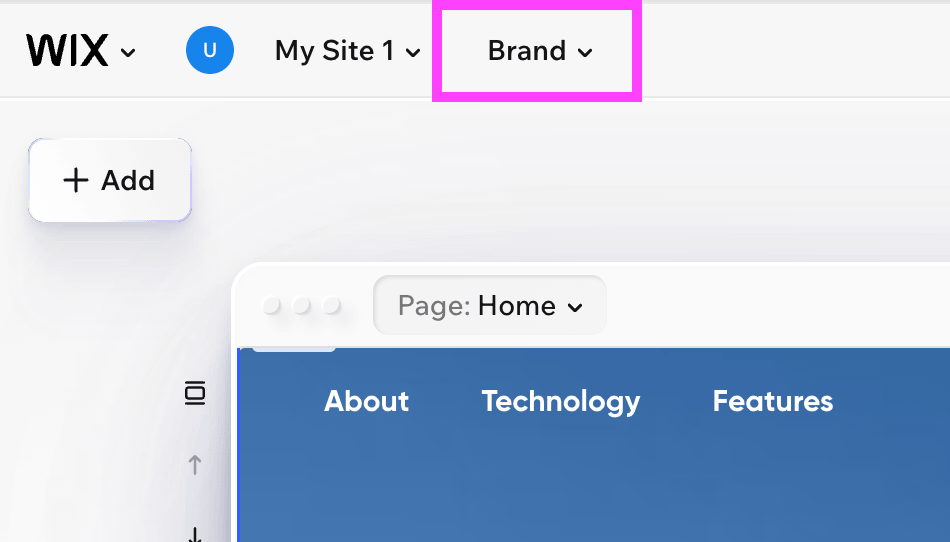
Finally, colors, fonts, and other design settings can be set and managed globally within your Wix Site Brand. You can access this brand panel by clicking the Brand dropdown at the very top of your editing portal and customizing from there!
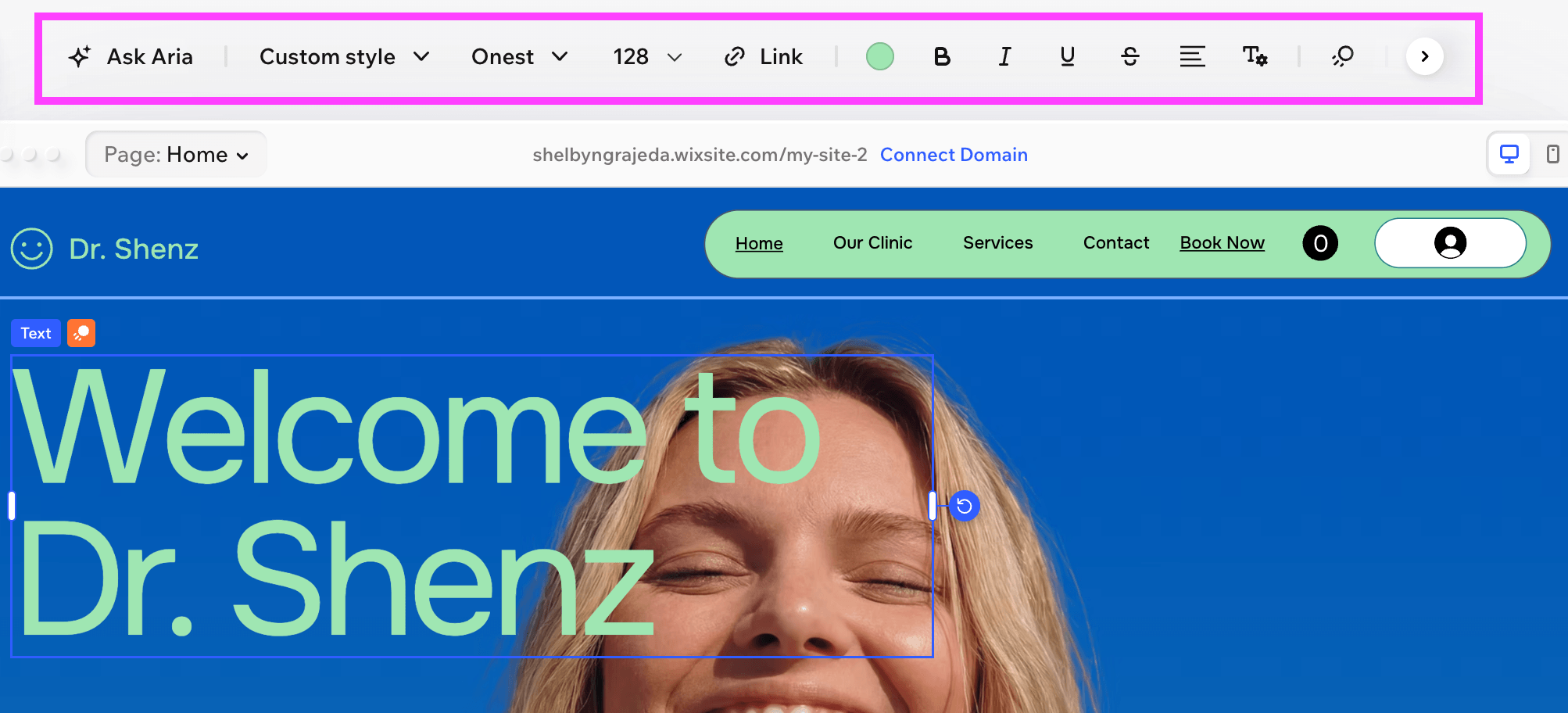
And if you want to further customize a specific element or change anything uniquely from your site brand, you can simply click on a piece of content and then use the tool bar at the top of the editor to change its features.
Mobile Responsiveness
When it comes to mobile responsiveness, Wix conveniently generates a mobile friendly version of your website for you!
And, if you're not happy with how things look, you’re able to further customize the mobile view of your site separately from desktop view. This means that you can resize content, move it around, and even change the colors without the same edits taking effect on desktop.
To view the mobile view and make changes, just click the mobile icon in the top right corner of your screen.
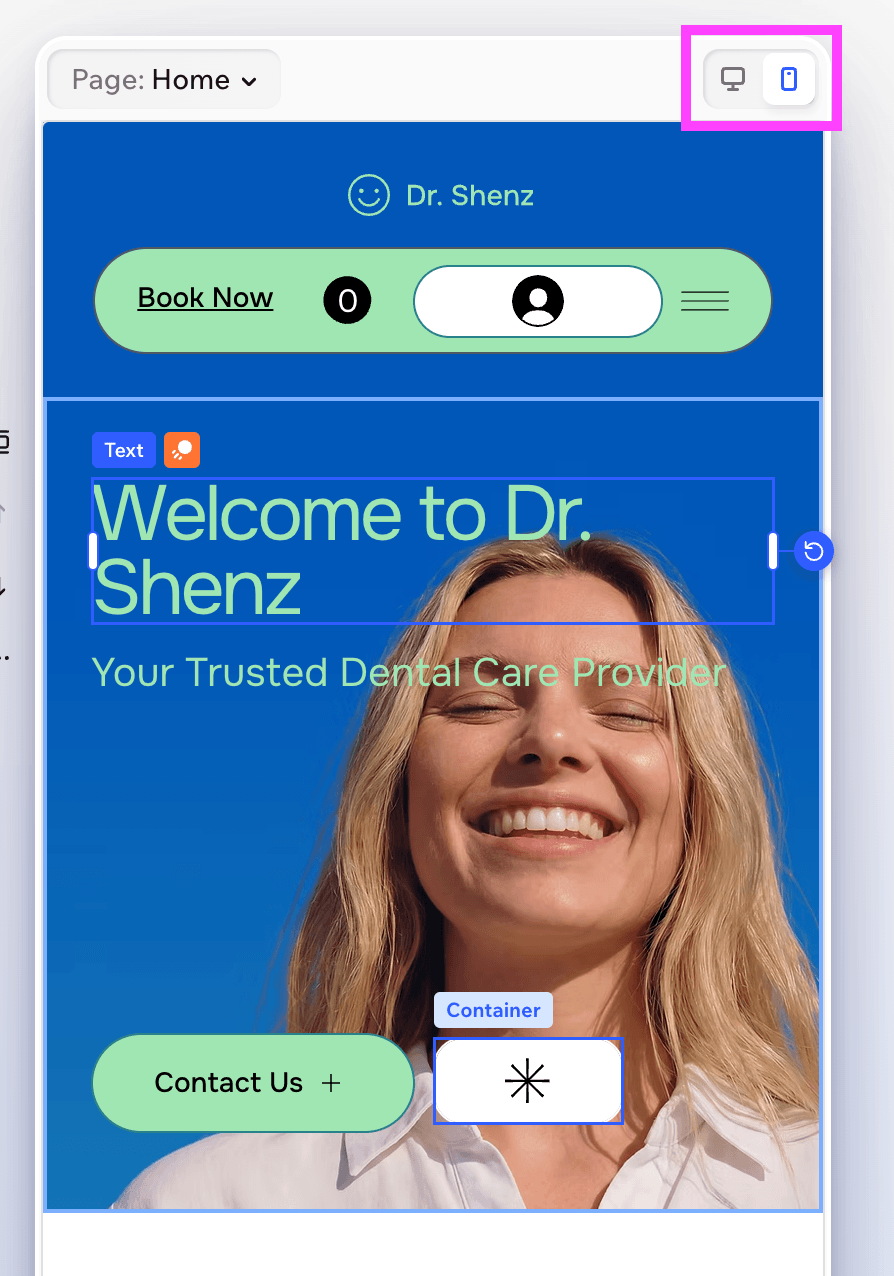
Who has better customization features, Squarespace or Wix?
✅ If you're a total beginner or DIYer, Squarespace is going to be the platform for you because the editor is much more simplified. With the use of sections and grids, things are more structured and you can get a polished site running quickly. There's still plenty of customization available, but less noise and distractions in the editor - and for a lot of non-designers this can mean less overwhelm and creating a much more uniform and professional looking site.
✅ However, if you are a designer or someone who wants ultimate customization control, and doesn't mind a steeper learning curve to learn ALL of the features, Wix offers more design tools and fluidity. If you’re willing and able to manage these features, there’s so much you can accomplish.
And don’t forget, we sell professionally designed Premium Squarespace Templates that can help you get a jaw dropping website launched within a few days! These templates are perfect for small business owners and DIYers, and can be a lifesaver if you aren’t totally sure how to get started. 👉 View all of our designs here
AI Features
These days AI is everything! It’s hard to get around it no matter which industry you work in and there are so many ways that it can be helpful in getting a website up and running.
Both Squarespace and Wix have added AI features to assist you, so let’s compare.
Squarespace AI Features
Squarespace’s Blueprint AI gives you the opportunity to build your own custom template. If you aren’t finding a template that works for you, or if you just want to see what the platform will come up with, you can choose to have the AI Website Builder do it for you.
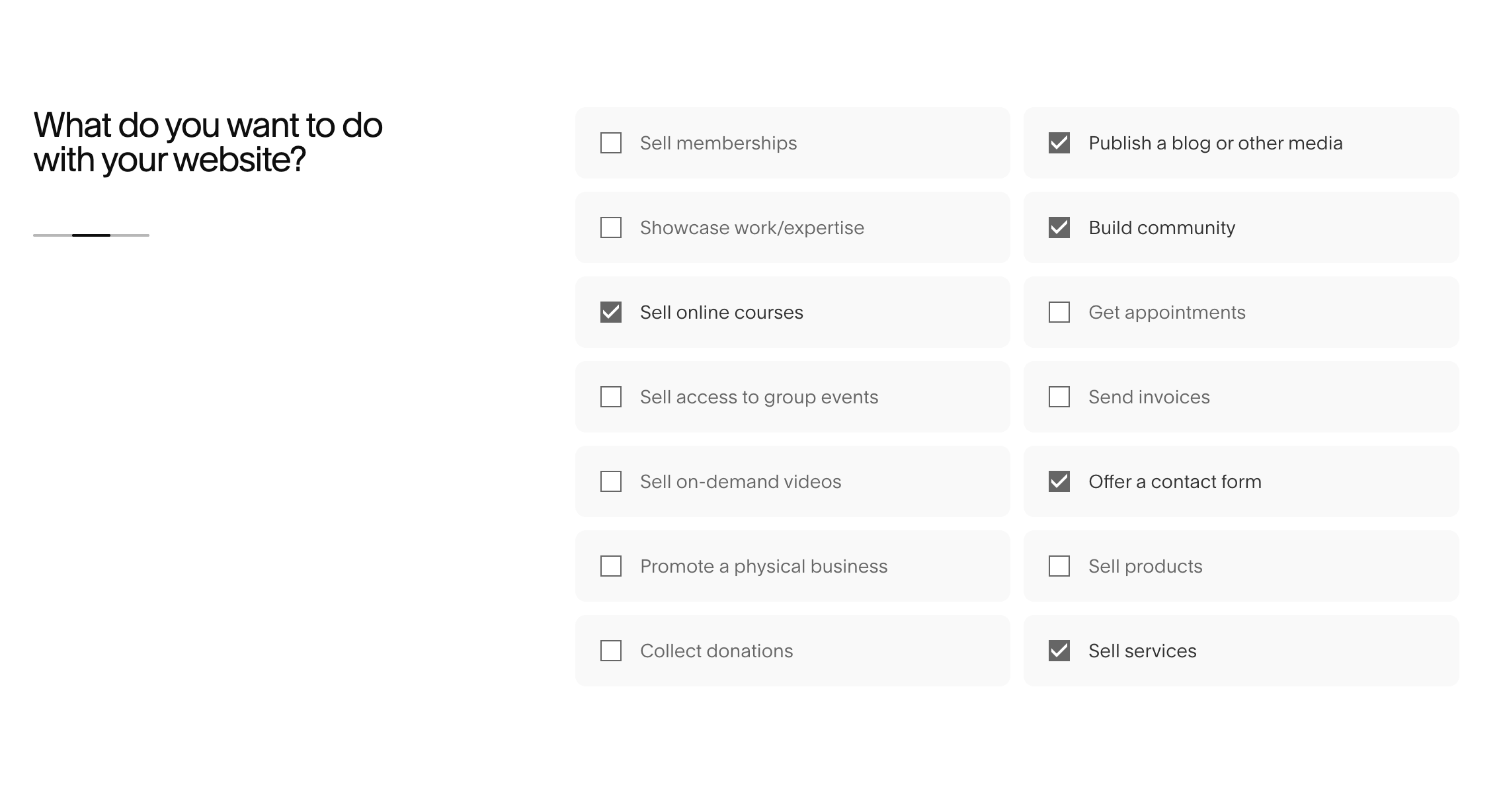
When you first sign up for your Squarespace account or navigate to start a new site, instead of skipping the prompted questions, let the platform know what kind of business you have and what you’re looking to offer.
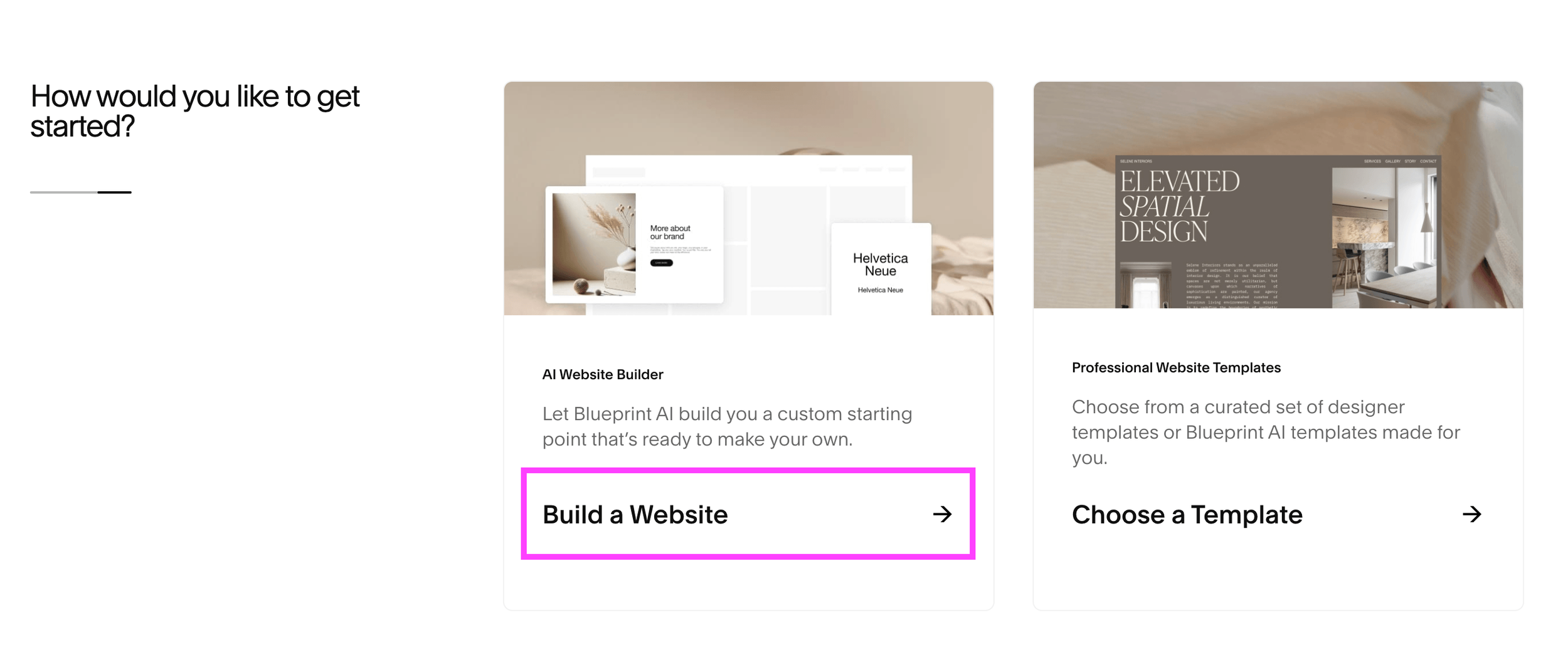
From there, you’ll want to choose the Build a Website option that’s offered to you rather than browsing through the traditional Squarespace templates.
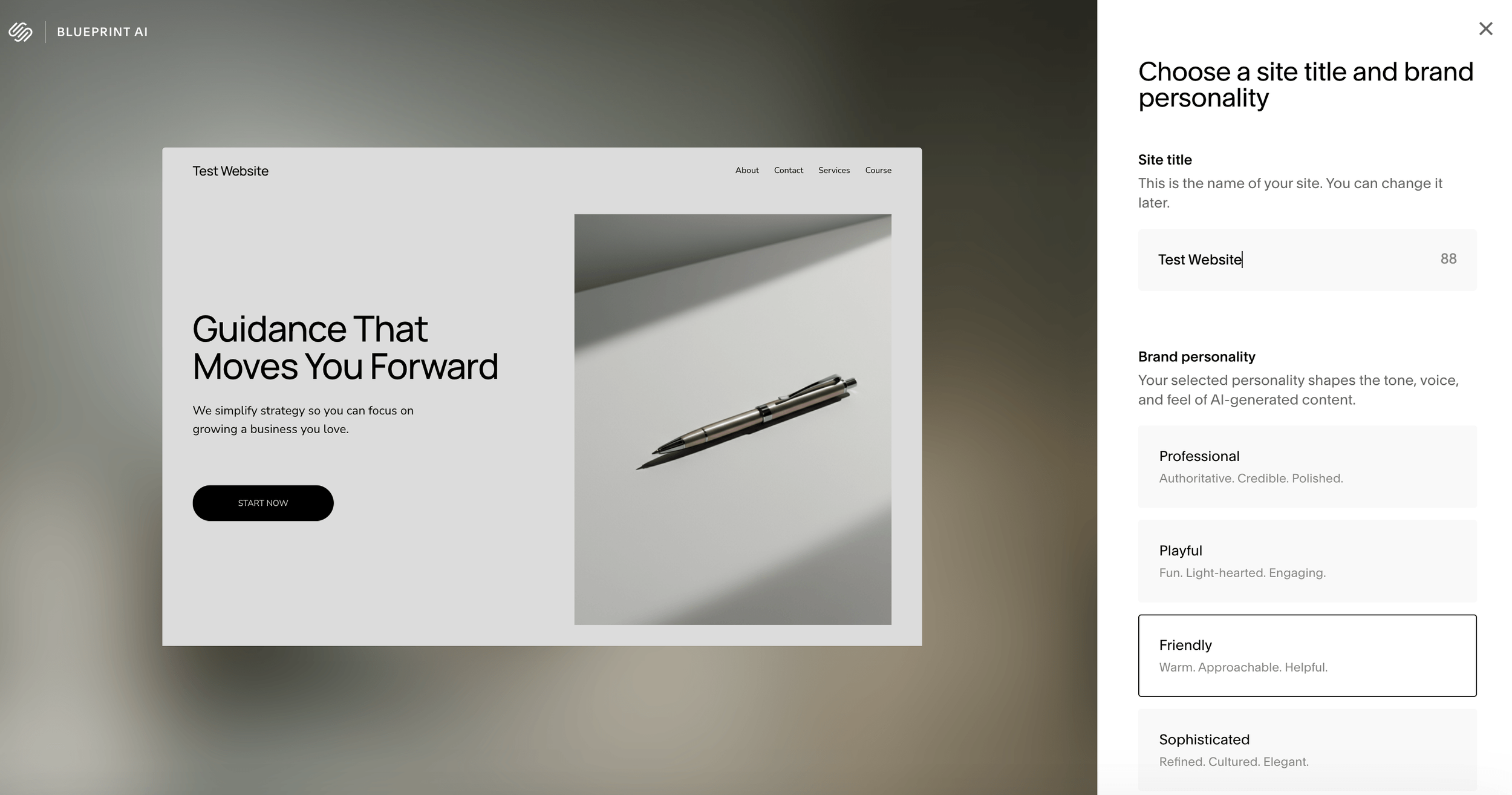
Squarespace Blueprint AI will then prompt you to answer a handful of different questions about your website. You’ll provide a Site Title and Brand Personality, choose the sections that you want on your Homepage, the Pages you want added to your website, and the colors and fonts you want to start with.
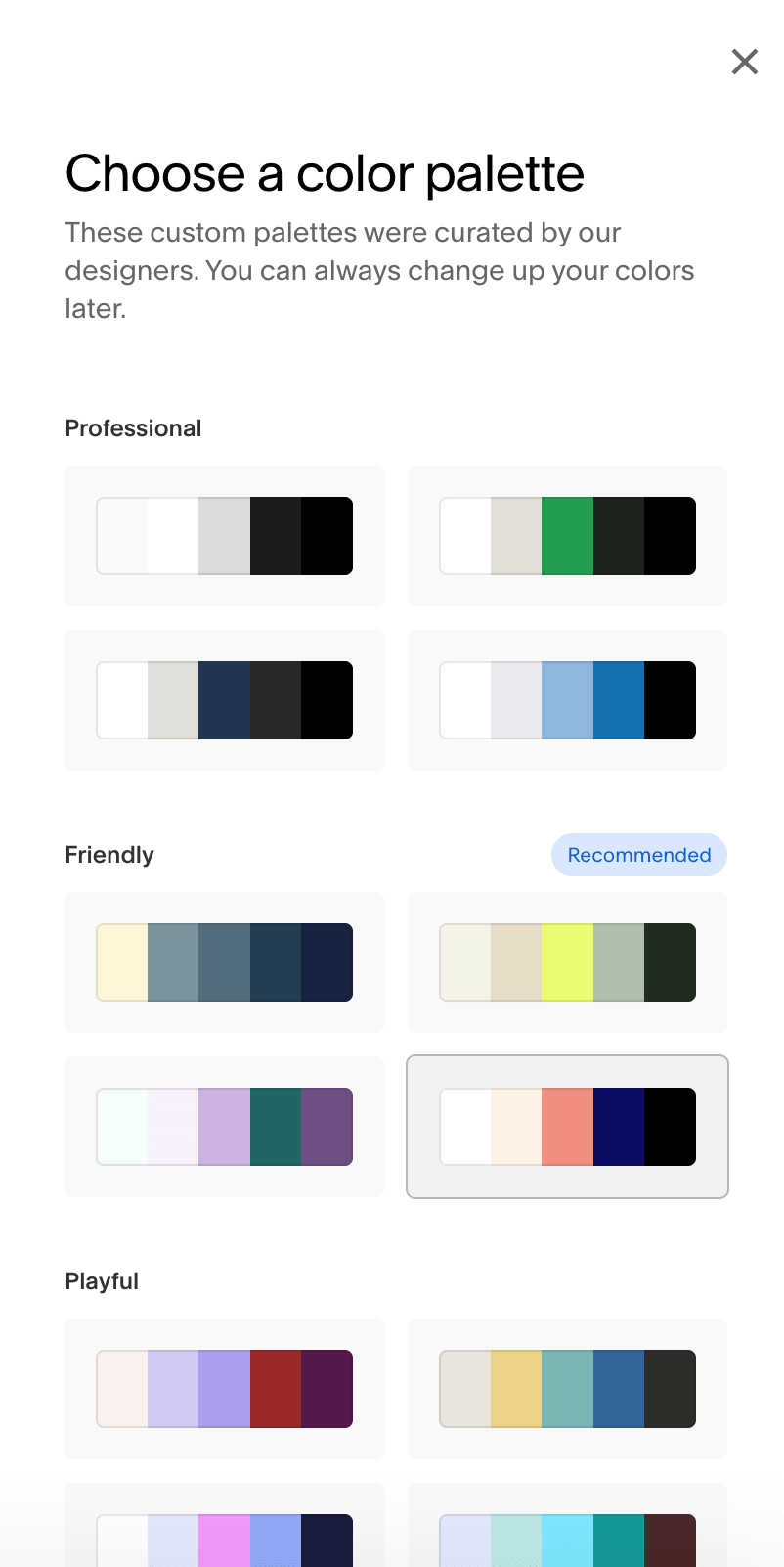
The whole way, Blueprint AI will provide you with recommendations to help you make your choices, and at the end, you’ll be given a custom template to start customizing. From there, you can make design changes and edits as you would on any other Squarespace template or website!
In addition to that, Squarespace offers other AI features to assist you as well. In the backend of your website you'll be able to find
AI Scanning and Automation for Business Tools
AI SEO Optimization for Descriptions, Image Alt Text and more
AI Writing Assistance
AI Search Engine Optimization: Allow AI crawlers to index your site and use the AI Visibility tool to check how often your content is mentioned in AI prompts.
Utilizing all of these tools will help you to set up your website faster, launch confidently, and grab the attention of your viewers, ultimately converting them to customers!
Wix AI Features
Wix also has an AI feature to help you get started with your ideal website, however it’s a little bit more involved and it doesn’t build you a custom template. Instead, when you first navigate to create a website, you’ll be offered the opportunity to chat with the Wix Chatbot.

In this chat, you can provide any information you’d like about your business and website goals and the Wix AI system will set up your dashboard with everything you need! Alternatively, you can skip the chat feature, and instead, Wix will provide you with question prompts to learn a bit more about you and your site.
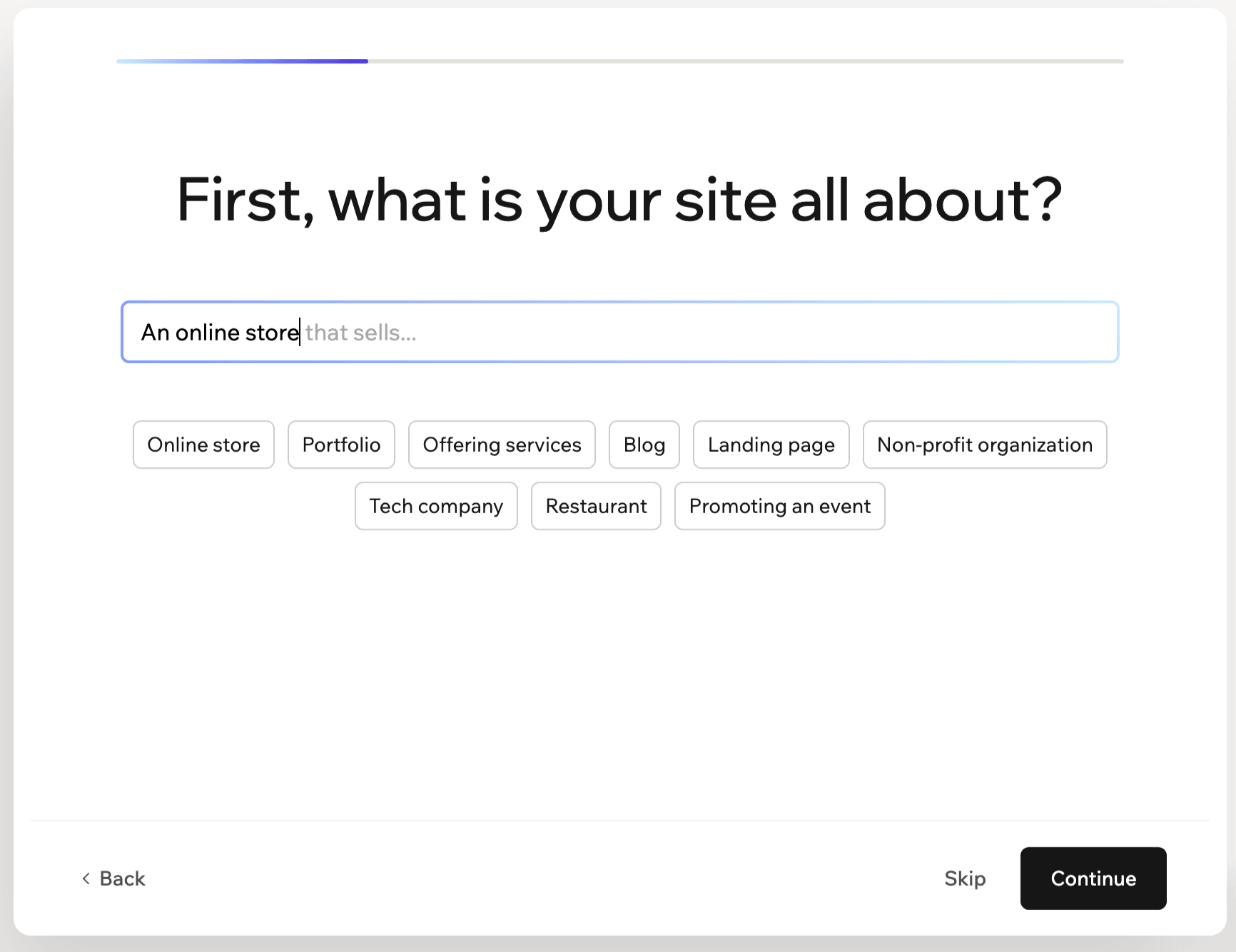
These AI features will help to set up your backend as efficiently as possible for the goals you’re trying to achieve, but you’ll still need to choose a Wix template to get started with design. Don’t worry though because the platform will offer you suggestions for which templates will work best with the specifics you’ve mentioned.
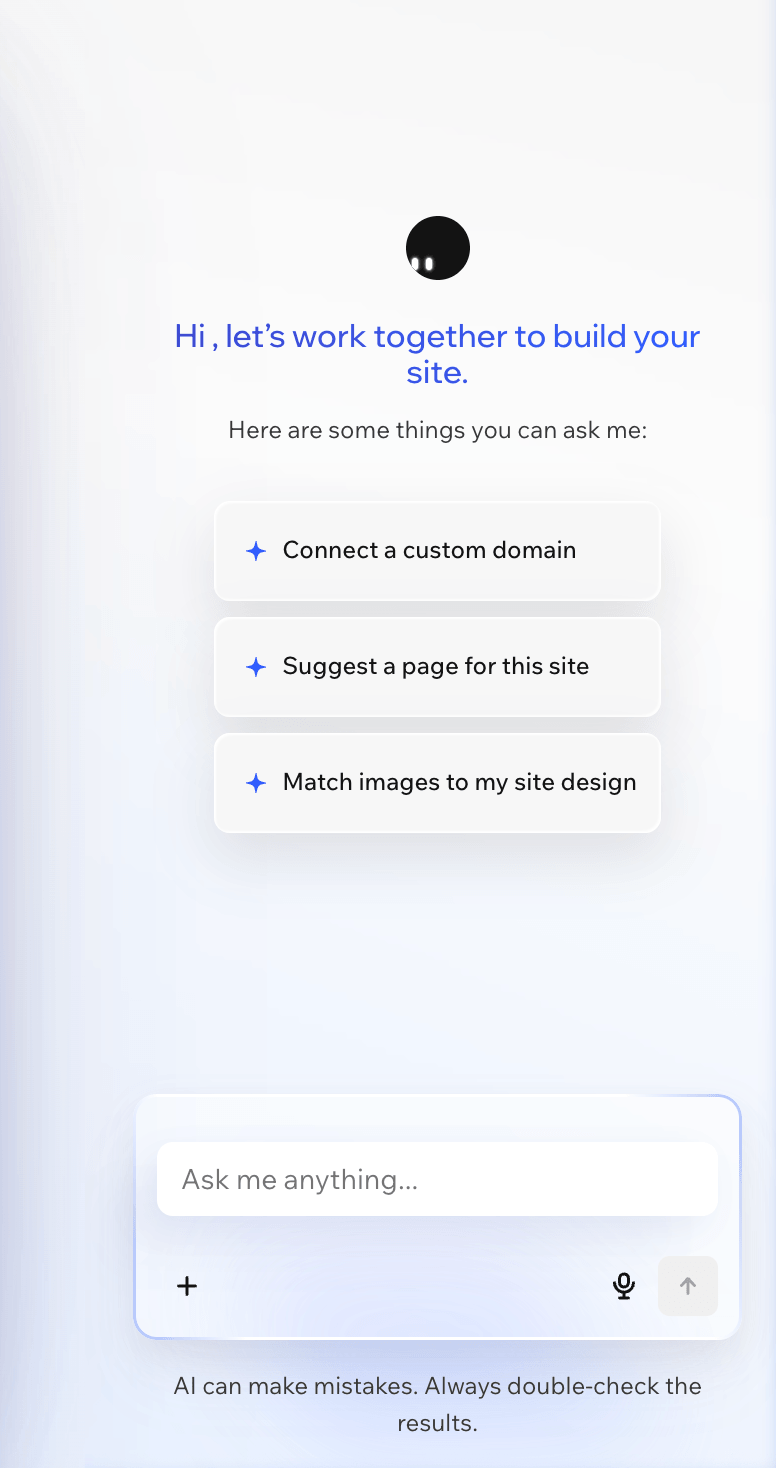
Then, once you're in the Wix editing portal, you’ll notice on the right hand side that their AI Chatbot Aria is there to assist you however you need. You can ask a custom question or choose from some of the prompts provided. This feature can help you with anything from connecting a domain to choosing images for your site.
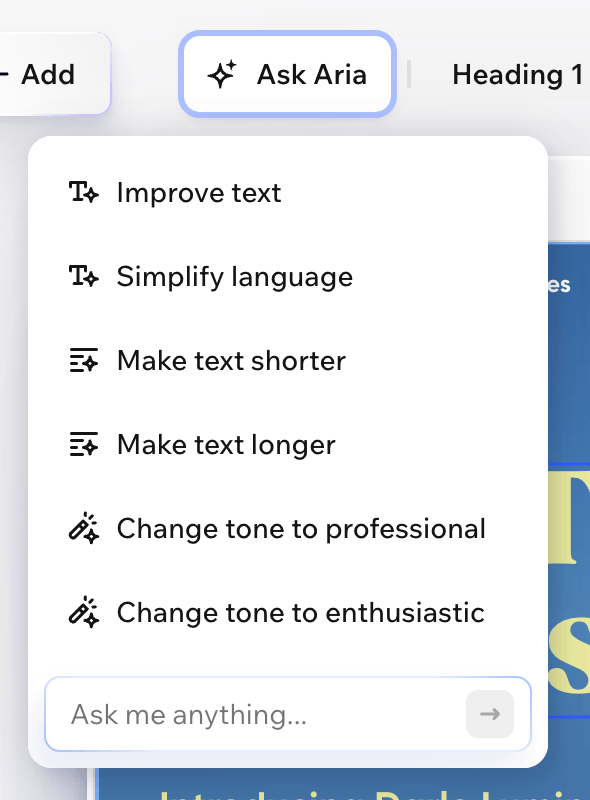
And further, if you click on any element on the page, another “Ask Aria” option will pop up in the top toolbar.

If you click this, a search bar will appear where you can ask any kind of design or customization question. Or, you can click on a text element, and be given prompts for tweaking and optimizing your copy.
You can also access the same Aria chatbot from your dashboard if you need help navigating through the menu or setting up specific features. So, even though things are a little more complicated on the backend of Wix, you always have an AI buddy there to help you through.
Who has better AI features, Squarespace or Wix?
✅ This one has to be a tie! Squarespace and Wix both have really convenient and helpful AI tools that anyone would be able to find useful.
Each platform does have something that the other doesn't. For example, Squarespace offers a fully custom template AI feature while Wix offers an active chatbot. But they both have options to help you through the design and website building process which is really what matters most.
E-Commerce and Selling Capabilities
If you’re a product based business, then you’re of course going to need top of the line e-commerce features and selling capabilities built into your website!
If selling is something you plan on doing later in your business, or if you’re not totally sure yet whether or not you’ll ever venture into e-commerce, then this might not be the most important information for you. But, if products are your bread and butter, then keep reading for a Squarespace vs Wix e-commerce comparison.
Squarespace E-Commerce and Selling Capabilities
Squarespace makes it super seamless to have a built-in store on your website. Plus, all of their plans have selling capabilities, so although fees might be a little bit higher, you can get a store up and running even on their cheapest plan.
Getting started is relatively easy if you have previous knowledge of the Squarespace platform. If you don’t, then it might take you a bit of time to become familiar with the features and how to set up your products, but as long as you aren’t trying to make any wildly advanced customizations, it shouldn’t be too difficult.
You can create and manage products within the Products & Services tab in your Main Menu and, in true Squarespace fashion, there are a handful of resources and helpful tips to assist you along the way!
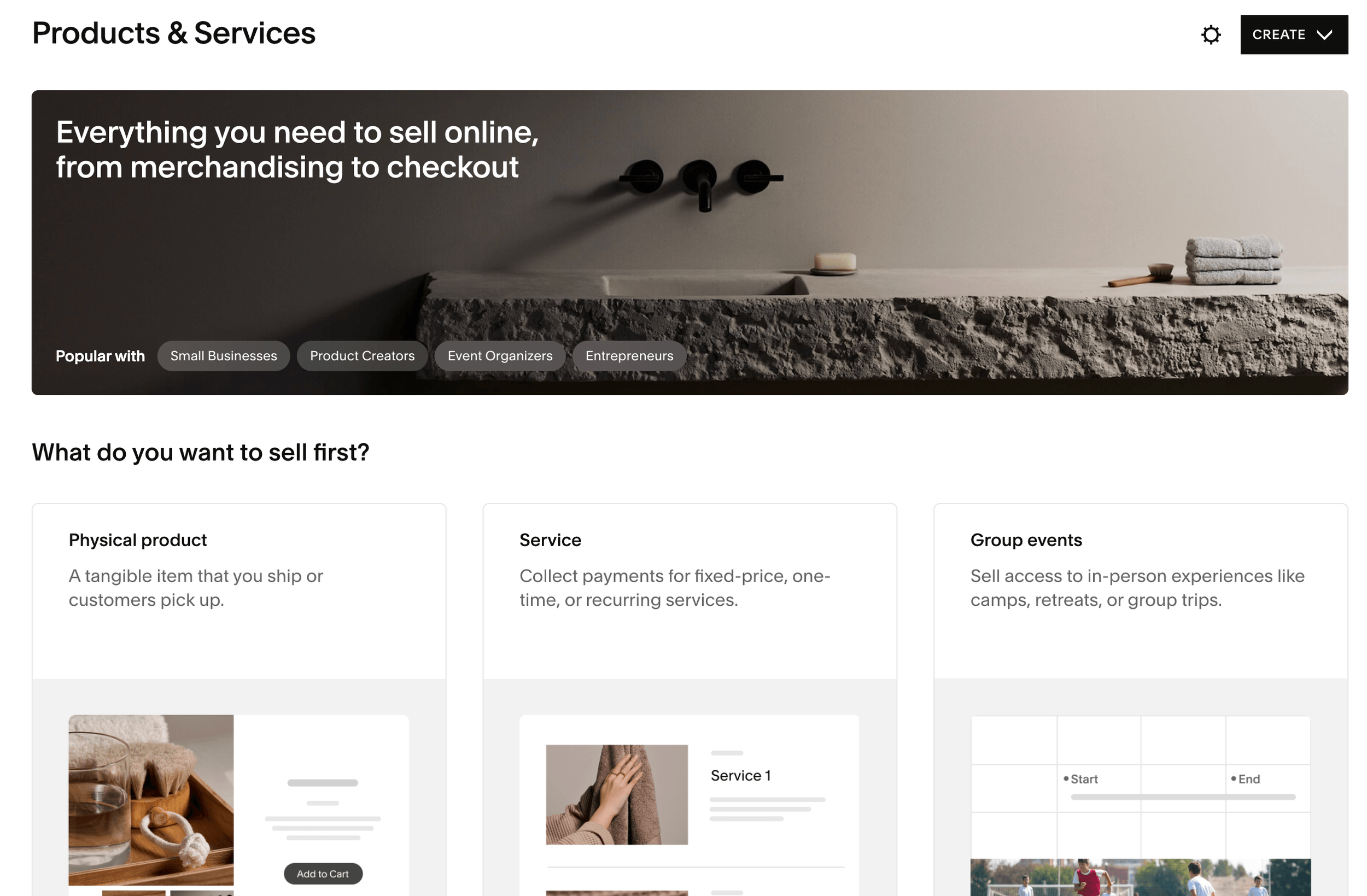
When it comes to e-commerce, Squarespace allows you to
Sell Physical or Digital Products
Create Discounts and Promo Codes
Adjust Shipping Options
Customize the Checkout Experience
Create Member Accounts for Customers
Plus more! And when you’re ready to actually add your store to your website, Squarespace offers templated store pages that you can easily customize with the same tools as all of your other pages. This means that there’s no additional learning that needs to be done when it comes to design.
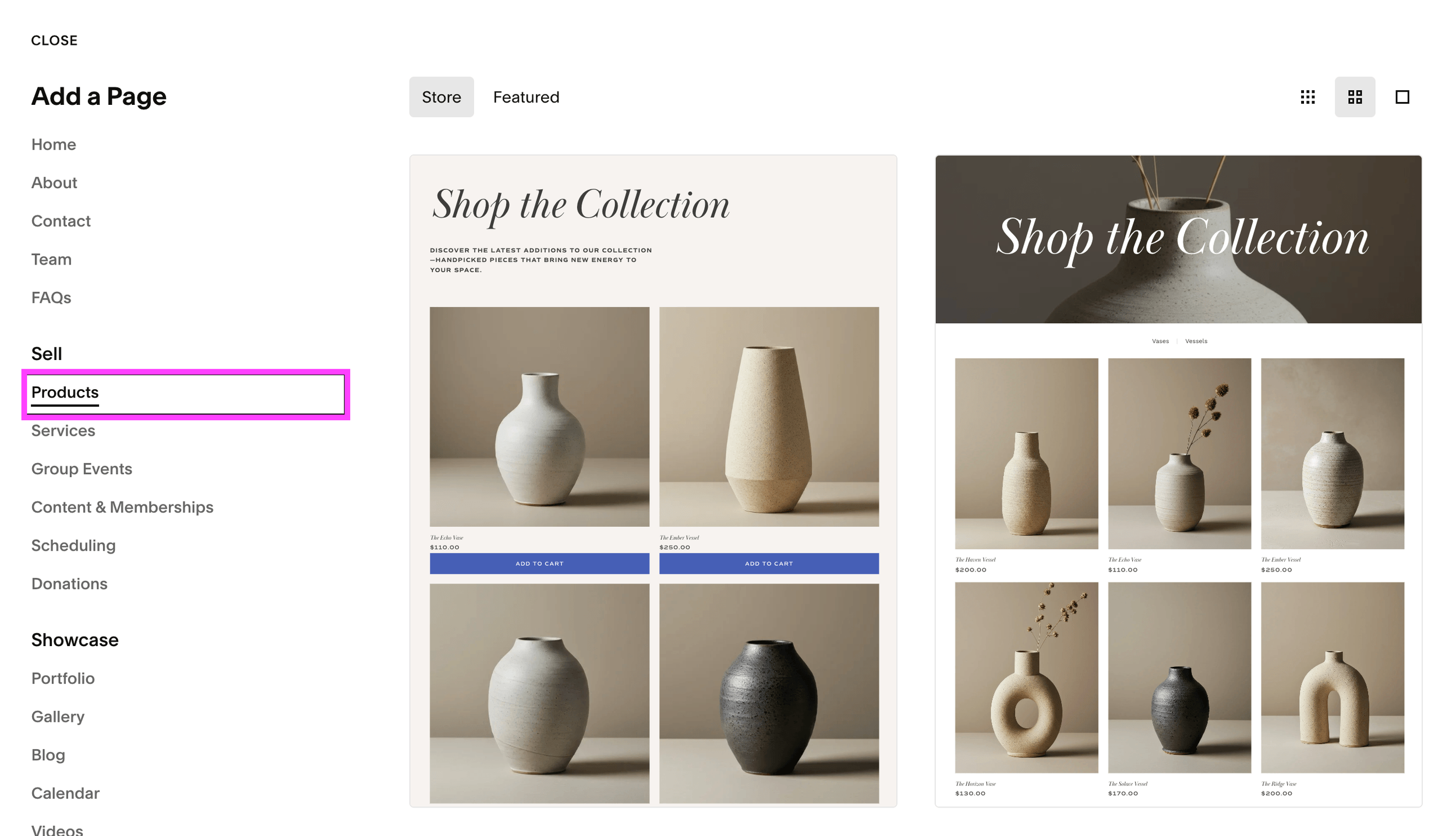
And if you’re worried about having to design an additional page, have no fear! We offer expertly designed Shop Page add-ons that match each of our Premium Squarespace Templates. You can purchase these as a bundle with your template, or a-la-carte to add to your existing Squarespace 7.1 website. These Shop pages are designed to represent your products aesthetically and professionally, so you’ll never have to worry about your site visitors missing out on what you have to sell.
As far as fees go, let's take a look at what Squarespace charges:
Platform Transaction Fees: Squarespace charges a 2% online store transaction fee on the Basic plan, and a 0% online store transaction fee on all other plans (Core and higher). This means that you can avoid paying a platform transaction fee altogether if you choose a higher tiered plan.
Payment Processor Fees: Squarespace allows you to accept payments through Squarespace Payments, Stripe, Square, and Paypal, and the payment processing fees are are going to be unavoidable regardless of the processor you choose or the plan that you're on. If you use Squarespace Payments, the fees are 2.9% + $0.30 for the Basic and Core plans, 2.7% + $0.30 on the Plus plan, and 2.5% + $0.30 on the Advanced plan.
You can always check out more specifics about Squarespace pricing here.
👉 How to add a Shop to Squarespace - Step by Step Walkthrough (7.1 & 7.0)
👉 Squarespace vs Shopify - Which Platform is Better for an Online Store?
Wix E-Commerce and Selling Capabilities
If you want to add a store to your Wix website, you can either start with a template that already comes with Wix stores installed, or you can add Wix Stores to your existing template.
Important! You will only be able to add Wix Stores to your website on a Core plan or higher. The Light and Free plans do not allow selling capabilities.
Find updated information on Wix Plans & Pricing here.
Once Wix Stores is added to your website, you’ll receive several new pages including a main Shop page, individual products pages, cart page, checkout page, and thank you page.
Each of these pages comes with additional settings and customization features, so you’ll need to take some time to play around with things and learn the system. For example, within the cart page you'll be able to customize the various elements that customers will see when inside their shopping cart.
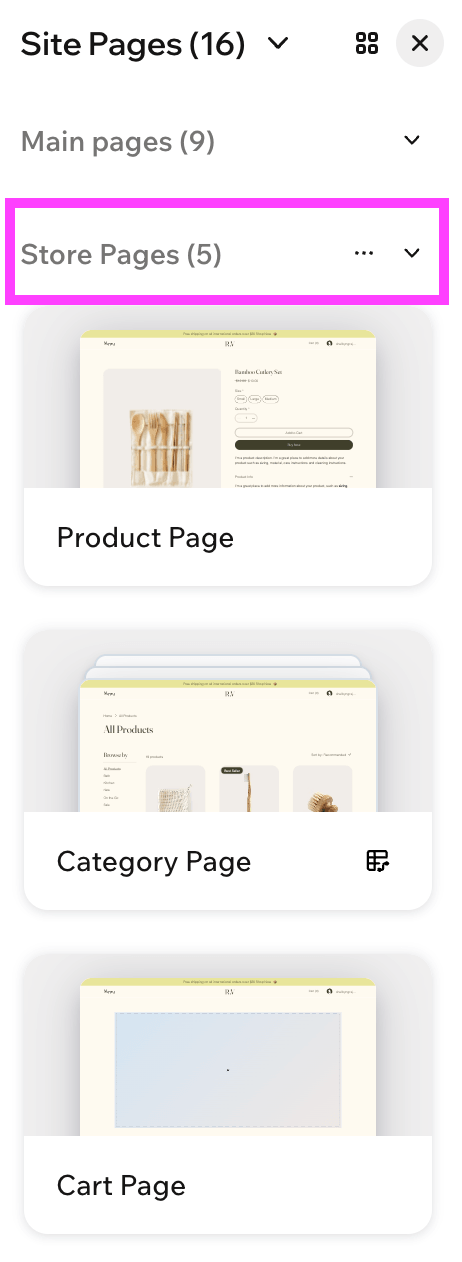
With Wix Stores you can
Sell Digital and Physical Products
Explore Dropshipping
Create Discount Codes
Add Member Accounts
Install any Third Party App you'd like to advance your selling capabilities
Expand into In-Person selling with a much more comprehensive POS system
Overall, Wix's e-commerce features are great for a business that plans to grow into much more complex operations!
As far as selling fees go, let's take a look at what Wix charges:
Platform Transaction Fees: Wix charges a 4% transaction fee on the Core plan, a 2% transaction fee on the Business plan, and a 0% transaction fee on the Business Elite plan. These transaction fees apply to all one-time payments and recurring payment plans that you sell. So, while you can avoid a transaction fee with Wix, you can only do so on their most expensive plan.
Payment Processor Fees: Wix allows you to accept payments through Wix Payments, Stripe, Square, and Paypal and the payment processing fees are are going to be unavoidable regardless of the processor you choose or the plan that you're on. Wix's payment processing fees are very similiar to Squarespace's starting at 2.9% + $0.30. You can find more specific processing fee information based on location here.
Who has better E-Commerce features, Squarespace or Wix?
✅ When choosing a platform that has the most advanced e-commerce features and flexibility when it comes to creating an online store and selling your products, we have to give it to Wix!
Bottom line is that Wix gives you more control over selling and allows for more advanced integrations and customizations. If you're a product based business that needs a platform to grow with you, Wix is going to be more efficient. Just keep in mind that, unless you're on the highest Business Elite plan, Wix is pretty expensive when it comes to fees (something to consider when budgeting).
The e-commerce settings within Squarespace are much more simple and it requires a minimum amount of setup and maintenance to have a functioning online store (making it perfect for small stores). Plus, you can start selling with Squarespace no matter which plan you're subscribed to, which is great for users who are just getting started. However, at the end of the day, there's just not as much capability for complex e-commerce systems.
SEO Capabilities
Just in case you’re not totally familiar, SEO (Search Engine Optimization) has everything to do with how your website shows up in search engines like Google! It’s what allows people to find your website, even if they’ve never heard of you before.
For small businesses, SEO can make or break whether or not your site receives visitors, so it’s important to choose a website platform that will work for you when it comes to SEO and not against you.
Squarespace SEO Capabilities
Squarespace has a whole suite of built-in SEO tools to help make your life so much easier when launching.
You can customize
Page Titles
Meta Descriptions
Image Alt Text
Page URLs
And more all from directly within the Squarespace platform.
Plus, Squarespace even provides you with an SEO score and stats about which pages and pieces of content still need information filled out so that you can always keep on top of your progress.
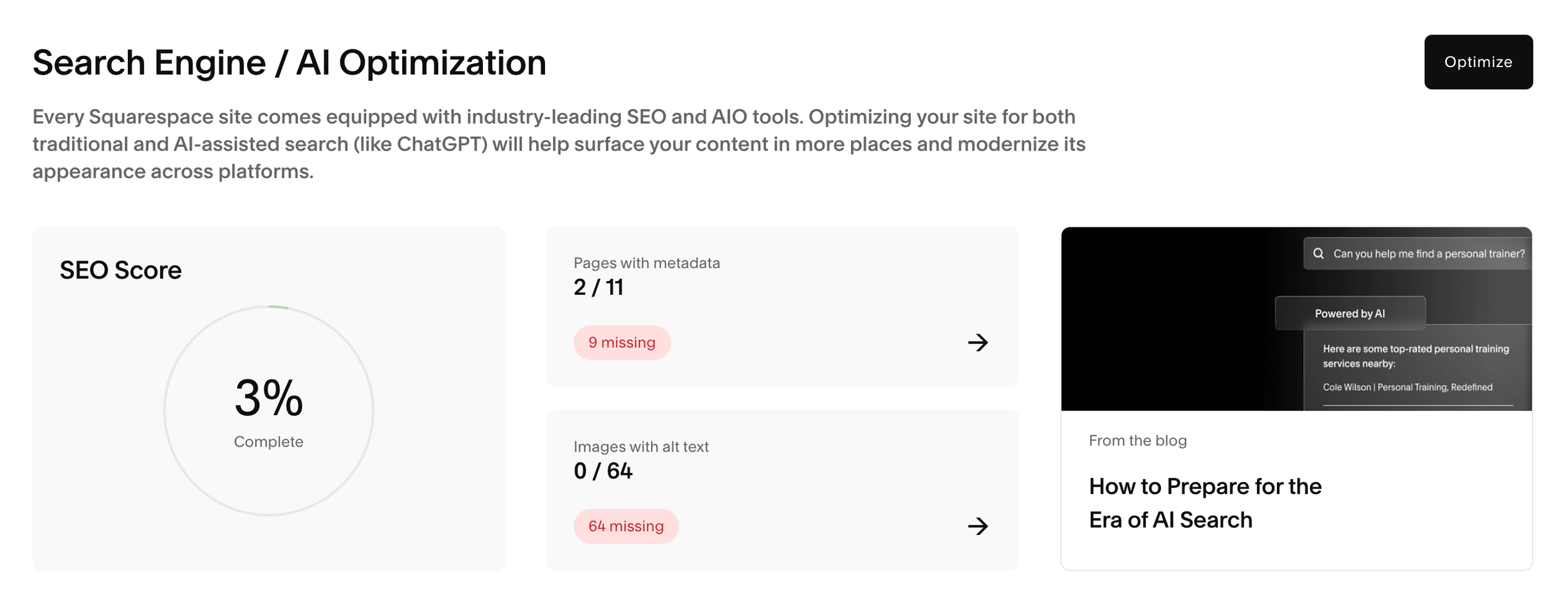
A brand new website is likely going to have a very low SEO score (as seen above), but you have to start somewhere! And as you complete steps and add information to your site, you’ll see this number go up and up. The higher the number the better.
Squarespace also automatically generates your sitemap, integrates with Google tools, and ensures that your site is secure with SSL.
Plus (like we briefly mentioned above), you can enable AI crawlers to index your site so that you show up more often in AI search engines. Then, use the Squarespace AI Visibility tool to see how often your content is mentioned in AI prompts!

All of these things help boost your search engine ranking dramatically and you barely even need to lift a finger to set them up.
👉 How to Get Your Squarespace Website on Google: A 5-Step Guide
👉 Squarespace SEO: Boosting Your Site’s Visibility with our go-to SEO Checklist
Wix SEO Capabilities
Wix also provides a built-in suite of SEO tools that you can use directly within the platform!
From within your dashboard you can access an SEO checklist as well as alerts and recommendations to let you know what needs to be completed and what Wix thinks will help benefit your SEO.
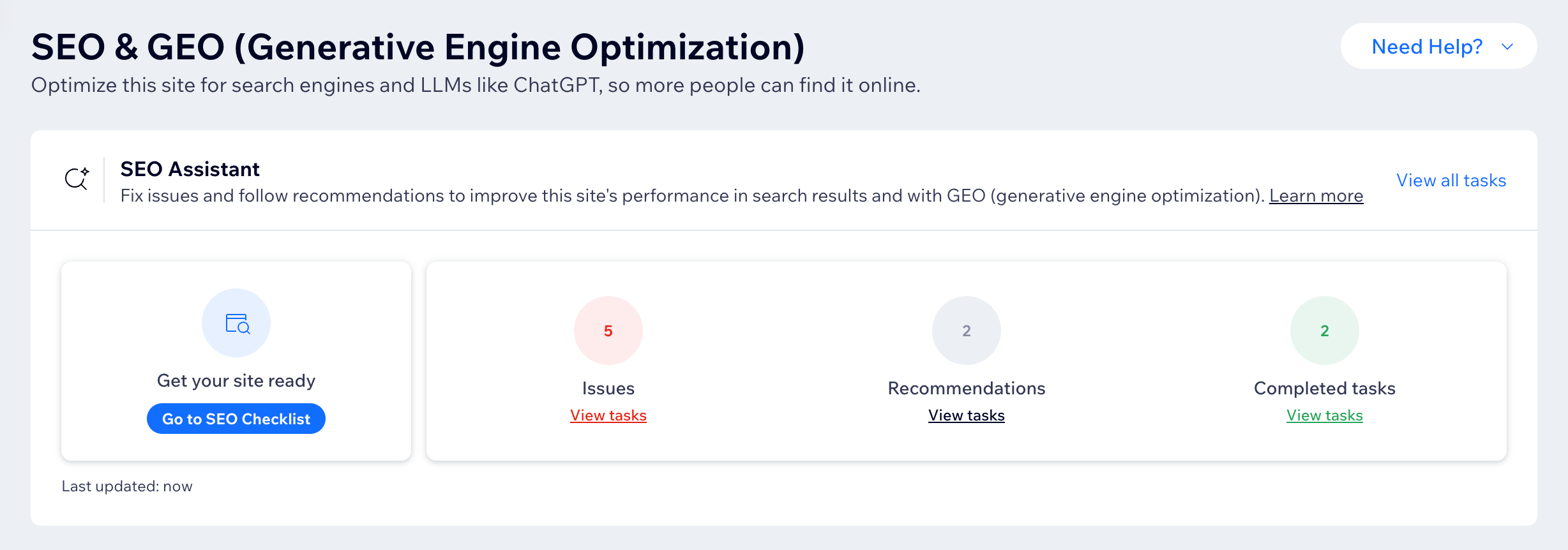
As far as what you can customize when it comes to SEO, Wix lets you edit
Meta Tags and Descriptions
Page URLs
Sitemaps
Image Alt Text
And more. Plus, they also offer a Site Inspection tool that shows you how Google views your website and allows you to troubleshoot pages that aren’t appearing correctly.
In addition to all of that, Wix now also offers GEO (Generative Engine Optimization) through direct connection to NLWeb which makes your website discoverable to AI agents. Installing this on your website will allow AI tools (like ChatGPT) to search your site and answer questions with your unique content. You can then use the AI Visibility monitor to see how often your site is getting crawled.

Who has better SEO capabilities, Squarespace or Wix?
✅ At the end of the day, both Squarespace and Wix have solid built-in SEO tools and both platforms now offer more monitoring when it comes to AI search engines, so you really can’t go wrong!
When it comes to SEO we always recommend first determining what's most important to your business depending on your personal goals. From there, you can check to see which platform will fit your needs more specifically. But really, they're both solid options!
Marketing Features
Another very important thing to consider when you’re a new business owner is a marketing plan. Creating a beautiful website is one thing, but you also need to make sure that it’s functional and creating conversions!
Squarespace and Wix both have marketing features to take a look at, so let’s compare.
Squarespace Marketing Features
Squarespace has a variety of different marketing features, but the biggest is probably Squarespace Email Campaigns.
This is the platform’s built-in email marketing system. It’s super streamlined, efficient, and allows for you to experience top of the line email marketing tools without needing to implement a third party platform or learn an entirely new system.
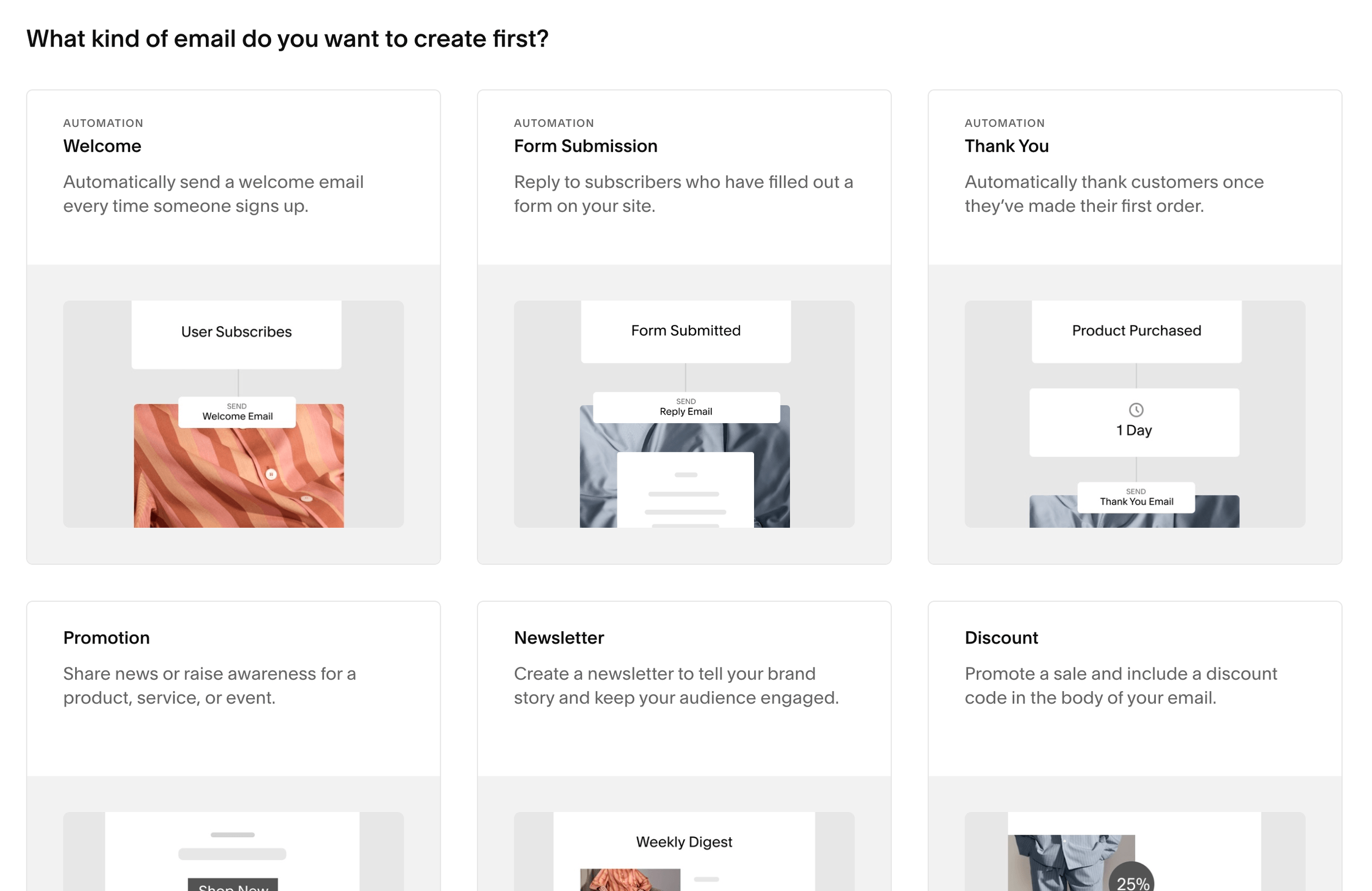
And not only does Squarespace Email Campaigns keep all marketing in house, but it offers features like
Templated Emails
Audience Management
Marketing Analytics
Automations
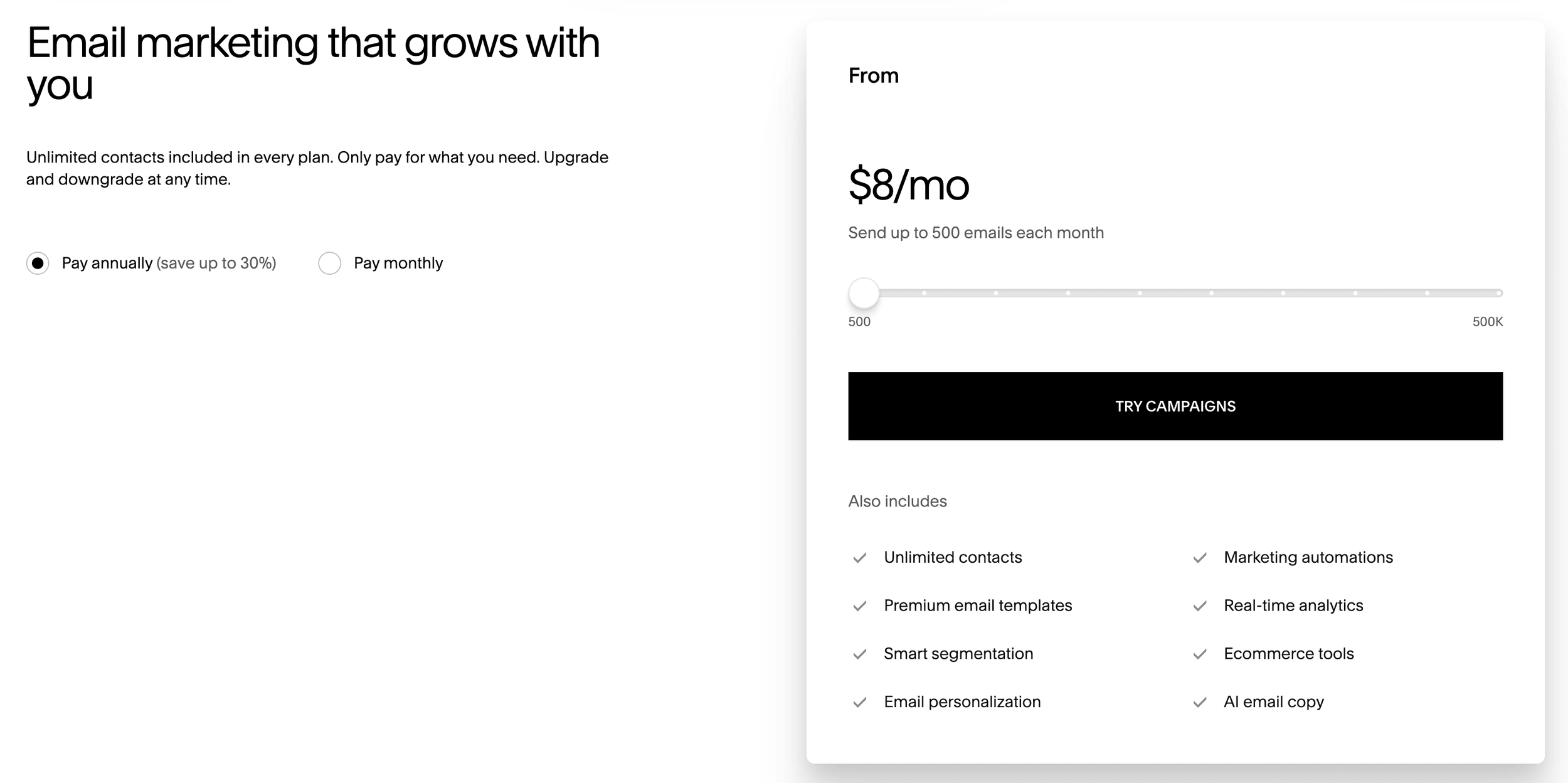
And so much more. You can add email marketing to any Squarespace website for an additional fee starting at $8/month (if you pay annually) to send 500 emails. This makes it super affordable for someone who’s just starting out, and there’s a ton of flexibility and room to grow for bigger businesses.
👉 Should you use Squarespace Email Campaigns? Pros, Cons, and Alternatives
👉 Flodesk vs Squarespace Email Campaigns: Which is Best for Your Business?
In addition to Email Campaigns, Squarespace offers other marketing tools like:
Analytics: Here you can view website traffic, unique visitors, keywords, and more. This is super beneficial in helping to create ads that target your most popular content or to give you information on what you should push more to your audience.
Social Links and Connected Accounts: You can directly link your social media accounts to your website to share content between platforms and encourage visitors to follow you in more than one place.
Newsletter Blocks: Quickly and easily implement a newsletter block on your website to gather emails from interested visitors and grow your community.
Promotional Pop-Ups and Announcement Bar: These tools are super helpful in converting site visitors into community members and/or paying customers! When used correctly, pop-ups and announcements bars help to call out important information, sales, freebies, and more so that your visitors always know what to focus on.
👉 How to Add a Pop-up in Squarespace
👉 How to add an Email Sign-Up Form to your Squarespace Website
👉 How to Optimize your Squarespace Website for Pinterest
Wix Marketing Features
Wix also has a built-in email marketing system that you can use for completely free!
The free Wix email marketing system allows you to
Create emails with pre-designed templates
Send emails with automations
Create audience segmentations
View custom reports
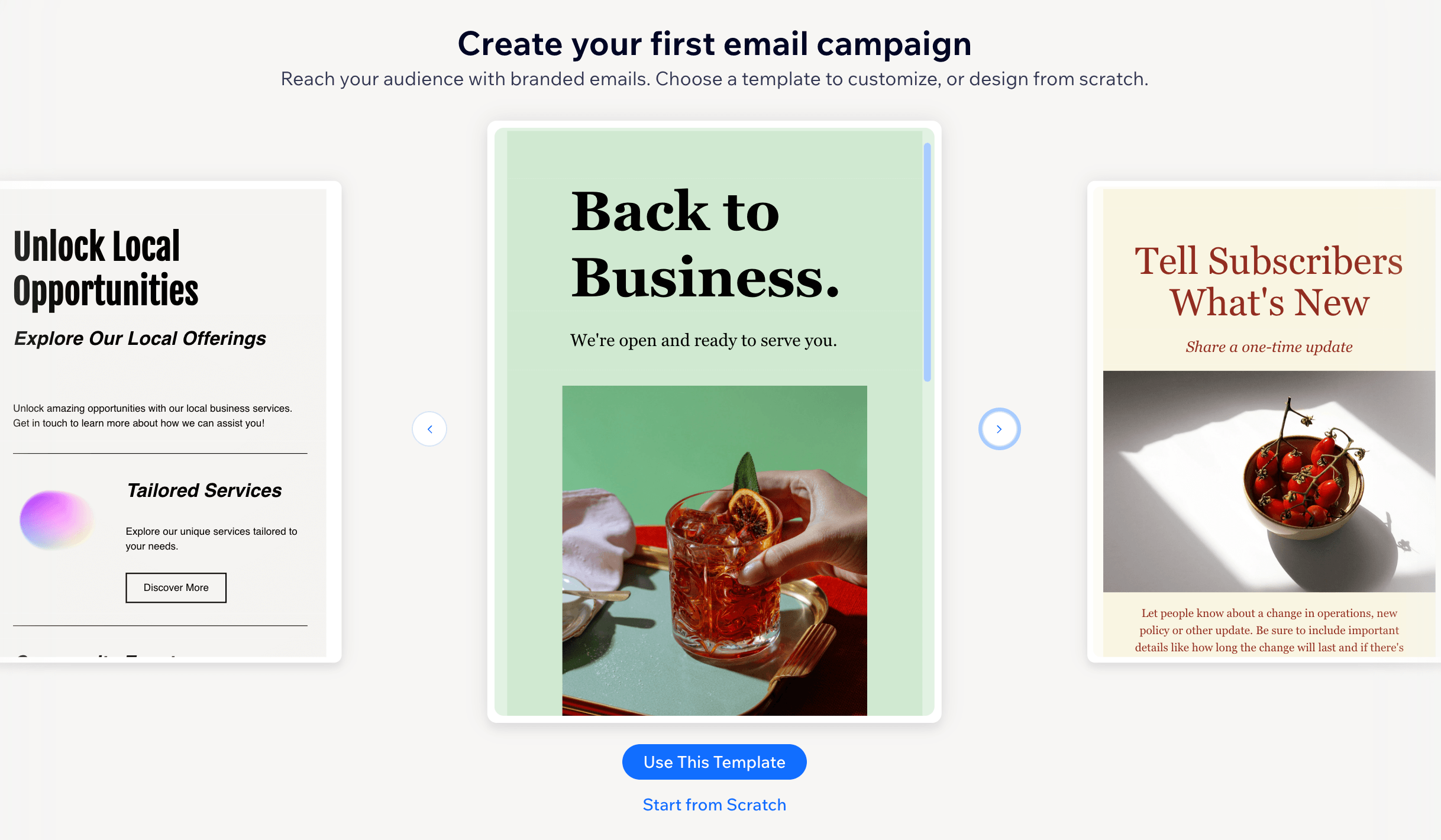
And, again, while a free option is amazing, the free Wix email campaigns plan also means Wix branding on all emails, a limited monthly email allowance, and the inability to schedule emails in advance (not ideal).
If you want access to additional features and more flexibility, you can pay for a more advanced email marketing plan starting at $10/month for 500 emails, which is still very affordable for a new business owner. The higher tiered plans do verge on the more expensive side, so keep that in mind if you plan on expanding your email community.
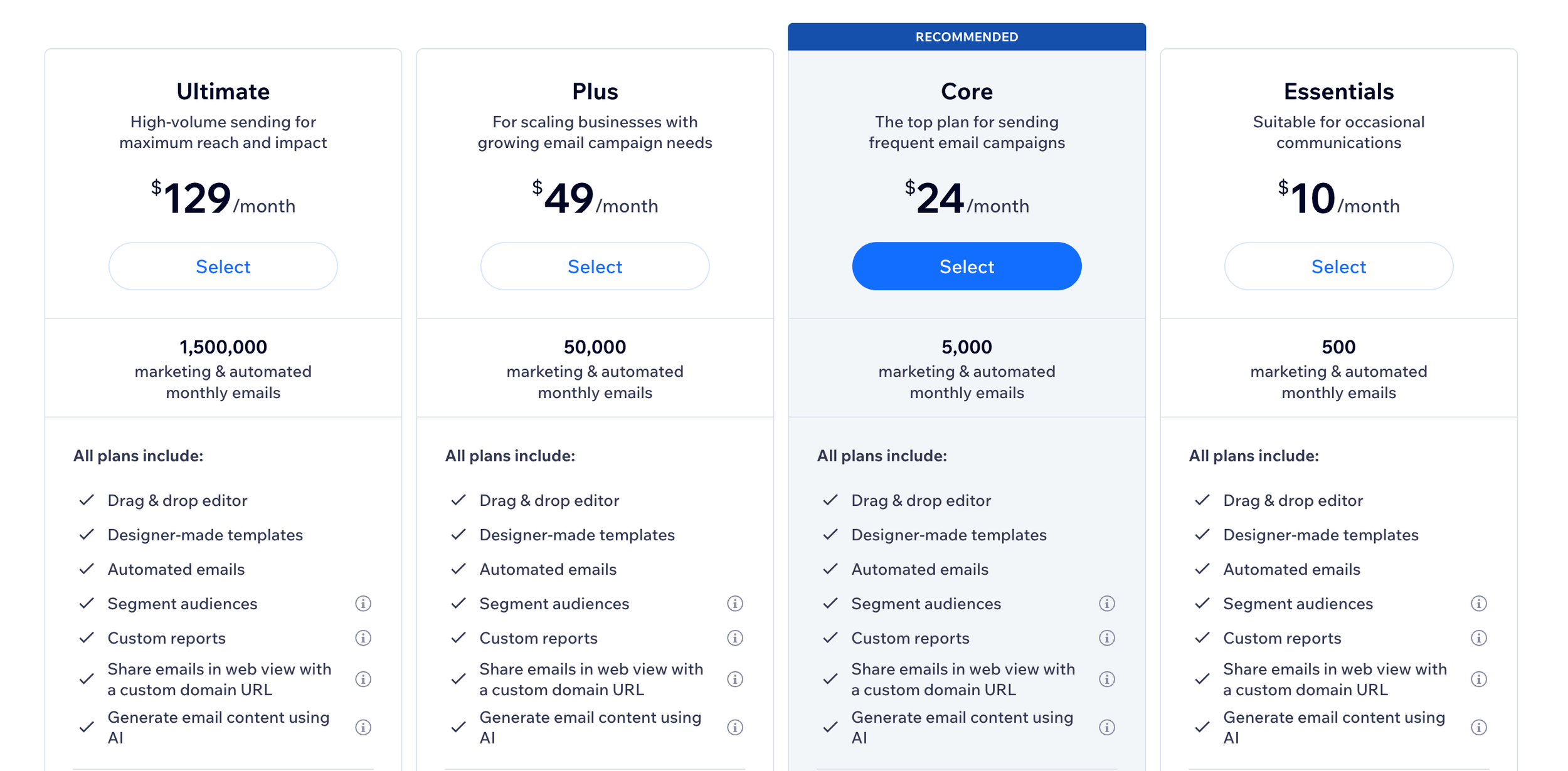
In addition to email marketing, Wix also offers the following marketing features:
Google Ads: Wix allows direct integration with Google Ads so that you can create campaigns directly from your Wix dashboard.
Facebook and Instagram Ads: You can also create Facebook Ads directly from your Wix dashboard. Wix allows you to choose a goal for your ad, like generate leads or get sales and then you can connect your Facebook account to get started.
Social Media Marketing: Wix gives you the option to create social media content and directly publish to your social accounts. They also provide templates that you can use to help create content and higher tiered plan options that include scheduling, analytics, and more.
Promotional Pop-Ups: You can create pop-ups to promote new products, sales, free offers, or anything else that’s important to your business or that you want visitors to see. These are super effective in converting new visitors to customers.
Plus a handful of more tools that you can explore!
Who has better marketing features, Squarespace or Wix?
✅ When it comes to email marketing, we have to give the win to Squarespace. Their built-in email marketing system is super seamless, easy to use, and DIY friendly. If you’re already familiar with the platform it’s really easy to get started.
✅ However, when it comes to additional marketing tools, Wix offers a few extra bells and whistles. The ability to directly create Ads and social media content from your dashboard is super helpful and the platform covers a few more bases that new business owners might not realize they’d need otherwise.
Integrations and Apps
When you’re deciding on which website platform to go with, you have to think about more than just the website layout itself.
It’s imperative to also consider what kind of integrations the platform has. Will you be able to blog or create courses? Can you connect other third party apps to the platform? We’ll go over all of this in the next section.
Squarespace Integrations and Apps
One of our favorite things about Squarespace, and something that makes it SO great for small business owners and DIYers, is that the platform comes with a ton of built-in tools and integrations.
Other platforms might allow you to connect dozens of different apps and widgets, but you don’t need that with Squarespace because so many features come already within the system and are there for you to utilize whenever you want without a ton of extra work!
Some of Squarespace’s awesome integrations include:
Blogging
We’re obsessed with Squarespace’s blog feature and you don’t need to integrate anything extra or install an app to use it. All you need to do is add a Blog page and start writing. You can also monetize your blog no matter which Squarespace plan you’re on and add all different types of content blocks to your blog pages.
👉 How to Start a Blog with Squarespace
👉 How to Link Your Blog Categories on Your Squarespace Website
👉 How to Add a Blog Sidebar to Your Squarespace Site (7.1 & 7.0)
Member Sites and Courses
Squarespace automatically integrates paid member sites and courses into every single website. You can create a separate section of your site, blocked by a paywall, that only paying members can access and host a complete course directly within the Squarespace platform (including videos, downloads, and more).
👉 Your Complete Guide to Squarespace Member Sites
👉 How to Host a Course on Your Squarespace Website
Email Newsletter Connections
Not only does Squarespace automatically connect to its built-in email marketing system, but you can directly connect a Mailchimp account for email marketing as well.
This means that you have multiple options of direct integration to try before ever needing to implement a third party provider or alternate connection tool. But, if you still find that you’d rather use a different platform for email marketing, Squarespace also gives you the option to connect via Zapier which is an app that connects different platforms.
Scheduling
Squarespace has a built-in scheduling feature that’s run via Acuity Scheduling. You can purchase a separate subscription for Scheduling, but everything is set-up and managed directly within the Squarespace platform!
This scheduling integration allows you to conveniently create appointments and classes, as well as customize intake forms, subscription bundles, payments, and more.
Contracts and Invoicing
Squarespace gives you the option to create proposals, contracts, invoices and more all directly within the platform.
This is so incredibly helpful for service based business owners who are constantly bringing on new clients and needing to generate contracts and invoices on a daily basis. All you need to do is connect your payment processor in order to accept payments (which you can also easily do within the platform), and create templates that you can then send over and over!
Wix Integrations and Apps
Wix has less integrations directly built-in to the platform, but more options for apps that you can install and connect.
They have an entire app marketplace with categories like
Marketing
Online Selling
Design Elements
Communication
Team Picks
And more. Each category has a handful (if not more) of apps and widgets from a variety of companies that you can integrate within your Wix website. For example, you can add an FAQ widget, an Eventbrief ticket selling system, or a WhatsApp chat just to name a few.
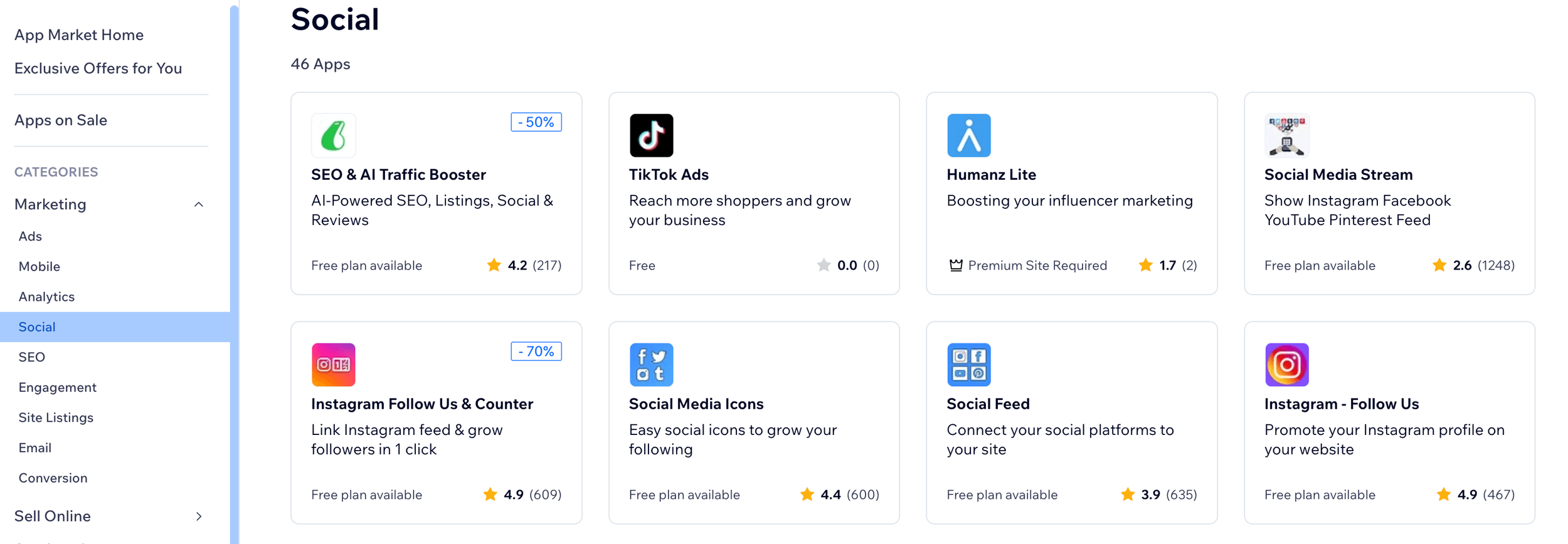
Some of these apps are free, others are paid, and some you need to have a higher tiered Wix plan in order to use.
And as far as built-in integrations go, Wix does come with a blogging system that some templates automatically include. And while this is so much better than no blogging toolat all, some templates might require you to download the Wix blogger which is an additional step and definitely not as convenient as it could be.
You’re also able to directly integrate email sign-up forms on your website that connect to Wix email marketing, which is great!
Who has better integrations and apps, Squarespace or Wix?
Once again, this is sort of a double win, depending on what you’re needing!
✅ We feel that Squarespace makes things so much simpler with all of their built-in integrations. And while you don’t have as many choices, you can do so much directly from within the platform, and as a new business owner this can be a massive time and energy saver. So, for small businesses and DIYers, we have to go with Squarespace.
On the other hand, it is really nice that Wix has so much choice and flexibility when it comes to apps and integrations. You, essentially, have an endless amount of widgets and add-ons to choose from which is awesome for someone who wants to go crazy with customizations or advanced tools.
Domain Features
Alright, so you’ve built your website and you’re ready to launch to the world! The next step is to connect a domain so that people actually know where to find you.
Now, most website platforms come with free default domains, but they typically look and sound really weird (something like squirrel-circle-5678.squarespace.com) which is not what you want. Because of this, you’ll need to purchase a custom domain, and it’s so much easier to do this directly within your website platform.
So let’s see how Squarespace and Wix stack up when it comes to domain features.
Squarespace Domain Features
Not only can you purchase a custom domain directly within Squarespace, but each plan comes with a free custom domain for the first year when you pay annually! And even though custom domains aren’t usually the most expensive thing you’ll spend money on, it’s still so nice to get a little break wherever you can.
When you’re ready to purchase your domain, all you need to do is navigate to the Domains Panel which you can find by clicking the slash key ( / ) on your keyboard and typing in “Domains”.
Then click on Get a Domain.
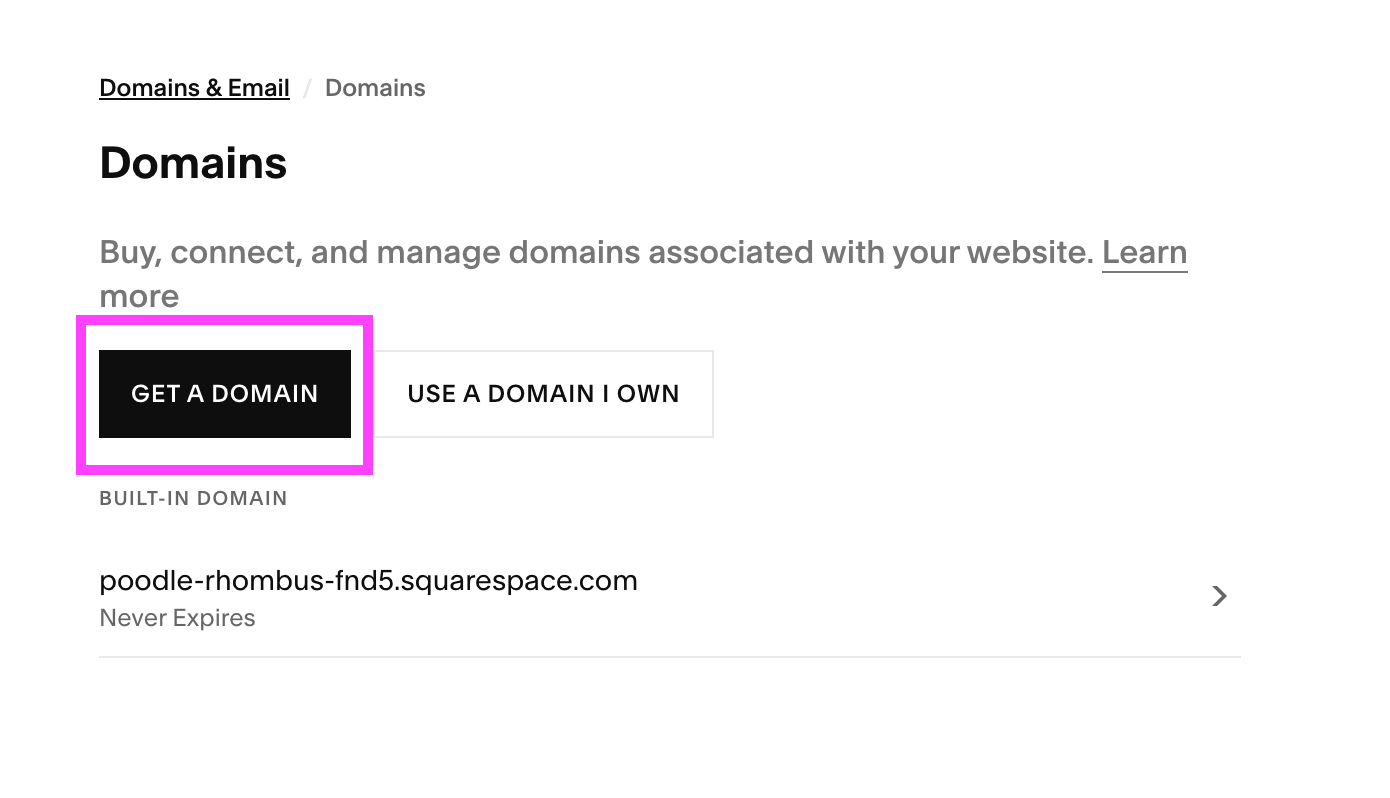
From there, you’ll be able to search any custom domain you’d like, find it in the menu, and then purchase to connect!
In addition to this, you’re also able to connect a domain that you already own. Maybe you have an existing domain from an old site that you purchased on a different platform or a domain that you bought a while ago just in case you might need it. If this is the case, you can instead choose the Use a Domain I Own option in the Domains Panel to connect a domain from a third party provider.
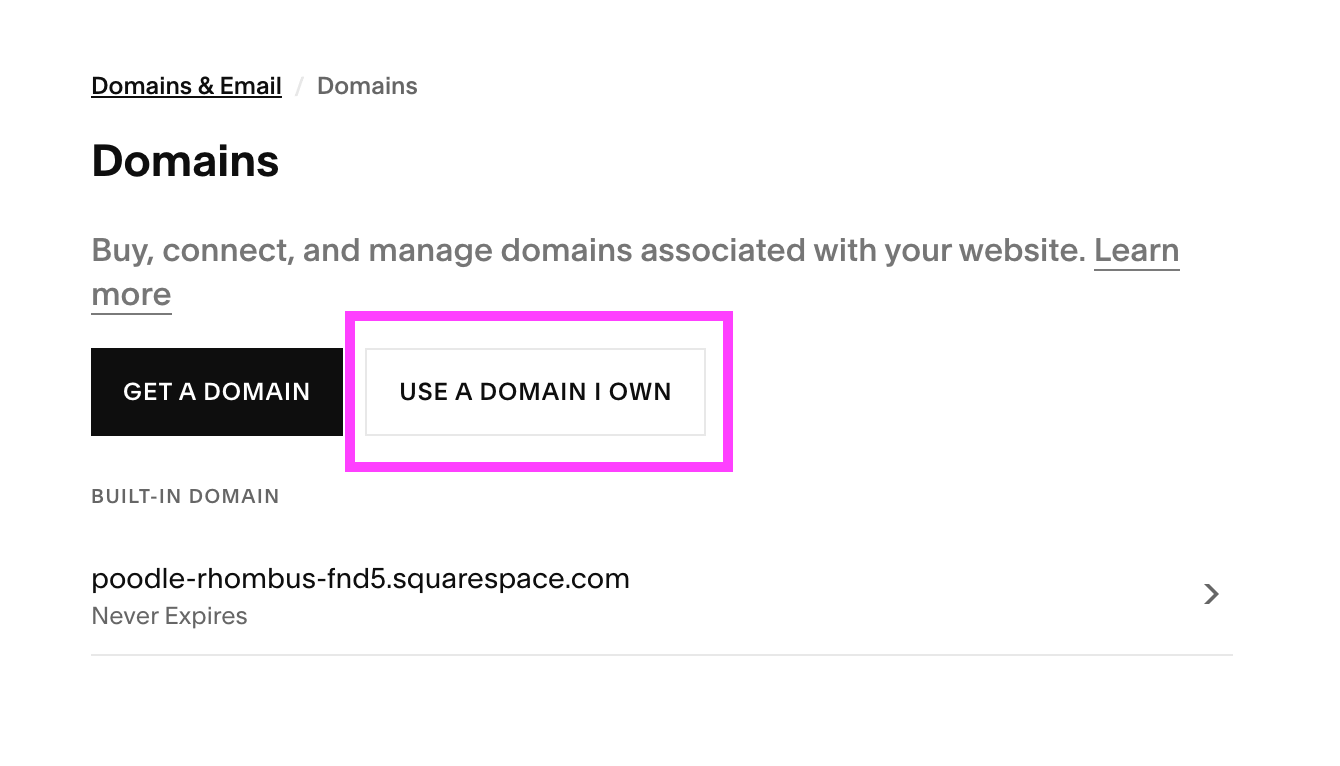
Once you’ve transferred your existing domain, you’ll be able to manage everything within Squarespace, saving you loads of time and stress.
👉 How to Connect a Domain to Your Squarespace Website
Wix Domain Features
Wix also offers the option for purchasing a domain directly within the platform AND you also receive a free custom domain for the first year on all plans except for Free.
The free plan comes with a default domain which, like already discussed, isn’t ideal, so just keep that in mind when deciding which plan is right for you! Using a default domain can make it really difficult for people to find your business and it interrupts your brand cohesion so, in our opinion, it’s worth spending the money up front to avoid the pain of falling behind.
In order to purchase your custom domain, click on the Settings tab on the left side of your main dashboard and then scroll down until you find the Domains section.
Here, you’ll be able to search for any domain you’d like and Wix will help you purchase and connect it to your site.
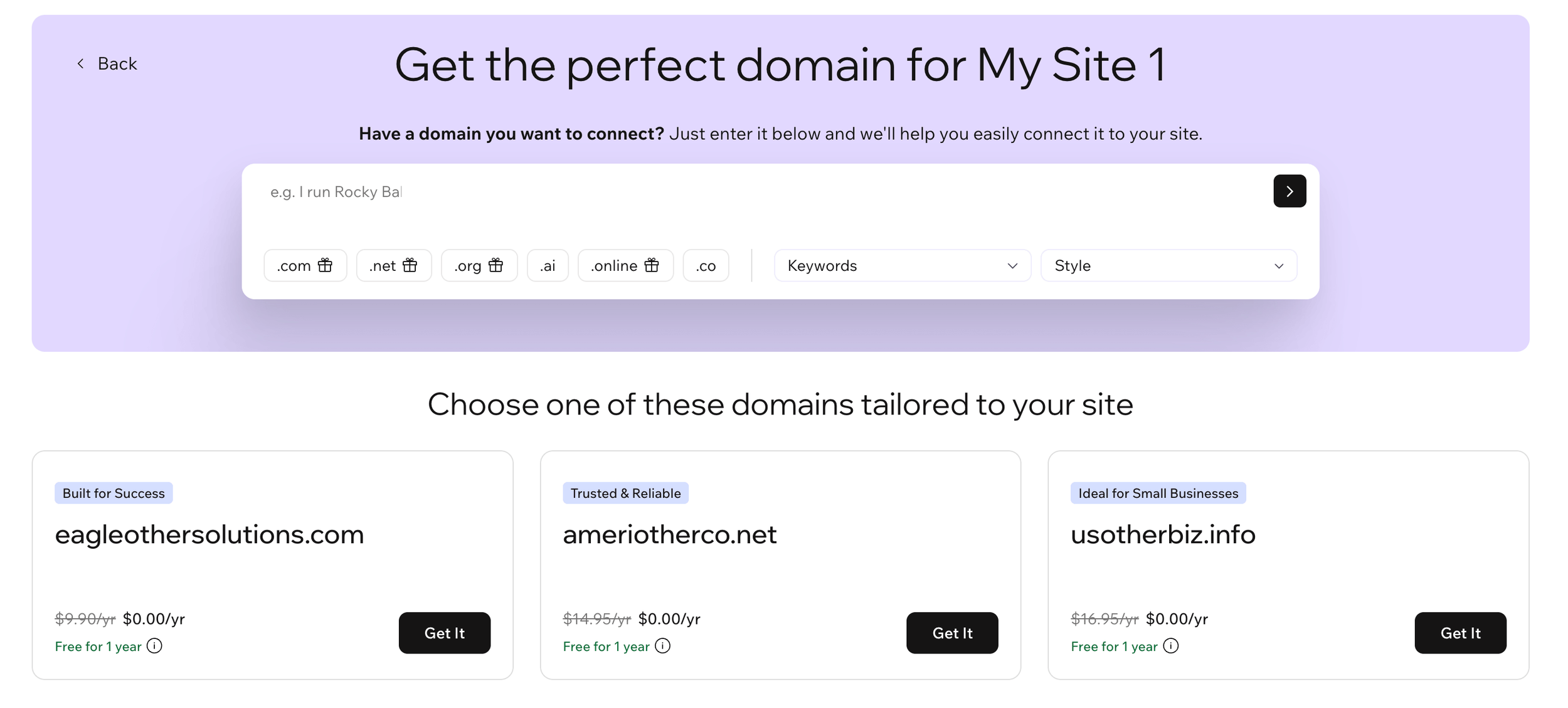
And while initially it's a bit confusing to find, you also have the option to connect a domain you already own. So you're covered no matter what your needs might be!
Who has better domain features, Squarespace or Wix?
✅ When it comes to domain features, Squarespace and Wix are nearly identical, so it has to be a tie.
Both platforms provide a free custom domain for a year, and you can purchase and/or transfer a domain directly from within the platform. This means that no third party providers are needed where domains are concerned.
In our opinion, Squarespace domains are slightly easier to navigate (which is always great for DIYers), but at the end of the day, the features are the same.
So, Which One Should You Choose?
✅ When it comes to beginners and DIYers, Squarespace is the simplest and most reliable choice. You have all the design and business tools you could need in one place and the system is super manageable. We promise, you’ll feel like a Squarespace pro after a week.
✅ If you're an experienced designer or someone looking for more advanced and flexible features, then Wix is probably going to fit your needs better. While there's more design elements and tools to manage, there's also so much more that you have the capability to achieve.
Ultimately, Squarespace and Wix are both great platforms that can help you to achieve the same end goal - a beautiful and effective website! In order to make the best choice for you and your business, you have to take into consideration your specific needs and which platform resonates most with you.
It’s a great idea to sign-up for all free trials and free plans that you can get so that you can play around with the features and see what feels most natural.
Squarespace vs Wix: Which Platform is Best for You?
| Business Type | Best Platform | Why |
|---|---|---|
| DIYers / Beginners | Squarespace | Easiest platform to learn and manage if you have little to no design or website-building experience |
| E-commerce Stores | Wix | Offers more advanced customization, integrations, and scalability for growing online stores |
| Simple Portfolios / Portfolio Businesses | Squarespace | Cleaner templates and an easy-to-use built-in portfolio system make showcasing work simple |
| Tech-Forward Businesses | Wix | Wider app marketplace and advanced widgets provide greater flexibility for custom tech features |
| Creatives & Designers | Squarespace or Wix | Squarespace is easier to use; Wix offers more design flexibility. Best choice depends on your priorities |
| Service-Based Businesses | Squarespace | Built-in scheduling, booking tools, and streamlined business resources make it ideal for service providers |
| Educators / Coaches | Squarespace | Strong membership, courses, and member site features support online education and coaching businesses |
We hope that this guide has been helpful and that you now feel a little bit more confident in making a website platform choice. We know that this is a big decision, but no matter what you choose, you’re already on your way to a successful online business!
If you liked this post, Pin it to Pinterest! 👇🏻