The Best Platforms for Selling Digital Products in 2026
From templates and ebooks to online courses and memberships, selling digital products online has become an increasingly popular way to build passive income in recent years.
The idea of creating something once and selling it again and again might sound pretty idyllic, but when it comes to choosing where to actually sell your digital products, things can start to feel overwhelming, fast. With so many platforms out there, it's so easy to get stuck comparing fees, features, and fine print, only to end up feeling more confused than when you started!
The truth is, the best platform really depends on what you are selling and how you want to run your business. Some are better for beautifully branded websites, some are great for getting started quickly, and others are built specifically for courses, memberships, or more advanced selling tools.
To help you escape the research rabbit hole, we've put together this handy guide breaking down some of the best platforms for selling digital products online, including what each one is best for, who it makes the most sense for, and the pros and cons that actually matter.
Disclosure: This post contains a paid partnership with Squarespace, which means we may receive compensation for featuring or recommending their products. That said, all thoughts and opinions are genuinely our own.
Let’s get into it!
Best Platforms for Selling Digital Products: Key Takeaways
TL;DR: There is no one-size-fits-all answer here. The best platform really comes down to what you are selling, how much control you want, and the kind of experience you want to create for your customers.
Here’s a quick side-by-side look before we get into the full breakdown:
Best all-rounder for creators, small businesses, and beautiful design: Squarespace
Best for expert-level ecommerce: Shopify
Best for built-in marketplace traffic: Etsy
Best for selling creative assets: Creative Market
Best for simple, beginner-friendly selling: Gumroad
Best for funnels and checkout strategy: ThriveCart
Best all-in-one for downloads, courses, and memberships: Podia
Best for dedicated online courses: Teachable
Best for established education-based businesses: Kajabi
| Platform | Best For | Starting Price | Payment Processing Fees | Platform Transaction Fees | Key Pros | Key Cons |
|---|---|---|---|---|---|---|
| Squarespace | DIYers, small businesses | From $16/month annually | Varies by country and plan. In the US: 2.9% + 30¢ on Basic/Core, 2.7% + 30¢ on Plus, 2.5% + 30¢ on Advanced | Physical, downloadable products, services: 2% on Basic, 0% on higher plans Courses and memberships: 7% on Basic, 5% on Core, 1% on Plus, 0% on Advanced | Beautiful templates, all-in-one website builder, strong SEO | Smaller file size limits, 24-hour download expiry |
| Shopify | Advanced ecommerce businesses, large product catalogs | From $29/month annually | In the US: 2.9% + 30¢ on Basic, 2.7% + 30¢ on Grow, 2.5% + 30¢ on Advanced when using Shopify Payments | Only processing fees with Shopify Payments. If using a third-party provider: 2% on Basic, 1% on Grow, 0.6% on Advanced, plus that provider’s own processing fees | Powerful ecommerce features, excellent checkout, highly scalable | Higher costs, can be overkill for simple digital product sellers |
| Etsy | Beginners, side hustlers, printables sellers | $0.20/listing | Varies by country. US Etsy Payments is commonly 3% + 25¢ | 6.5% transaction fee on the total order, plus listing fees. Optional offsite ad fees may also apply | Large built-in marketplace traffic, easy setup, low barrier to entry | Limited branding and customization, high competition, fees add up |
| Creative Market | Designers, illustrators, fonts, templates, creative assets | Free to start | Covered by Creative Market | Sellers typically earn 50% of the listed price, meaning Creative Market takes around 50% | Niche creative audience, large file support, quality-focused marketplace | Very high commission, limited branding, approval required |
| Gumroad | Beginners, simple digital products, small creators | Free to start | 2.9% + 30¢ card processing | 10% + 50¢ on direct sales. 30% on Gumroad Discover sales | Beginner-friendly, very easy to start, no monthly fee, good for simple digital downloads | High per-sale fees, limited customization |
| ThriveCart | Course creators and digital sellers focused on checkout conversions | $495 one-time | Paid through your connected processor, usually Stripe/PayPal standard rates (~3%) | 0% ThriveCart transaction fees | One-time payment, strong checkout tools, upsells, funnels | High upfront cost, not a full website/storefront |
| Podia | Creators wanting all-in-one simplicity | From $33/month annually | Stripe/PayPal standard fees, typically 2.9% + 30¢, varies by location | 5% on Mover, 0% on Shaker | Beginner-friendly, all-in-one platform includes website, email, products, courses | Less design flexibility, transaction fees on lower plan |
| Teachable | Course creators and educators | From $29/month annually | Standard processing fees apply, typically 2.9% + 30¢ | 7.5% on Starter, 0% on Builder/Growth/Custom | Built for online education, strong student experience | Course-focused, limited design flexibility |
| Kajabi | Established course creators, coaches, education businesses | From $143/month annually | Standard processing fees apply, typically 2.9% + 30¢ | 0% with Kajabi Payments. Third-party providers add 2%, 1%, or 0.5%, depending on plan | Powerful all-in-one platform, advanced marketing tools | Expensive, can feel overwhelming for beginners |
Website Builder vs. Creator Storefront vs. Course Platform vs. Marketplace
Before we get into the individual platforms, it really helps to know that not all platforms are built for the same purpose. Some give you a full website and online shop, while others are better suited for quick and simple selling, hosting courses, or getting your products in front of a large audience. Understanding the differences can make choosing the right platform feel a whole lot easier!
Website Builders
Website builders like Squarespace or Shopify are the best option if you want more than just a checkout page. They give you the tools to create a full website and online shop, so you can build out your online presence, add extra pages, improve your SEO, share content, and sell your digital products all in one place.
Pros:
Creates a polished, professional online presence
Gives you much more control over branding and presentation
Better for SEO and long-term growth
Great if you want your business to feel established and strategic
Cons:
Usually takes more time to set up
You will need to drive your own traffic rather than relying on a built-in audience
Can feel like more work upfront compared to simpler selling platforms
Creator Storefronts
Creator storefronts like Gumroad are a great option if you want to start selling quickly without the extra work of building a full website. They are designed to help you get your products online fast, with all the essentials built-in.
Pros:
Quick and easy to set up
Built-in payment processing and digital delivery
Lower maintenance and less tech to manage
Great for testing product ideas quickly
Ideal if you want to start selling without overcomplicating things
Cons:
Less control over branding and design
Limited flexibility compared to a full website
Limited to the platform’s structure
Can feel restrictive as your business grows
You may need to move to a full website as your business grows
Course Platforms
Course platforms like Teachable, Podia, or Kajabi are best suited to creators who are teaching something, not just selling a one-off download. They are designed to help you deliver a more guided learning experience, with space for lessons, modules, and student access.
Pros:
Great for courses, memberships, and structured learning content
Built-in tools for lessons, modules, and student management
Often include progress tracking and engagement features
Some include email marketing and automation tools
Cons:
Often higher in price than basic selling platforms
May feel too specialized or complex for simple digital products or courses
Less flexibility than a full website builder in some cases
Marketplaces
Marketplaces like Etsy or Creative Market are ideal if you want to tap into an existing audience rather than building all of your traffic from scratch. They can be a great way to get your products in front of people who are already actively searching for what you sell.
Pros:
Huge built-in audience and search traffic
Easy to get started even if you don't have a website
Platform handles payments and shop basics
Lower barrier to entry for new sellers
Cons:
Much less control over branding and customer experience
A lot more competition from other sellers on the same platform
Harder to create a strong, memorable brand presence
Platform fees can eat into your profits
It's important to remember that you don't have to just pick one platform or stick with the platform you pick forever! Many successful creators start with a marketplace or simple storefront to test out their ideas, then eventually move to a website builder as they grow. Others use multiple platforms simultaneously and might have their own website as well as list on marketplaces like Creative Market or Etsy for extra traffic. That can be a really smart approach, because marketplaces can be amazing for discovery, while your own website is usually much better for long-term brand-building and SEO.
What Should You Actually Look For in a Platform?
Once you know the different types of platforms out there, the next step is figuring out what actually matters for your business. For some creators, cost is the biggest factor. For others, it is branding, better selling tools, or finding a platform that will still work as their business grows. It all depends on what you are selling and how you want to run your business.
Here are a few of the biggest things to pay attention to as you compare your options:
Pricing and fees
Don't just look at the monthly price. Some platforms are super affordable to begin with, but make up for it with higher transaction fees or add-ons for things like email marketing, memberships, or courses. Others cost more upfront but can work out better value in the long run if you are selling regularly.
Ease of use
A platform can have all the features in the world, but if it feels confusing or clunky to use, that is going to start feeling pretty frustrating pretty quickly. Some options are much more beginner-friendly and simple to manage, while others require a steeper learning curve which might not be the best option for new business owners that are still figuring things out and aren't feeling too tech-savvy.
Digital delivery and file limits
Not every platform handles digital products in the same way. Some are great for simple instant downloads, while others are much better suited to course and gated content. It's also worth noting things like file size limits, account access, and whether customers get a proper login area or are just sent a one-off download link.
Checkout and payments
A smooth checkout is so important! The easier it is for someone to buy, the more likely you are to make the sale. Some platforms keep things super simple, while others give you more advanced options like upsells, payment plans, subscriptions, and abandoned cart recovery.
Marketing and selling tools
If you want your platform to help you do more than just sell products, look at what tools are built in. Things like email marketing, discount codes, analytics, upsells, bundles, affiliate tools, landing pages, and automations can make a big difference, especially as your business grows.
Brand control and customer experience
Think about how much control you want over how your business looks and feels online. If branding matters a lot to you, having your own website usually gives you much more room to create a polished, cohesive experience. Marketplaces and simpler storefronts can be great for getting started, but they usually come with less flexibility and much less control over the customer journey.
SEO and discoverability
This really comes down to how you want people to find you. If showing up on Google and building long-term visibility for your brand matters, having your own website is usually the best option because it gives you more control over things like your page titles, product descriptions, URLs, blog content, and overall site structure. Marketplaces, on the other hand, can be great for built-in traffic because people are already there searching, but that visibility stays mostly within their platform rather than helping your own business grow over time.
Scalability and long-term fit
It's always important to think a little bit beyond right now. A platform might feel perfect when you are just starting out, but will it still make sense if your business grows, your offers expand, or you want more control later? Some platforms are great starting points, while others are better suited to being a longer-term home for your business.
Best Platforms to Sell Digital Products: Detailed Breakdown
Squarespace

Squarespace is a website builder known for its beautiful templates, polished feel, and ease of use. It's always a popular choice for creators and small business owners who want a website that looks professional, feels easy to manage, and has so many helpful features already built in, from ecommerce and blogging to courses, memberships, and more. It's especially loved by DIYers and growing businesses because it gives you a lot in one place, without feeling overly complicated.
👉 Why I Recommend Squarespace for Small Business Owners
Best for: DIYers, creative professionals, designers, and anyone who wants a gorgeous website that doubles as a digital product store.
Pricing and Fees
Squarespace can be a really solid option price-wise. Plans start at just $16/month annually for Basic, with the option to upgrade as your business grows for more ecommerce features and lower transaction fees.
Overall, it's a pretty affordable option for selling digital products like downloadables. Transaction fees for regular online store sales are 2% on the Basic plan and 0% on all higher plans. That said, courses and memberships do come with higher fees, starting at 7% on Basic, 5% on Core, 1% on Plus, and 0% on Advanced which is important to think about if that's your main offer.
Squarespace now offers Squarespace Payments, which has lower processing fees than Stripe or PayPal, although you will still be paying a small percentage on every sale, starting at 2.9% + 30¢ on Basic and Core, then dropping to 2.7% + 30¢ on Plus and 2.5% + 30¢ on Advanced. If you choose an annual plan, you will also get a free domain and business email for the first year, which is a pretty great bonus when you are just getting started!
Pro tip! Once you start making more sales, check whether your current plan still makes sense. Sometimes upgrading can actually work out more affordable because the lower fees help balance things out.

👉 Find updated pricing information for Squarespace plans here
👉 Get 10% off your Squarespace subscription with code BIGCATCREATIVE10
Digital delivery and file limits
Squarespace supports digital downloads which can be downloaded instantly as soon as the customer purchases, but there are a couple limitations to know about.
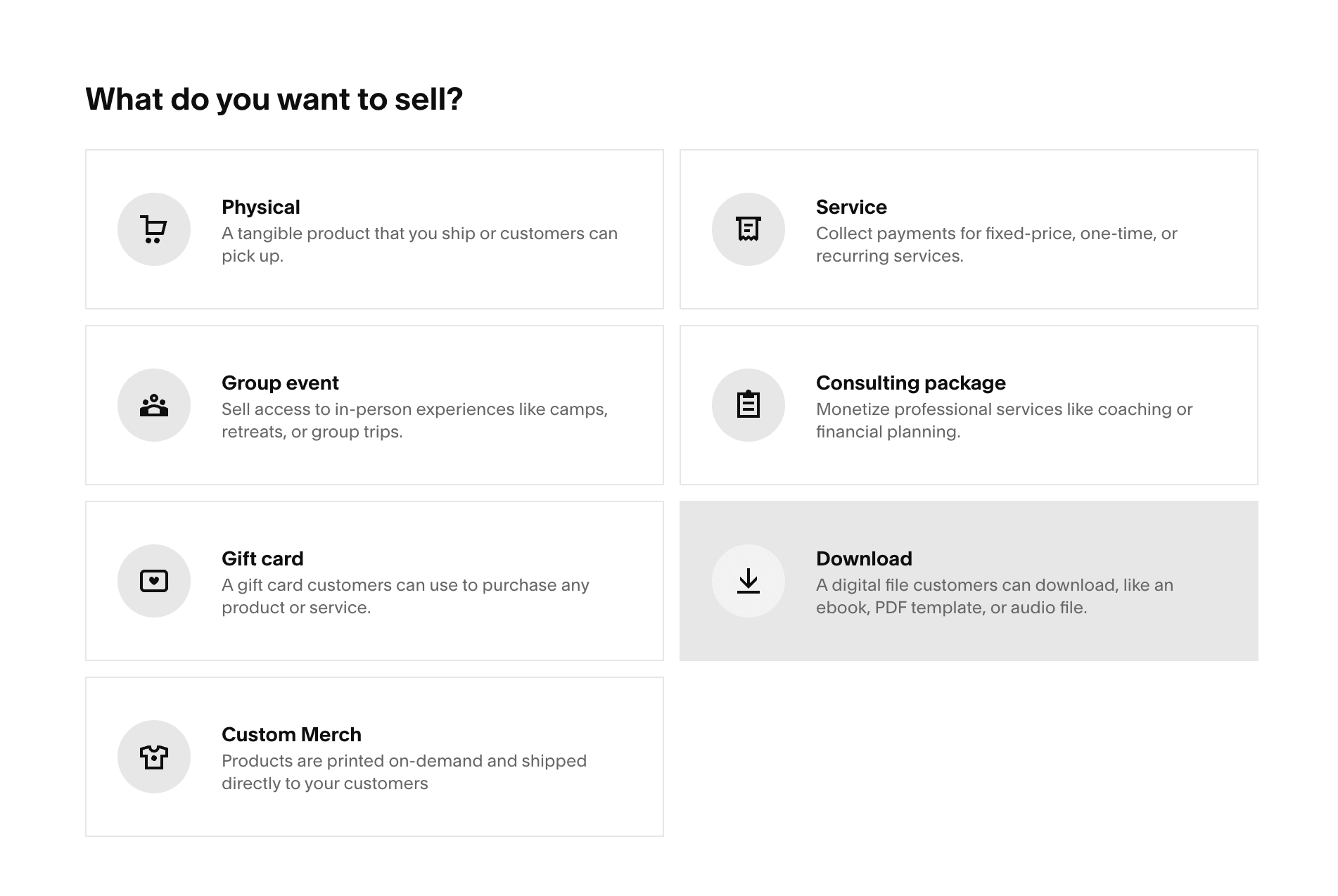
Download products are limited to one file per product, and that file must be 300 MB or smaller. You can zip multiple files together as long as the zipped file stays under that limit. That works well for things like templates, PDFs, guides, and smaller resources, but it can feel restrictive for larger files or more complex digital products.
Another limitation is that the secure download link expires 24 hours after purchase. That said, the customer can simply request another one if they need to download their product after that timeframe.
For courses and member sites, Squarespace works more like a gated content platform. Once someone purchases, they can sign up for an account, log in, and get access to the content behind the paywall straight away. So if you are selling a mix of downloads, courses, or member-only content, it can be a really nice all-in-one setup.
👉 How to add a Shop to Squarespace - Step by Step Walkthrough (7.1 and 7.0)
👉 How to Host a Course on Your Squarespace Website
👉 Your Complete Guide to Squarespace Member Sites
Checkout and payments
Squarespace offers a simple built-in checkout that feels clean, polished, and easy for customers to use. You can customize parts of the design to make it feel more on-brand and aligned with the rest of your website for a more seamless customer journey.

Squarespace also now has its own native payment solution, Squarespace Payments, so you can manage your transactions all in one place. It accepts all major credit cards, digital wallets like Apple Pay and Google Pay, and buy now, pay later options like Klarna and Afterpay. You can also accept payments through invoicing, online checkout, tap to pay for in-person transactions, or pay links for easy sharing on email or text, which gives you plenty of flexibility depending on how you sell. It offers lower card processing fees, depending on your subscription plan. Squarespace Payments isn't available in all countries yet but is becoming available in more locations!

Stripe and PayPal are also available as alternative payment processor options.
Marketing and selling tools
One of the best things about Squarespace is that your digital products can live right within the rest of your website, alongside your blog, sales pages, email opt-ins, and everything else. It makes the whole experience feel much more seamless, cohesive, and intentional.
Squarespace also has a pretty solid range of built-in selling tools, which is one of the reasons it works so well for creators and small businesses. Beyond just listing products, you can add things like product reviews, related products, customer notifications, product status labels, and even waitlists, which all help create a smoother shopping experience. It's definitely not the most advanced sales platform on the market, but for an all-in-one website builder, it gives you a lot to work with without needing a million extra apps or plug-ins!

Brand control and audience ownership
This is one of the best things about using Squarespace for selling your digital products! You can make them feel like a part of a real, unique, branded website and not just a listing on a random platform. Squarespace gives you so much more room to create that experience with how customizable it is, allowing your messaging, visuals, and customer journey to all work together in a way that feels polished and cohesive. Plus, you own your email list and customer relationships entirely. Zero platform branding and your traffic and audience are 100% yours!
SEO and discoverability
Having your own Squarespace website is definitely better for SEO compared to simpler storefronts and marketplaces given how much more content, rich in keywords, you can have, including a blog! Squarespace also gives you the ability to add SEO descriptions for your products, allowing them to be searchable and discoverable on search engines.
👉 Squarespace SEO: Boosting Your Site's Visibility with our go-to SEO Checklist
Scalability & long-term fit
Squarespace is a great long-term fit for businesses that want to grow a branded website alongside their digital products. It gives you room to expand with more pages, content, and offers over time.
That said, it is usually best suited to creators and small-to-medium businesses rather than huge, highly complex ecommerce operations. If your long-term plan involves a massive store, advanced automation, or very specialised ecommerce workflows, you may outgrow it eventually. But for many DIYer creators, it hits a really sweet spot between ease, professionalism, and room to grow.
Summary
Squarespace Pros:
Beautiful all-in-one website builder
Relatively affordable to start
Super customizable
Strong built-in selling tools
Solid for SEO and blogging
Best for small to mid-sized creative businesses
Squarespace Cons:
Less ideal for huge stores, complex funnels and automations, or very large course or digital product files
Shopify

Shopify is one of the most popular ecommerce platforms out there, and for good reason! You'll find every possible e-commerce feature on this platform to help you sell, from easy checkout to advanced filtering and multi-currencies. While it's best known as a platform for physical products, Shopify can also be a great choice for digital product sellers who want a streamlined, professional online store.
Best for: Entrepreneurs and small businesses selling large numbers of digital products that might require advanced management, filtering, ecommerce tools, and automations.
Pricing and Fees
Shopify is definitely more of an investment than some of the other platforms on this list. If you pay annually, plans currently start at $29/month for Basic, then go up to $79/month for Grow, $299/month for Advanced, and $2,300/month for a more custom enterprise-level plan. If you choose to pay month to month instead, the monthly cost will be higher.
Shopify’s fees are easiest to understand in two parts: card processing fees and third-party transaction fees. If you use Shopify Payments in the US, online card rates are currently 2.9% + 30¢ on Basic, 2.7% + 30¢ on Grow, and 2.5% + 30¢ on Advanced. If you use an external payment provider instead, Shopify adds an extra third-party transaction fee on top of that provider’s own processing fees: 2% on Basic, 1% on Grow, and 0.6% on Advanced.
So while Shopify can be a great investment if selling online is a big part of your business and you want something built to grow with you, it can end up being a much more expensive option for a simpler digital product setup, especially once you factor in apps, add-ons, or developer help.
👉 Check Shopify pricing and what is included in each plan here
Digital Delivery and File Limits
Shopify can work really well for digital products, but the important thing to know is that a lot of that functionality comes through apps rather than being as built-in as it is on some other platforms. Shopify’s Digital Downloads app lets you attach files like PDFs, JPEGs, ZIP files, videos, and more to products, send download links automatically after purchase, and set custom download limits.
For courses and memberships, Courses Plus (starting at $20/month) lets you create lessons, quizzes, certificates, subscriptions, and student progress tracking inside your Shopify store. So Shopify can absolutely support courses and gated content, but it is not quite as streamlined as a dedicated course platform.
Checkout and payments
Shopify’s checkout is easily one of its biggest selling points. It's clean, user-friendly, and built to make purchasing feel as smooth as possible, accepting payments from all major cards, via Shopify Payments, Stripe, PayPal, Apple and Google Pay.
It also comes with features designed to help boost conversions, like discount codes, saved payment methods, and abandoned cart recovery. Shopify even claims its checkout converts 15% better on average than other commerce platforms!

Marketing and selling tools
Shopify really shines when it comes to selling tools! It has loads of features built for ecommerce, and if there is something extra you want to add, there is usually an app for that too. The only downside is that once you start relying on multiple apps to do everything you want, things can feel a little more pieced together (and a little more expensive) over time.

Brand control and audience ownership
Like Squarespace, Shopify gives you your own website, your own domain, and full ownership of your audience, which is a huge win over selling on a marketplace. But while Shopify gives you plenty of selling power, it is not always the easiest platform to customize in a really design-led way. The built-in themes are a good starting point, but if you want something that feels more elevated or more you, it often takes extra apps, custom code, or a developer to get there.
SEO and discoverability
Shopify gives you a solid foundation for SEO and makes it easy to update things like page titles, descriptions, URLs, and image alt text, making it easier for your product pages to be found in search.
Scalability / long-term fit
Shopify is one of the strongest options if long-term growth is a big priority. It is built for businesses that want to scale, sell across channels, manage more complex operations, and grow into something bigger over time.
That said, if you are only selling a few templates or digital downloads, it can feel overcomplicated.
Summary
Shopify Pros:
Really powerful ecommerce platform
Great checkout and sales-focused features
Lots of apps available for extra features and functionality
Good for SEO and multi-channel selling tools
Best for ecommerce-heavy or scaling businesses
Shopify Cons:
Higher starting cost
Can feel a bit overkill for smaller creators
Extra apps can add cost and complexity
Etsy
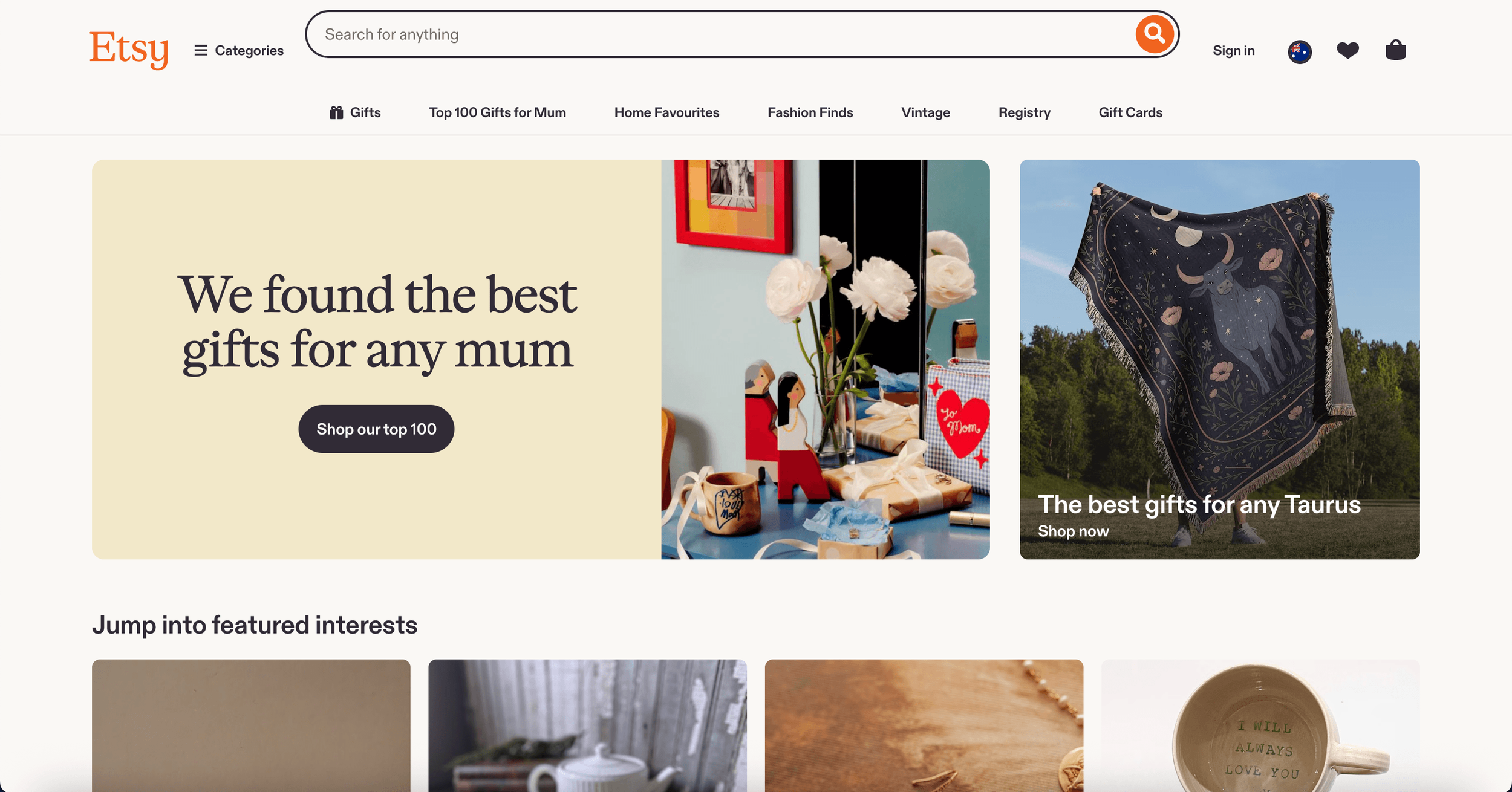
Etsy is an online marketplace that makes it really easy to get your products in front of people who are already browsing and ready to buy. It is a popular choice for digital products like printables, templates, invitations, and creative resources, especially if you want to start selling without needing to build a full website first.
Best for: Beginners, side hustlers, and digital product sellers who want a simple way to get started and tap into Etsy’s existing traffic.
Pricing and fees
Etsy is pretty affordable to get started with, which is a big part of its appeal! There is no monthly subscription fee for a standard shop, but you do need to pay $0.20 USD per listing with each listing expiring after 4 months.
When you make a sale, Etsy charges a 6.5% transaction fee on the total order amount. If you use Etsy Payments, payment processing fees also apply, commonly 3% + 25¢. It's also pretty common to spend extra on Etsy Ads if you want more visibility.
If you want a few extra features, Etsy Plus is available for $10/month and includes things like listing credits, Etsy Ads credits, and a few extra shop customisation options
While Etsy can feel very budget-friendly in the beginning, fees can stack up quickly once you start selling more regularly and that's one of the biggest reasons many sellers eventually outgrow it.
Digital delivery and file limits
Etsy works well for simple instant downloads and currently allows you to upload up to five digital files per listing, with a maximum size of 20 MB per file. That is usually perfect for smaller PDFs, printables, ebooks, and graphic assets, but it can feel pretty restrictive for larger templates, videos, or more complex product bundles.
Etsy is not really built for full courses or member sites. You could technically sell a course through Etsy, but the actual content would need to be hosted elsewhere.
Checkout and payments
One of the pros of using a popular marketplace like Etsy is that buyers are checking out on a platform they already know and trust. Etsy offers a straightforward checkout and handles the payment side, which makes things feel simple and familiar.
The trade-off is that the checkout experience is very much Etsy’s, not yours. You are not creating a fully branded buying journey in the same way you would on your own website.
Marketing and selling tools
The biggest selling tool Etsy offers is really the marketplace itself. Instead of having to drive every visitor yourself, you are listing your products in front of people who are already on Etsy searching for things to buy. That built-in audience can be incredibly helpful, especially when you are new and don't have your own audience yet! Of course, the drawback is that there are millions of sellers that you are competing with.
Beyond that, Etsy does offer tools like insights and analytics, discounts, and ads, but overall it is a much simpler setup than a full website builder or ecommerce platform.
Brand control and audience ownership
This is where Etsy starts to feel a lot more limited. You can customize your shop to a point, but at the end of the day, you are still selling inside Etsy’s marketplace with a shop template that looks like all the other sellers'. While you can customize some minimal aspects like the banner and some colors, as well as some extras if you pay for Etsy Pro, you'll definitely have less control over how your shop looks, how your customer journey feels, and how memorable your brand experience is overall.
SEO and discoverability
Etsy has a large built-in audience that is already searching on the platform and a solid search system designed to match buyers with relevant products, but it is a platform largely built for physical products, not just digital downloads. Competition is fierce which means prices are often dropped pretty low!

Etsy does gives sellers ways to improve discoverability through listing titles, descriptions, tags, and image alt text. That said, Etsy SEO is still very different from having your own website. You are optimizing within Etsy’s ecosystem, not building long-term search visibility.
Scalability & long-term fit
Etsy can be an awesome place to start, especially if you want to put your digital product out there to an existing audience, without building a full website. But long term, it can start to feel limiting. Between the fees, competition, limited customization, and lack of full brand control, many sellers eventually reach a point where they want more ownership and flexibility.
Summary
Etsy Pros:
Easy and inexpensive to get started
Built-in audience and marketplace traffic
Simple setup for instant digital downloads
Trusted platform for buyers
Great to start selling immediately
Etsy Cons:
Limited customization
A lot of competition and difficult to stand out
Fees can add up quickly
Not built for courses or memberships
Limited advanced ecommerce features
Creative Market

Creative Market is a unique online marketplace focused specifically on digital design assets, like fonts, templates, graphics, illustrations, mockups, website themes, and other creative resources. Unlike a broader marketplace like Etsy where you can sell a bit of everything, it caters to a highly targeted audience of designers, artists, and creative professionals, who are actively searching for high-quality digital products.
Best for: Designers, illustrators, and creative business owners who want a simple way to sell to a more niche audience
Pricing and fees
Creative Market works on a commission model, taking a fairly big cut of each sale. The exact amount can vary a little depending on your shop or product, but it can be as high as 50%, which definitely eats into your profits. The upside is that there are no ongoing monthly fees and no processing fees, so it can still feel like a low-pressure option if you are not selling a huge volume. Just keep in mind that you will likely need to price your products a bit higher to make that commission cut worthwhile.
Digital delivery and file limits
Creative Market has been created with digital products in mind and makes uploading and delivery to your customers an easy process! You can upload product files up to 4 GB which gives you a lot more room than many other platforms. If your product includes multiple files, you can bundle them into a .zip file.
It is worth noting that Creative Market is really designed for downloadable assets, not for hosting courses or memberships. So while you can still sell that kind of offer there, the actual content would need to live somewhere else. For example, you could package your course materials into a downloadable file or include a PDF with a login link and instructions for accessing the content on another platform.
Checkout and payments
Creative Market keeps checkout nice and simple, which is a big part of what makes it so easy to use. Buyers are purchasing on a platform they already know and trust, and Creative Market handles the payment side for you, so there is very little to set up on your end. The only real downside is that the checkout experience feels like Creative Market, not your own brand, so you get less control over that side of the customer journey.
Marketing and selling tools
Creative Market’s biggest advantage is that it helps put your products in front of the right kind of audience without you having to build all that traffic from scratch. It also has a few helpful built-in tools like reviews, discounts, promotions, and shop updates to help support sales.
The flip side is that there is a massive amount of competition, you do need to get your shop approved so not everyone can easily list on there, and it is still a marketplace setup so is much simpler than having your own website.
Brand control and audience ownership
Creative Market is great for getting your products in front of the right people, but it is not the best option if building a really strong, memorable brand is a big priority for you. Your shop still lives within the Creative Market world, so there is only so much you can do to make it feel fully like your brand. You can add a small bio, profile pic and banner if you want to, but that's about it!

SEO and discoverability
One of the great things about Creative Market is that it attracts the right kind of audience from the start. People are already on there searching for fonts, templates, graphics, and other digital products, so it can be a really nice way to get your products discovered. The downside is that all of that visibility stays inside Creative Market, rather than helping grow your own business SEO long term.
Scalability & long-term fit
Creative Market can be a great extra place to sell, especially if you want a pretty low-maintenance way to reach people who are already looking for creative assets like yours. It makes the most sense as part of a bigger strategy though, rather than your forever home. Over time, many sellers end up wanting their own website as well so they have more control over their brand, customer experience, and keep more of the profits.
Summary
Creative Market Pros:
Specifically made for digital products
No monthly fee to open a shop
Large niche audience already looking for creative assets
Can upload larger files
Creative Market Cons:
Large commission
Limited branding and customization
Not built for courses or memberships
A lot of competition
Gumroad

Gumroad is a beginner-friendly platform built for creators who want to sell digital products in a way that feels simple, approachable, and not too techy. It has a fun, friendly brand vibe and is designed to help you start selling your digital products quickly, whether that is through your own website or their own marketplace, Gumroad Discover.
With built-in tools for email marketing, audience growth, and analytics, Gumroad gives creators a pretty easy, low-maintenance way to start monetizing their work without needing to build a full ecommerce site.
Best for: Creators looking for a quick, simple, and beginner-friendly way to sell online.
Pricing and Fees
Gumroad has a straightforward, transparent pricing structure. There are no monthly fees, which is a big part of why so many beginners are drawn to it. Instead, Gumroad charges 10% + 50¢ per sale for sales made through your profile or direct links. On top of that, standard card processing applies, which Gumroad lists as 2.9% + 30¢. If a new customer finds and buys from you through their marketplace, Gumroad Discover, Gumroad charges 30% for that sale.

Digital delivery and file limits
Gumroad is built for digital products, so it works well for things like downloads, memberships, and simpler course-style offers. One thing that is especially helpful is that the file size limits are pretty generous compared to a lot of other platforms! Free products can be up to 250 MB, and paid products over $1 can be as large as 16 GB, which gives you plenty of room for bigger downloads, video content, and even bundles.
Because Gumroad offers different types of products from downloads and ebooks to courses and memberships, it means that you can sell a mix of digital products all in the same place. You can also have free trials, offer different pricing tiers, and subscriptions which is a lot more than many other platforms can do in one!

Checkout and payments
Gumroad keeps checkout nice and simple, which is a big part of why it feels so beginner-friendly. Buyers can go straight from your product page to checkout without a lot of extra fuss, and Gumroad gives you a few helpful options there too, like discount codes, custom fields, upsells, and product recommendations. Gumroad accepts all major cards, PayPal, Apple Pay, and Google Pay.
You can also easily integrate or embed Gumroad into your own website to make selling your products more accessible and streamlined.
Marketing and selling tools
Gumroad’s biggest strength is simplicity. It lets you create a storefront quickly, sell through direct links or embeds, and also has a marketplace (Gumroad Discover) with a decent audience built-in to help you get extra eyes on your products.
It also comes with some handy built-in tools that make selling feel a bit easier, like discount codes, upsells, email tools, and analytics. So while it is definitely not the most advanced ecommerce platform on this list, it does give you a nice little toolkit without needing a million extra apps or a complicated setup. If you are after deeper customization, more advanced funnels, or a fully built-out online store, it can start to feel a bit limited though.
Brand control and audience ownership
Gumroad's built-in storefront is definitely on the minimalist side and not all that customizable apart from your profile picture, bio, and dark or light mode. Of course, you can infuse your brand personality into each product thumbnail.


For a more branded experience, you can also embed Gumroad links to purchase directly into your own website.
SEO and discoverability
Gumroad Discover can be a really nice way to get your products in front of new customers, thanks to its large built-in audience. The downside is that any sales through Discover come with much higher fees (Gumroad takes 30% commission), and any visibility you gain there is still tied to Gumroad’s platform rather than helping grow your own website’s long-term SEO.
You can still optimize your Gumroad product pages a little through things like your title, description, and page copy, so it does have some basic SEO potential. But overall, it works better as a simple selling tool than a full SEO focus.
Scalability & long-term fit
Gumroad is amazing for beginners who want to launch quickly, keep things simple, and avoid monthly platform costs. It works especially well for solo creators, side hustles, simpler digital products, and early-stage memberships. But as your business grows, you may find yourself wanting more control over branding, customer experience, and selling tools than Gumroad can currently offer.
Summary
Gumroad Pros:
No monthly fee
Beginner-friendly and easy to set up
Works for downloads, courses, memberships, and subscriptions
Has a marketplace built-in
Gumroad Cons:
Transaction fees are quite high and can add up
Limited design customization
Gumroad Discover sales come with a much higher fee
Can feel a bit basic as your business grows
Thrivecart

Thrivecart is a checkout-focused platform made for selling digital products in a way that feels strategic, streamlined, and very sales-focused. Rather than giving you a full website builder, it is more about helping you create high-converting checkouts, upsells, funnels, and offers. It also includes Thrivecart Learn, so you can easily sell courses and memberships too. Thrivecart is definitely a more advanced platform so while it is powerful, it can feel a little less intuitive and a bit clunkier to use at times.
Best for: Course creators who care more about conversions, funnels, and checkout strategy.
Pricing and fees
One of Thrivecart’s biggest selling points is that its Standard plan only requires a one-time payment of $495, with 0% platform fees on sales which means you could be able to break even pretty quickly with no ongoing subscriptions or fees!

The trade-off is that the upfront cost is obviously much higher than something like Gumroad or Etsy, so it tends to make the most sense if you already know you are serious about selling.
You will still need to pay payment processing fees through your connected processor, such as Stripe or PayPal (typically 2.9% per transaction).
Digital delivery and file limits
It's important to note that Thrivecart is not really built for hosting downloadable files like PDFs or videos directly. You will usually need to host your digital product files somewhere like Google Drive and link the URL in Thrivecart rather than uploading them into the platform itself. While that might seem a bit less straightforward, the big pro is that this means there isn't really a file size limit.

Thrivecart is especially strong when it comes to courses and memberships. It gives you plenty of flexibility, with unlimited courses, modules, lessons, and students, and lets you choose whether people get instant access straight away or drip content gradually over time. After purchasing, students are sent a login link by email and can access everything through their own dashboard, where they can view their courses and keep track of payments, orders, and subscriptions.
Checkout and payments
Thrivecart specializes in offering the ultimate optimized checkout experience with things like bump offers, one-click upsells, downsells, split pay, subscriptions, free trials, and abandoned cart recovery. It also supports multi-currency checkout in 100+ countries and integrates with payment processors like Stripe and Paypal. It's a great fit if you want the checkout side of things to feel strategic, streamlined, and built to convert, making it ideal for more advanced products like courses but maybe a bit overkill for simple downloadables.
Marketing and selling tools
Thrivecart is packed with selling tools, especially if you love funnels and optimizing your offers. It includes upsells, downsells, bump offers, A/B testing, affiliate management, advanced drag-and-drop funnel automation, and cart recovery. It also has 40+ direct integrations for tools like email marketing platforms, which makes it easy to plug into the rest of your setup.
One thing to note is that apart from a sales page option, it doesn't have a built in storefront so you would still need to combine it with your own marketing and website setup in order to drive sales.
Brand control and audience ownership
Thrivecart gives you a lot of control over your products, customer data, and funnels.
That said, it is not really designed to be your full brand home. Most people pair Thrivecart with their own website or existing platform rather than using it as their one and only online hub since it doesn't actually offer a customizable storefront that customers can browse.
That said, you can create standalone sales pages inside Thrivecart, or integrate Thrivecart into your existing website setup, which gives you a bit more flexibility. So while it is not a full website builder, it is not limited to just a bare checkout page either.
SEO and discoverability
SEO is not really Thrivecart’s main strength. Because it is more of a checkout and funnel platform than a content-led website builder, it is not the kind of tool you would choose for blogging, long-form SEO, or organic discovery. It works best when paired with your own website, email list, or audience-building platform that sends people into your sales funnel. Once they reach your sales funnel, Thrivecart is great for that part!
Scalability & long-term fit
Thrivecart can be a really strong long-term fit if you are focused on selling and want a powerful checkout system without stacking up monthly subscription fees. Between the lifetime pricing on Standard, 0% platform fees, course features, affiliate tools, and funnel automation, it is built to support businesses that want to grow and optimize their sales process over time.
That said, it tends to make the most sense for people who already have a website or audience and want to improve how they sell. If you are looking for a beautiful all-in-one solution, this probably is not the one.
Summary
Thrivecart Pros:
One-time pricing on Standard
0% platform fees on sales
Really strong checkout and funnel tools
Great for upsells, bumps, and conversions
Great for courses and memberships
Thrivecart Cons:
Higher upfront cost
Only a sales page available but no shopfront or website builder so usually needs to be combined with another platform
Podia

Podia is an all-in-one platform built for creators who want to sell digital products, courses, memberships, coaching, and more without juggling a bunch of different tools. It is especially popular because it feels simple, beginner-friendly, and a lot less overwhelming than some of the more advanced platforms. If you like the idea of having your website, products, and email marketing all in one place, Podia is a really appealing option.
Best for: Creators who want a simple all-in-one platform for selling downloads, courses, and memberships.
Pricing and fees
Podia keeps pricing pretty straightforward. Its Mover plan starts at $33/month and includes a 5% transaction fee. The Shaker plan starts at $75/month and removes transaction fees altogether.
Podia keeps pricing pretty straightforward. Its Mover plan starts at $33/month when billed annually and includes a 5% platform transaction fee. The Shaker plan starts at $75/month when billed annually and removes Podia transaction fees altogether. Payment processing fees through Stripe or PayPal are a standard 2.9% + 30¢, though this can vary depending on your location.
Both plans include unlimited products, a website, blogging, and email marketing tools, which is a big part of why Podia feels like good value if you want everything under one roof. Podia also includes a 30-day free trial which you can actually sell on if you want to test the platform out before committing!

Podia’s built-in email marketing is free for up to 100 subscribers, but after that it becomes an extra monthly cost depending on the size of your list. For example, it starts at $7/month for up to 500 subscribers and increases from there, so it is worth factoring that in as your audience grows!
Digital delivery and file limits
Podia is a great fit for creators selling more than one type of digital product, whether that is downloads, courses, webinars, coaching, or memberships. It is especially handy for courses and memberships, since customers can log in and access everything through a private portal rather than just downloading a file once and disappearing. Engagement tools like a built-in discussion forum are also handy.
Podia also has a pretty generous file upload limit of 5 GB, which is great if you are selling larger resources or more content-heavy products.
Checkout and payments
Podia keeps checkout nice and straightforward. Customers can head straight from your sales page to checkout, create an account or log in, enter their payment details, and get access to their product right away. One thing to note though is that the checkout itself is not very customizable, so while it is easy to use, you do not get a ton of control over how it looks or functions.
Marketing and selling tools
One of Podia’s biggest strengths is that it gives you more than just a place to list products. You also get built-in email marketing, a website, blogging, sales pages, and selling tools in the same platform. It's not the most advanced platform for heavy funnels or super custom sales setups, but if you want something that feels clean, simple, and genuinely useful, Podia does a really nice job.
Some of Podia's most useful tools include pre-sells, upsells, discounts, bundles, and more!

Brand control and audience ownership
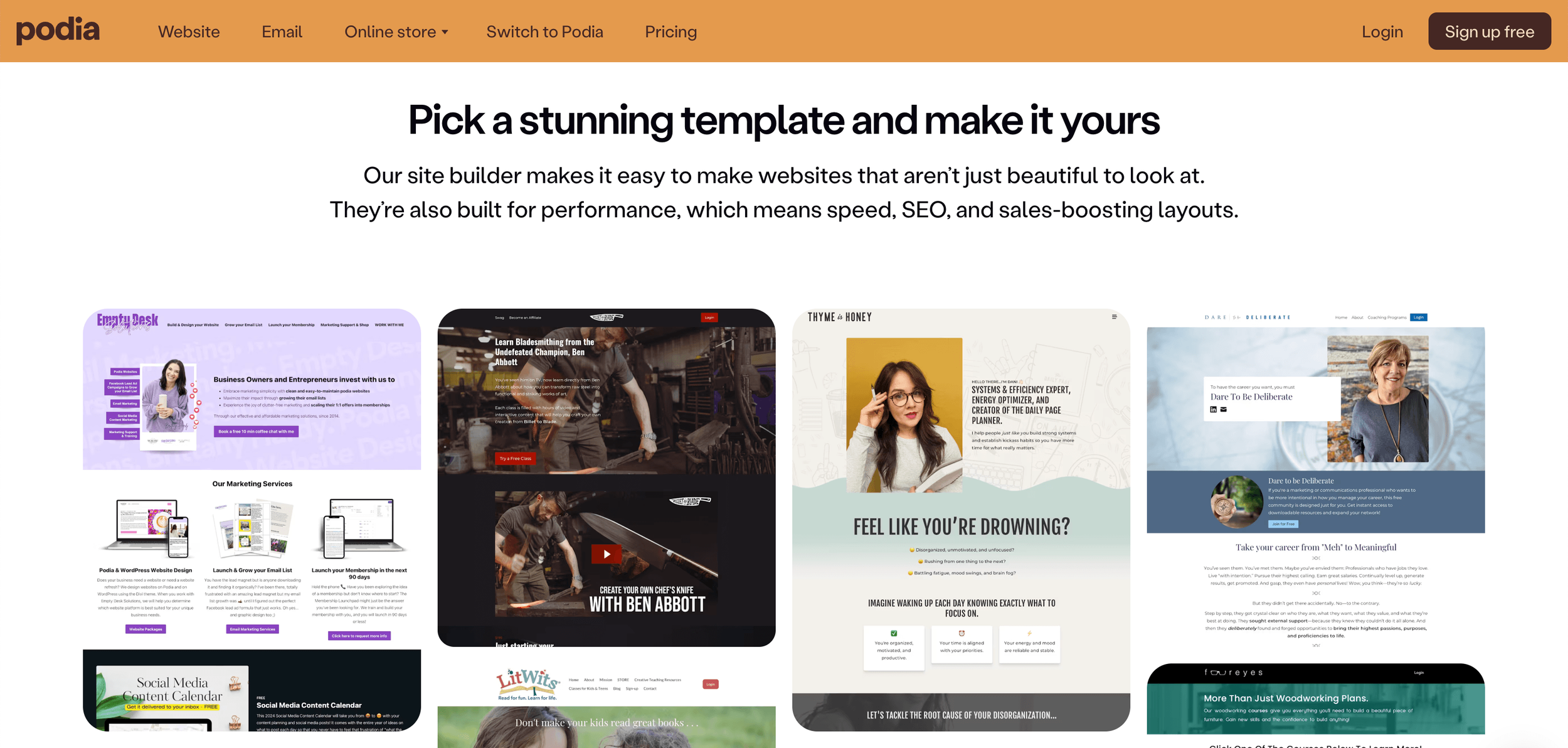
Podia gives you the option to build your own website, which means a lot more control over your brand than you would get on a marketplace or basic storefront. You can use your own domain and customize the look of your site with your brand colors and fonts.
It is not the most customizable platform on this list, but it does have good website template options built-in and does a good job of giving creators more ownership and a more polished brand experience without making things feel too complicated.
SEO and discoverability
Podia gives you a decent amount of SEO control for an all-in-one creator platform. You can update things like page titles, meta descriptions, URLs, headings, and image alt text, which gives you a solid base if you want your pages to be a bit more search-friendly. It also includes a blog, which is always a nice bonus if content marketing is part of your strategy. While it does give you more room to grow your visibility than a marketplace, it is not usually the main reason people choose it.
Scalability & long-term fit
Podia is a really nice long-term option if you want to keep things simple while still having room to grow. Because you can sell downloads, courses, coaching, webinars, and memberships in one place, it works well for creators whose offers are likely to evolve over time. Podia also highlights free migrations on paid plans, which is helpful if you are moving from somewhere else.
It may not be the best fit if you want super advanced ecommerce features or very custom design freedom, but for a lot of creators, it hits a really sweet spot between simplicity and flexibility.
Summary
Podia Pros:
Simple all-in-one setup
Good for downloads, courses, memberships, coaching, and more
Built-in website, blog, and email marketing
Beginner-friendly
Podia Cons:
Transaction fee on the lower plan
Less design flexibility
Not as advanced for heavy funnels or deep ecommerce customisation
Teachable

Teachable is a platform built specifically for selling online courses, memberships, coaching, and other education-style digital products. It is much more course-focused than something like Squarespace or Gumroad, which makes it a really appealing option if teaching is the main thing you do and you want a platform that is designed around the student experience.
Best for: Course creators and educators who want a platform that is built specifically for teaching online.
Pricing and fees
Teachable has a few different pricing tiers depending on how advanced you need your setup to be. The Starter starts at $29/month when billed annually and includes a 7.5% transaction fee. Builder starts at $69/month with 0% transaction fees, and Growth starts at $139/month also with 0% transaction fees. There is also a custom enterprise-style plan available for higher-level education businesses. Standard payment processing fees of around 3% still apply.
While Teachable is not the cheapest option on this list, it can still work well for you if courses are your main offer. Like a few other platforms, the lower plan can feel approachable at first, but once you start making more sales, it is worth checking whether upgrading would actually work out better because of the lower fees.

👉 Check Teachable pricing here
Digital delivery and file limits
Teachable is built for hosting and delivering course content, so it is a much better fit for structured learning than a basic digital download platform. Teachable supports a variety of file types, including video, audio, PDFs, and images, and its current upload limit is 20 GB per file, which is pretty generous.

For students, the experience is much more like joining a learning portal than downloading a file. They create an account, log in, and access their lessons through their student dashboard.

Checkout and payments
Teachable’s checkout is clean, simple, and designed to make buying feel pretty straightforward. You can add things like testimonials, bullet points, guarantees, coupons, and order bumps to help boost conversions, and it also supports payment options like PayPal, Apple Pay, and Google Pay. Once someone buys, they are guided straight into setting up their account so they can get into their course quickly.
Marketing and selling tools
Teachable includes a nice mix of selling tools for creators, especially if courses are your main offer. Depending on your plan, you can use things like upsells, affiliate programs, course certificates, integrations with other apps, and a mobile student app.
On the marketing side, it also gives you useful tools for promoting your offers, like sales pages, coupons, and affiliate or referral options to help spread the word. It is not the most advanced setup out there, but it does cover a lot of what course creators actually need to start selling and growing.
Brand control and audience ownership
Teachable gives you more control than a marketplace by letting you build your own course site, connect your own domain, and customize the look of things to better match your brand. It's not as flexible as a full website builder, but it does give you a nice middle ground if you want something that feels more polished than a basic course portal. It also works well alongside an existing website, which is handy if you do want more flexibility.
SEO and discoverability
Teachable does give you some basic SEO tools, including the ability to adjust SEO settings on your pages and use a custom domain, which helps your course site feel a bit more searchable and polished. But overall, it is still more of a course platform so it tends to work best alongside a main website if organic traffic is a big focus for you.
Scalability & long-term fit
Teachable is a really strong fit if your business is centred around courses and you want a platform that can grow with that. Between the generous file limits, student login experience, memberships, upsells, and higher-tier plans, it is built for creators who are serious about online education.
That said, if you are mostly selling simple downloads or want a really design-led all-in-one website, it may feel a bit too specific for your needs.
Summary
Teachable Pros:
Built specifically for courses and online learning
Can upload large files
Great student login and course access experience
Helpful built-in tools for course creators
Teachable Cons:
Less design flexibility than a full website builder
Not as strong for blogging or broader SEO
Can feel a bit specialized if you are mostly selling simple downloads
Kajabi

Kajabi is a more robust all-in-one option for creators and educators who want something bigger than a basic course platform. It's really built to support knowledge-based offers like courses, memberships, coaching, and downloads, while also giving you tools to market and grow them.
Best for: Established creators who want a more powerful all-in-one platform for courses, memberships, coaching, and marketing
Pricing and fees
Kajabi is definitely one of the pricier options on this list. Its current plans start at $143/month for Basic, then $199/month for Growth, and $399/month for Pro. When you use Kajabi Payments, payment processing fees range from 2.9% + 30¢ to 2.7% + 30¢, depending on your plan. Kajabi does not add an extra platform transaction fee on top of this when you use Kajabi Payments.
If you use a third-party payment provider instead, Kajabi charges an additional third-party provider fee on top of that provider’s own processing fees. These fees range from 5% to 0.5%, depending on your plan.
This does mean that Kajabi is probably not the best fit if you are just testing the waters with your digital product. It's a bit more of an investment and best suited to growing educators who want more tools.

Digital delivery and file limits
Kajabi is a really strong fit for courses, memberships, and other offers that people need ongoing access to. Customers can create an account, log in, and access everything through their own member area, which makes the whole experience feel much more polished than a simple one-time download.
It also works for digital downloads too, so you are not limited to just courses. And if your content is a bit more file-heavy, Kajabi gives you a decent amount of room, with video uploads up to 4 GB and downloadable files up to 1 GB.
Checkout and payments
Kajabi’s checkout feels polished and professional. You can give people different payment options like one-off payments, payment plans, or recurring subscriptions, which is really handy if you want a bit more flexibility in your offers.
It is definitely more sales-focused than a basic course platform, and you can also brand your checkout and embed it into your website or landing pages, which helps everything feel a bit more seamless.
Marketing and selling tools
Kajabi gives you a lot more than just a place to host your offers. It also comes with built-in tools for things like email marketing, landing pages, automations, and analytics, which makes it a really handy option if you want more of your business running in one place.
Brand control and audience ownership
Because Kajabi lets you build a full website, it gives you a lot more control than selling through a marketplace. You have more freedom to create your own offers, build your own audience, and shape a brand experience that feels polished and cohesive.
It is not quite as design-flexible as a platform like Squarespace, but it still gives you much more ownership and control than relying on someone else’s platform to sell.
SEO and discoverability
Kajabi offers solid SEO basics, with control over things like page titles, descriptions, and social sharing images across your website pages, landing pages, blog posts, and funnels. It is not the most SEO-focused platform on this list, but it does cover the essentials nicely if you want your products and pages to be a bit more discoverable.
Scalability & long-term fit
Kajabi is a really strong long-term option if you are building a bigger education-based business and want to be able to manage everything all in one place. It works especially well for established creators selling courses, memberships, coaching, and other ongoing offers who want a setup that can grow with them. If you are only selling a couple of simple downloadables, Kajabi may feel over the top, especially for the price.
Summary
Kajabi Pros:
All-in-one platform
Great for courses, memberships, and coaching
Built-in marketing, emails, and selling tools
Polished checkout and student experience
Strong long-term option for established course creators
Kajabi Cons:
One of the more expensive options
Can feel like overkill for simpler digital products
Less design flexibility than a true website builder
So, how do you pick the best platform?
If you have made it this far and are still wondering which platform is actually right for you, the honest answer is that it really depends on what you are selling, how you want your business to feel, and where you want it to go from here!
If you want the strongest all-rounder for creators and small businesses, Squarespace is such a great place to start, especially if having a beautiful, branded website matters to you. If you are just starting out and want the easiest path to getting your product out there, Etsy or Gumroad can be a really lovely place to begin. If you are serious about ecommerce and want more advanced selling tools, Shopify probably makes more sense. If your business is centred around teaching, Teachable or Kajabi are much better suited to courses and student access. If you care most about funnels and conversion strategy, ThriveCart is the standout. And if you want a simpler all-in-one setup, Podia is worth looking at.
Quick decision guide:
Just starting out? → Etsy or Gumroad
Want a beautiful, DIY friendly website? → Squarespace
Serious about ecommerce? → Shopify
Focused on courses? → Teachable or Kajabi
Need conversion optimization? → Thrivecart
Want everything in one place? → Squarespace, Podia or Kajabi
A good rule of thumb is this: if your priority is ease, speed, and getting your product out there quickly, a simpler storefront or marketplace can make a lot of sense. But if you want to build a stronger brand, create a more polished customer experience, and grow your SEO over time, having your own website will usually give you a lot more room to do that.
The good news is, this does not have to be a forever decision. Plenty of creators start with the platform that feels simplest and most manageable, then move onto something more custom as their business grows. It is also really common to use a mix of platforms, depending on what you are selling and how you want your audience to find you. Sometimes listing on a marketplace can help you get discovered by new people, while your own website gives them somewhere more polished to connect with your brand.
At the end of the day, the best platform is not always the one with the longest feature list or the fanciest marketing. It's the one that feels doable for you, supports the kind of products you want to sell, and makes sense for the business you are building right now. Start with what feels manageable, keep it simple, and trust that you can always evolve your setup as you grow.
Frequently Asked Questions
What is the Best Free Platform to Sell Digital Products?
If you want a free or very low-cost way to get started with selling online, Gumroad, Creative Market, and Etsy are usually some of the easiest options to look at. Gumroad and Creative Market have no monthly fee, while Etsy lets you start without a subscription too, although they do take a cut of your sales.
Which Platform has the Lowest Fees for Selling Digital Products?
That depends on how and what you are selling! Some platforms have lower monthly costs but higher transaction fees, while others cost more upfront and take less from each sale. If keeping fees low is your biggest priority, it is always worth looking at the full picture, not just the price of the cheapest plan.
Do I Need a Website to Sell Digital Products?
No, you do not need a website to start selling digital products. Platforms like Etsy, Gumroad, and Creative Market make it possible to start without one. That said, having your own website can give you more control over your brand, customer experience, and long-term SEO so it can be pretty beneficial.
What Platform is Best for Selling Digital Courses?
If courses are your main focus, Teachable and Kajabi are two of the strongest options. ThriveCart can also work really well if you care a lot about checkout strategy and funnels, while Squarespace and Podia are nice all-in-one options if you want something simpler. For downloadables, Creative Market, Gumroad, and Etsy are great options and come with a built-in audience.
Is Squarespace Good for Selling Digital Products?
Yes! Squarespace is a really strong option for selling digital products, especially if you want your products to live within a beautiful, branded website rather than on a marketplace where you don't have much control. It works well for things like templates, guides, ebooks, courses, and memberships, and gives you helpful built-in tools for things like blogging, SEO, checkout, and customer experience too. It's not the most advanced platform for huge stores or super complex funnels, but for creators and small businesses, it is one of the best all-rounders!
What is the Best Platform for Beginners Selling Digital Products?
If you are a beginner, the best platform really depends on how you want to start. If you want the quickest and simplest way to start selling, platforms like Gumroad or Etsy can be a really easy entry point. But if you want to build a more polished, professional brand from the start, Squarespaceis probably the best beginner-friendly options. It's easy to use, gives you room to grow, and helps you create a website that feels like a home for your business.
If you liked this post, Pin it to Pinterest! 👇🏻