Flodesk vs Squarespace Email Campaigns: Which Is Best for Your Business?
If you’re a small business owner, blogger, service provider, or really any type of creative, then email marketing is going to play an essential role in growing your business and cultivating a strong network of supporters.
Having a great email marketing strategy allows you to directly connect with those who are most invested in you and what you have to offer! It helps to create interest and is super effective in driving sales. So, how exactly do you start implementing a rockstar strategy like this?
First and foremost, you need to decide on an email marketing platform. Flodesk and Squarespace Email Campaigns are two great options and both have awesome features. But which one is going to be best for you? Figuring that out might seem like a daunting task, but we’ve got you covered.
In this post, we’ll give you an in-depth rundown on each platform and let you know where each of them stands when it comes to the most important aspects of email marketing.
Let’s dive in!

Flodesk vs Squarespace Email Campaigns: The Overview
Before we dive into the specifics of how each of these platforms compares to the other, it’s important that you understand the basics!
Squarespace Email Campaigns is the built-in email marketing system for Squarespace users. This means that if you’re already using Squarespace, you can simply keep everything in one place. There’s no need to add a second system to your plate which is really nice when you’re just starting out.
Since its launch, Squarespace Email Campaigns has gone through several updates making it a much more streamlined and all-encompassing experience. It now offers:
Email Templates
Automations
Marketing Analytics
Audience Management
And more. Plus, it allows you to remain cohesive with your website when it comes to branding and design.
Flodesk, on the other hand, is an email marketing tool that was designed specifically with design and visuals in mind. It is one of the newer email marketing platforms on the market, but is still loved and praised for its easy to use interface.
In addition to its stunning design capabilities, Flodesk also offers:
Automations and Workflows
Audience Management
Checkout and Commerce options
Analytics
And more! The Flodesk platform does have slightly less advanced features, but in the end it gets the job done beautifully.
Okay, so now that you are familiar with the foundation of each system, let’s see how Flodesk and Squarespace Email Campaigns stack up against one another when it comes to the nitty gritty of email marketing.
Pricing
Flodesk Pricing
Flodesk’s pricing structure is split up into 4 main plans and the price you pay depends on how many subscribers you have. Their cheapest price ($19/month) is based on 1,000 subscribers, so even if you have less than that, this will be your starting point!
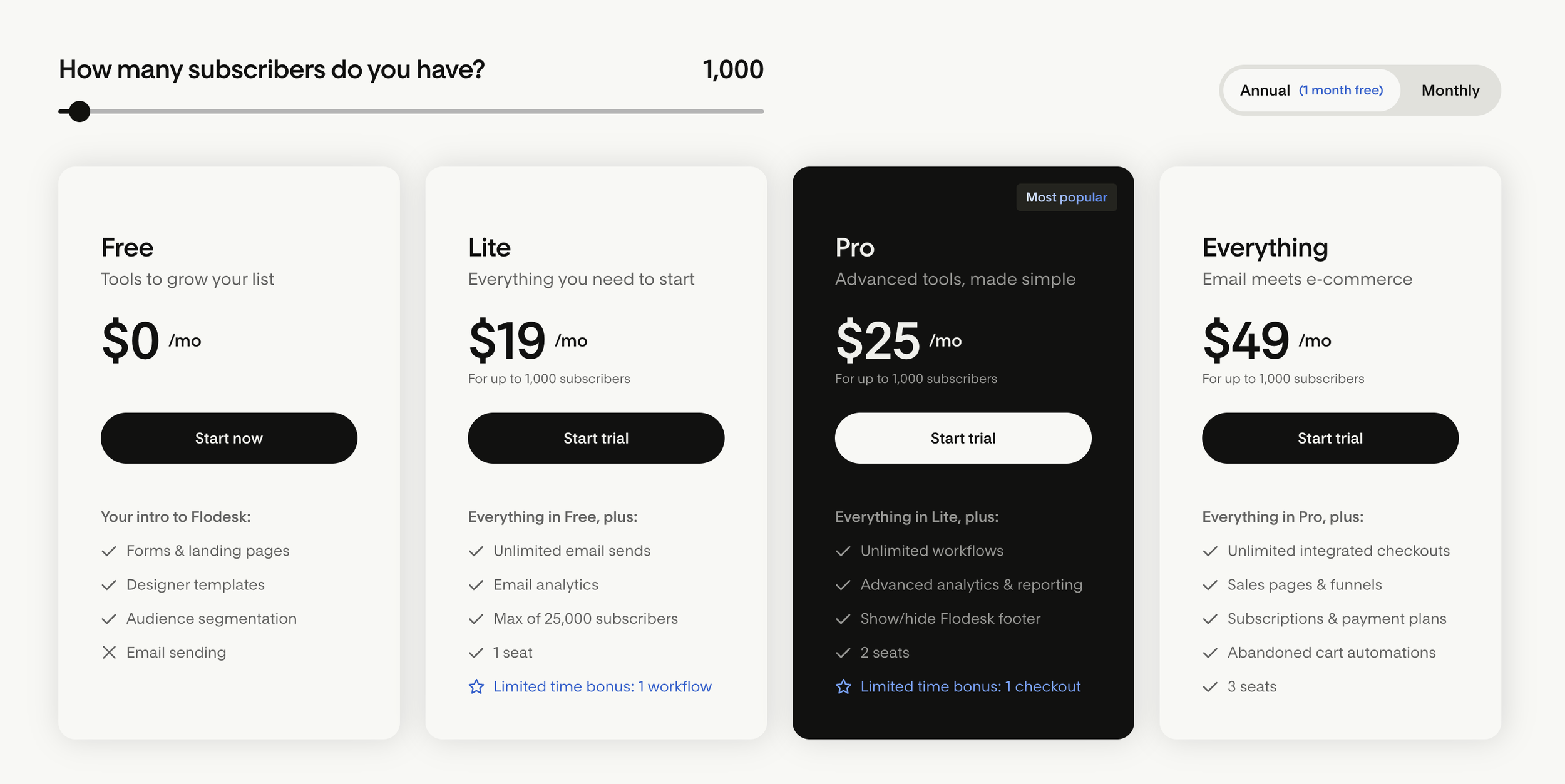
At first glance, Flodesk’s prices might seem high, however they’re actually on the cheaper end compared to some of the more advanced email marketing platforms out there. Their pricing structure also allows you a ton of room to grow when you’re just starting out.
While, of course, we all aspire to have tens of thousands of subscribers, the reality is that it will probably take you a bit of time to reach that 1,000 subscriber mark. This means that you have plenty of room to build your list before you have to start paying super high prices, which is always a good thing.
One of the biggest downsides to Flodesk’s pricing structure is that they save their more specialized features for their higher priced plans.
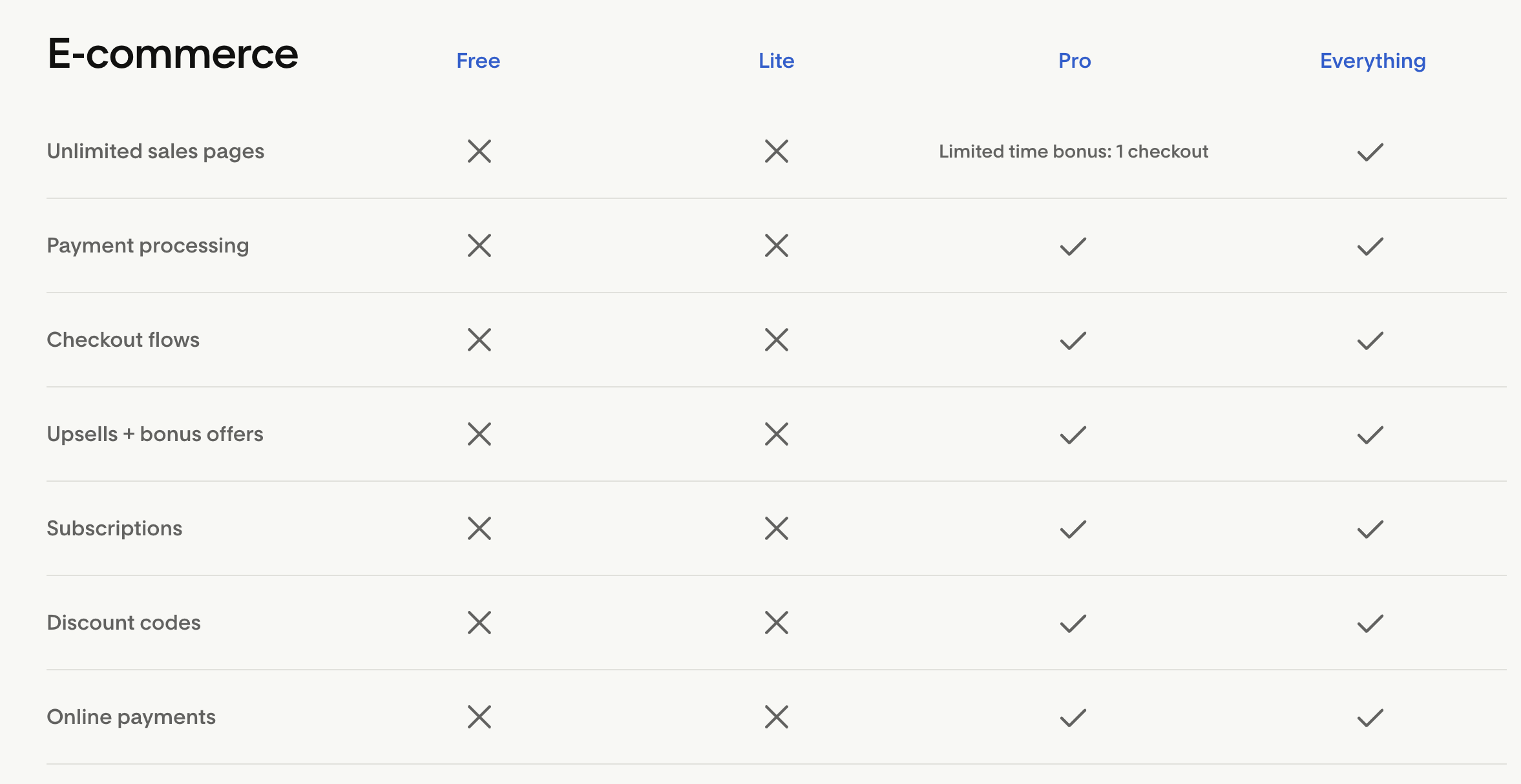
For example, in order to utilize workflow automations on the platform, you need to have their Pro plan or higher, and if you want to enable checkouts or further e-commerce features within your emails, you need to have their Everything plan (aka the most expensive option).
The good thing is that you can always upgrade in the future if needed, so the option is there for when you have a bit more money saved up!
Pro Tip: Flodesk does have a Free plan, however you aren’t actually able to send any emails with it. Because of this, we recommend using it as an opportunity to get familiar with the platform and see what you like and don’t like about it before committing to a paid plan!
👉 Want 50% off your first year of Flodesk? Click here.
Squarespace Email Campaigns Pricing
Squarespace Email Campaigns pricing is all wrapped up within your existing Squarespace website, so it’s super easy to get started with a plan if you’re already using the Squarespace platform!
All Squarespace websites start with a free Email Campaigns trial under which you can send out 3 campaign blasts. Beyond that, each of their plans include unlimited “contacts” or subscribers, and you can choose a plan based on how many emails you want to send each month. This may or may not directly correlate to the number of subscribers you have. For example, if you have 500 subscribers but you plan to send 2 emails a month, then you’d need to account for at least 1,000 emails per month.
Their cheapest plan starts at $8/month (if you pay annually) for 500 emails per month and things go up from there, with some of their largest plans being between $50-$100/month.
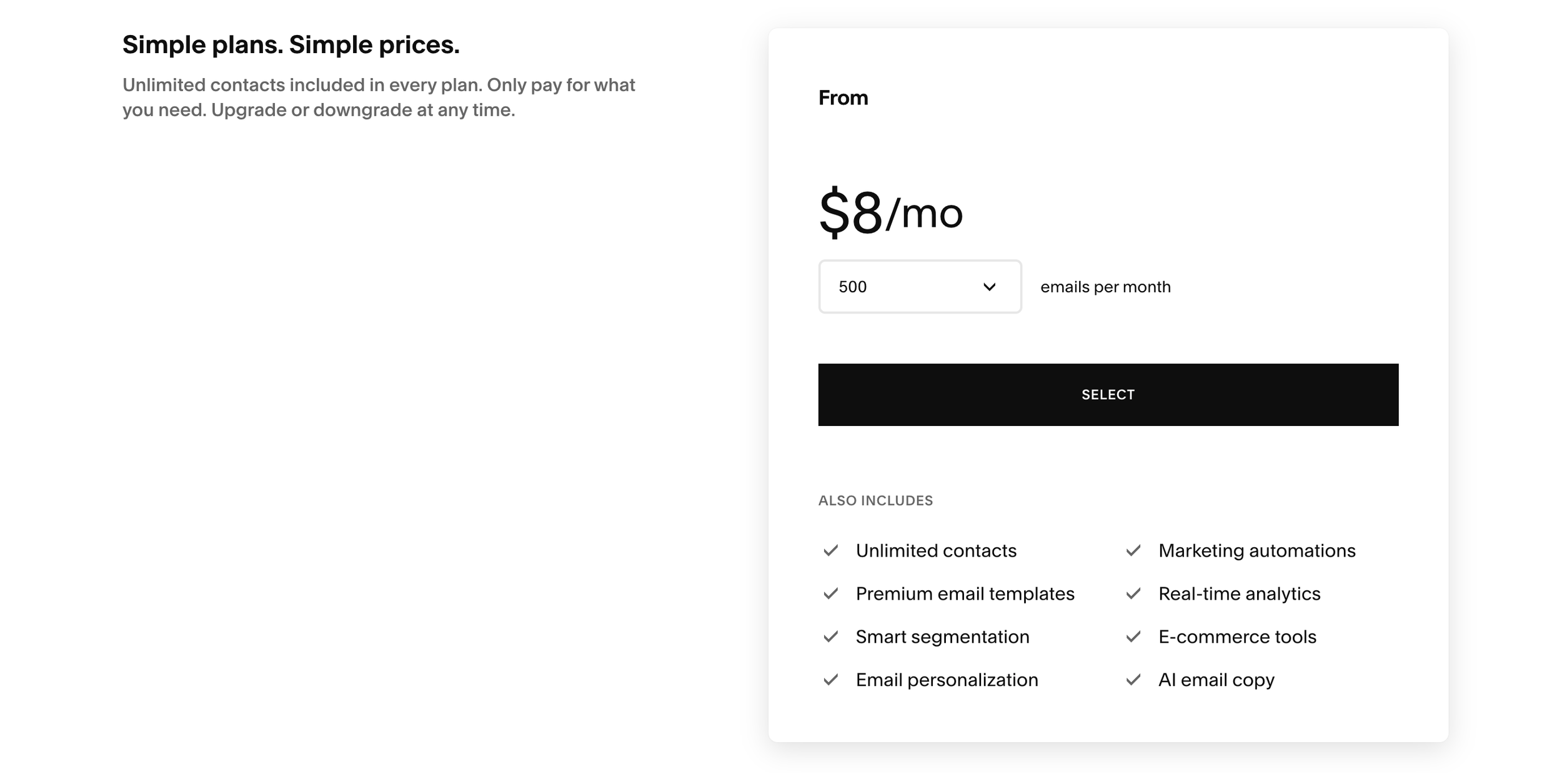
One thing to keep in mind here is that you cannot uniquely customize your number of monthly emails to decide your price. The Squarespace Email Campaigns plans jump up in bulk going from 500 emails per month to 5,000 and the jump gets larger as you increase in number.
This means that you have to do a bit of pre-planning to decide how many emails you want to send so that you know which plan to choose! You can upgrade or downgrade whenever you’d like, but it’s also nice to be able to know definitively how much you’ll be paying.
All that being said, the best part about the Squarespace Email Campaigns plans is that every single one of them includes their best features! You’ll get automations, real-time analytics, e-commerce tools, and more no matter how much you pay. No tricks or holding out - you get everything no matter what you’re able to afford.
Ease of Use & Onboarding
Flodesk
Flodesk makes it very easy to get started and sending emails is possible almost immediately after you’ve chosen your plan!
Because the Flodesk platform is fairly simple and pared down, there aren’t any super long tutorials or software tours you need to complete in order to understand the tools. This means that once your account is created, you can start exploring the features and adding subscribers with only a few clicks.
They even ask you right off the bat what your email goals are so that you can quickly start creating email templates that serve you best.

Then, once you’re ready to start creating and customizing your emails, Flodesk’s intuitive design interface and helpful tips makes it a breeze. Allowing you to feel like a professional designer without putting in a ton of work!
The platform offers pre-designed section layouts that you can input directly into your email and then customize with your own info. And if you want to create your own layout, it’s as easy as add and edit.
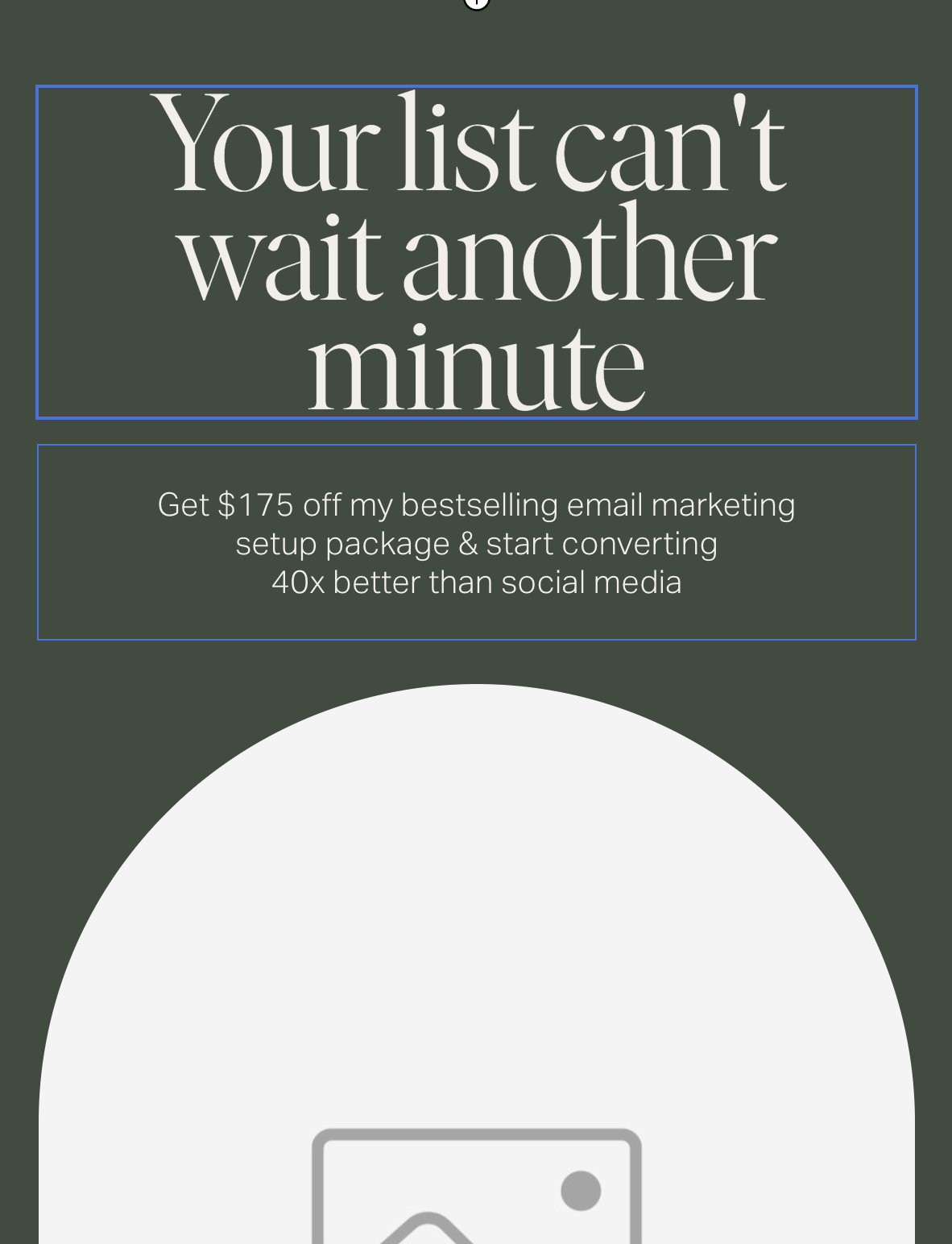
All in all, Flodesk is a very beginner friendly email marketing platform that allows you to get going quickly and efficiently.
Squarespace Email Campaigns
If you are already familiar with the Squarespace platform, then getting started with Squarespace Email Campaigns is probably going to feel like a piece of cake for you.
Because the software is directly integrated within the existing Squarespace dashboard, you don’t need to spend any time learning a new interface. This means that you can get started creating emails as soon as you’d like with very little setup time!
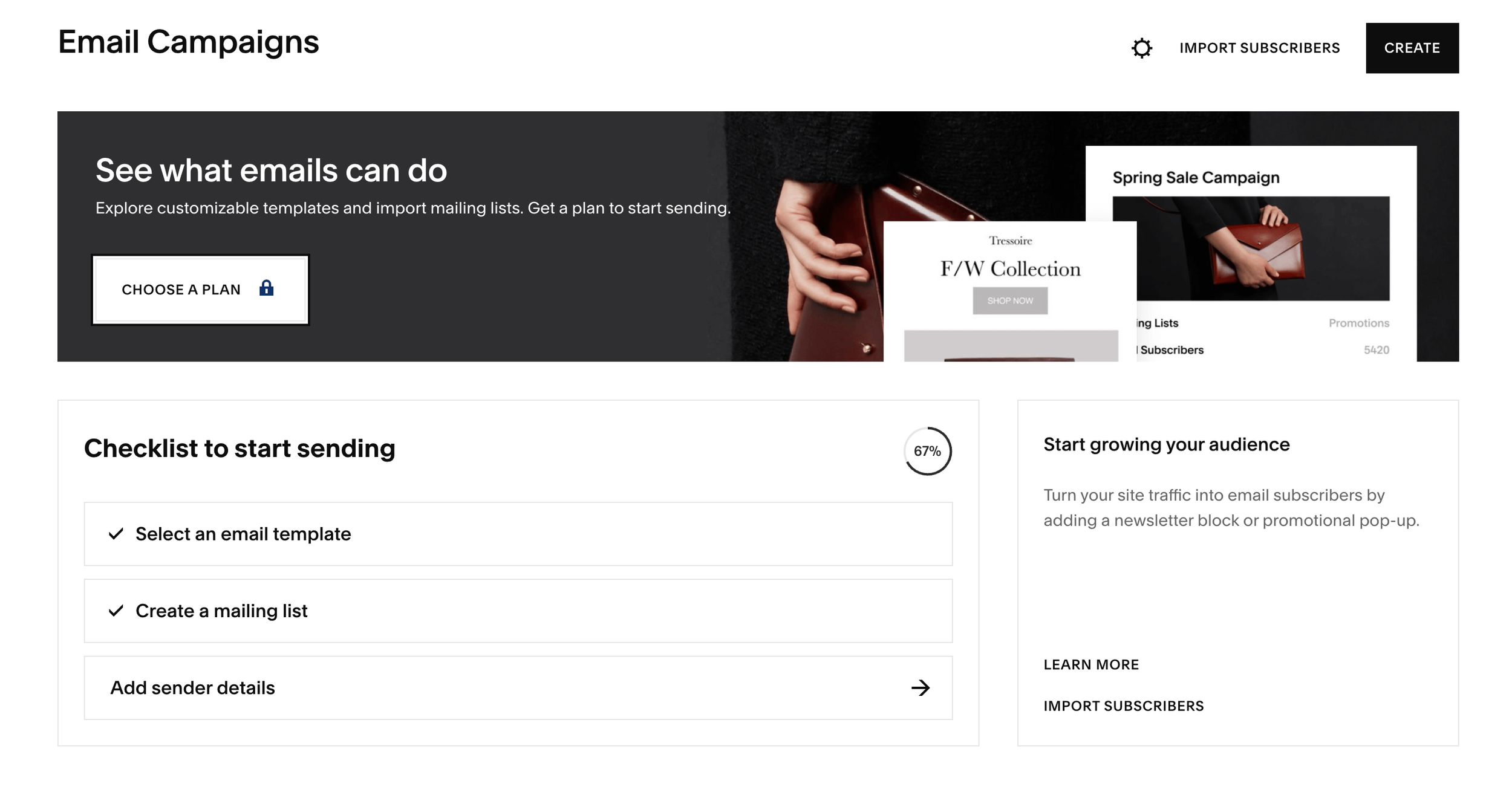
Squarespace also provides you with a ton of helpful tips along the way so that if you do get stuck somewhere, you’ll be able to find help fast. And they even give you a handy checklist when you first get started so that you can track your progress with adding subscribers and choosing templates.
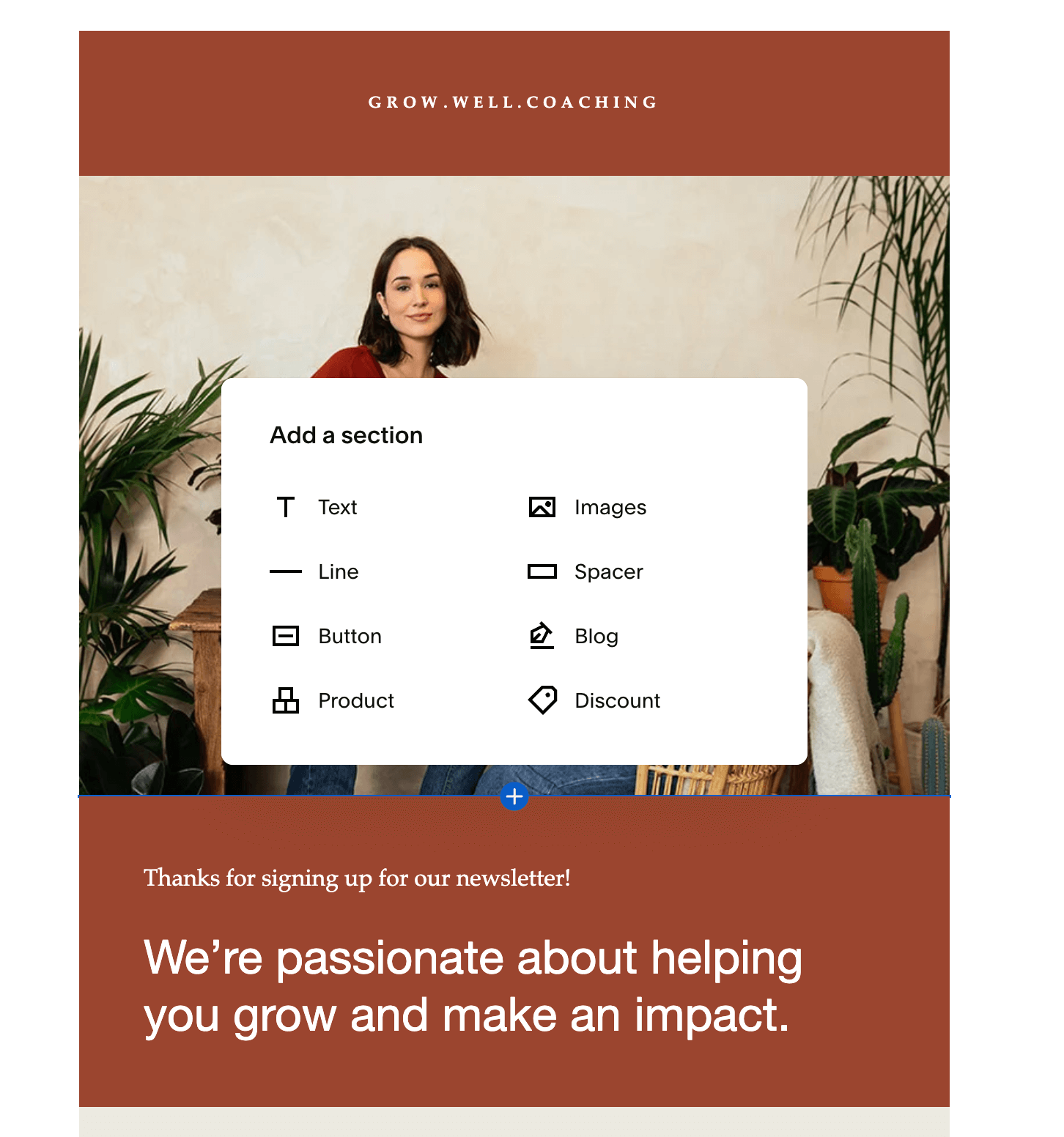
And when it comes to creating emails, you guessed it, it’s very similar to customizing the pages of your website! So, if you have already learned the Squarespace editor, you’ll have nearly no downtime learning the email editor. You can add sections that are similar to blocks and easily customize your info without a ton of pre-existing design knowledge necessary!
Design & Templates
Flodesk
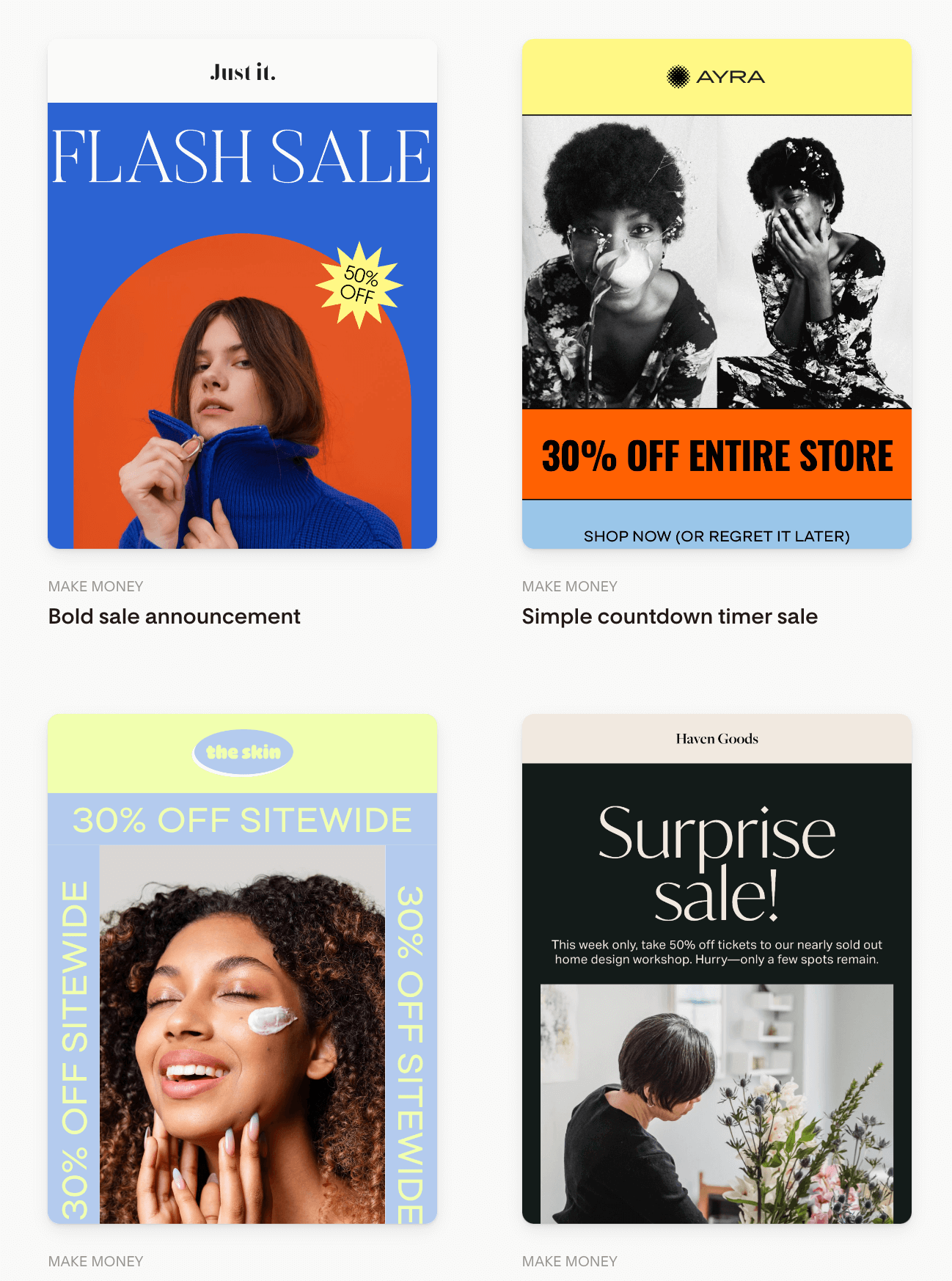
When it comes to design, Flodesk doesn’t miss! Like we’ve already mentioned, the platform was created to be centered around design and beautiful email aesthetics. This means that when you’re viewing their email templates, you can expect to find:
Modern designs
Bold colors
Image based layouts
Design-first elements
The platform also makes it really easy to add your own logos and images, customize your brand colors and fonts, and add all of your unique business information. Under the Branding tab in your account’s main menu, you can add all of your brand design elements. Those elements will then automatically show up in your email editor so that you can select them and use them however you’d like!
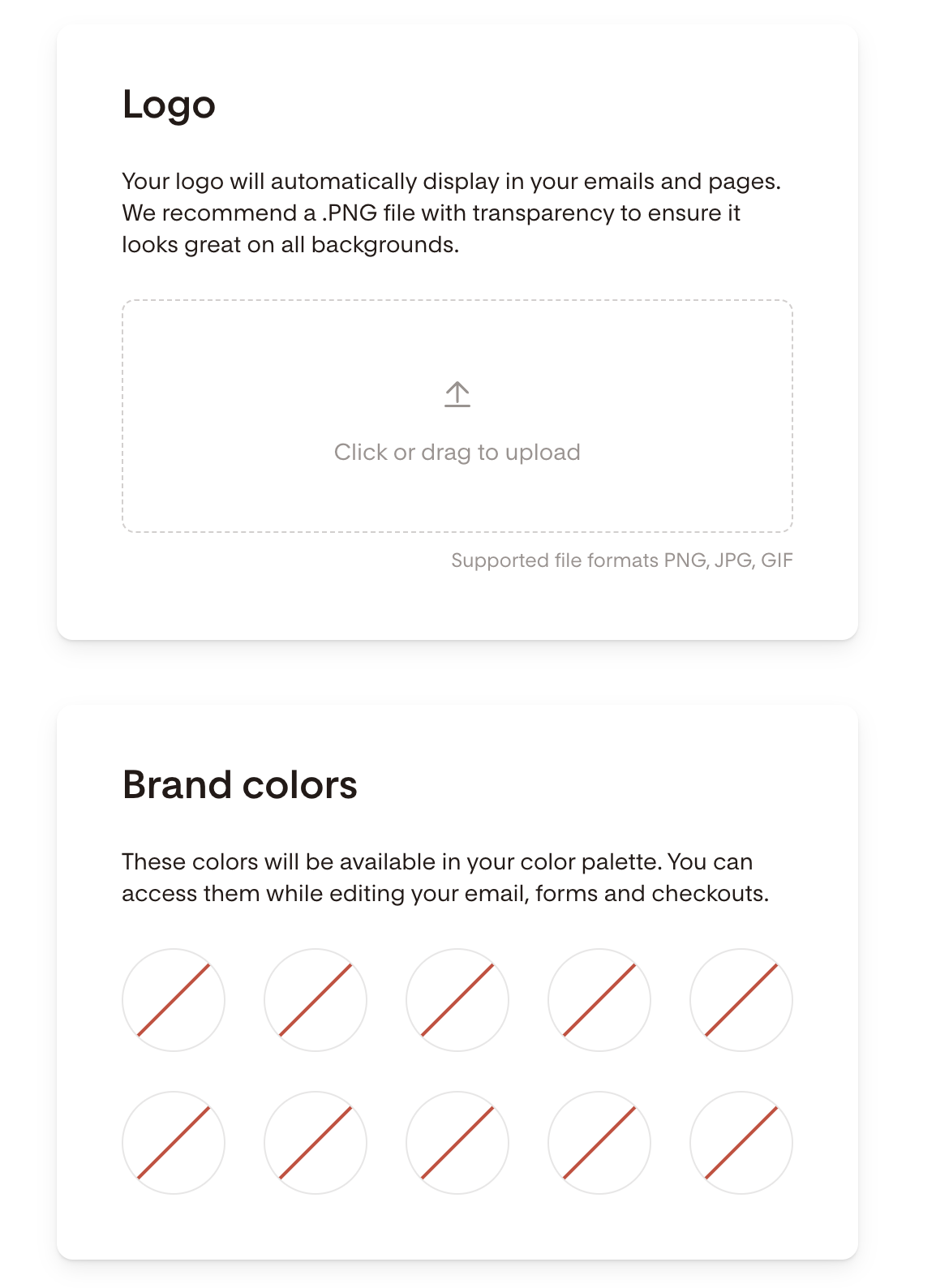
You even have the ability to create “saved styles” for things like fonts and buttons so that you can create designs that fit your brand aesthetic and reuse them in future emails. The design bar in the email editor is easy to navigate and everything is very self explanatory.
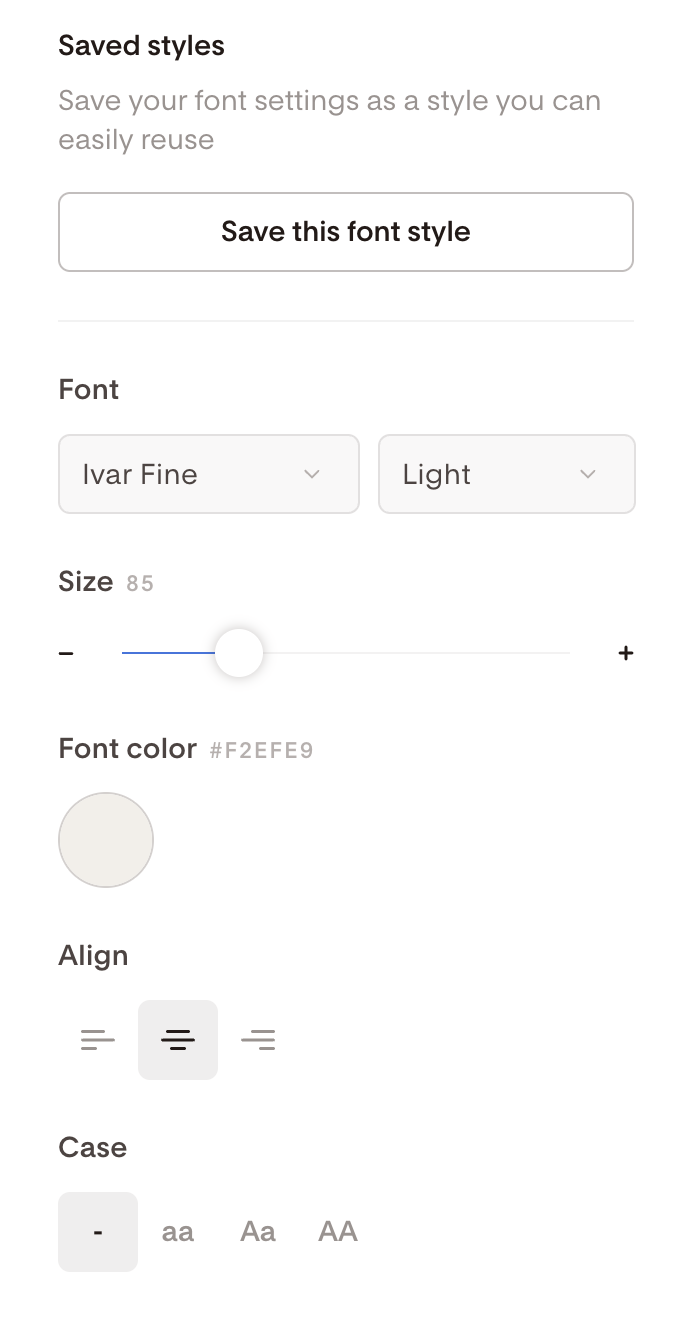
As far as mobile responsiveness goes, Flodesk automatically translates your emails to fit on a mobile screen which is great! However, you don’t get any further customizations beyond that, so you should be sure to check the mobile view as you’re designing to ensure that you’re happy with the way things look.
Now, having beautiful templates seems like it would only be a positive thing, BUT, there are actually some cons to watch out for as well. The main one being that super image-heavy emails aren’t always the most effective! Image-rendered emails can load slowly, get blocked by email providers or sent to spam, and can hurt accessibility which means you risk your email never fully reaching your subscriber.
Text-based emails are usually a safer bet, so just keep in that mind when making your choice!
Squarespace Email Campaigns
Again, one of the best things about Squarespace Email Campaigns when it comes to design is that their templates are all going to be very similar to the existing Squarespace aesthetic which makes it so easy to create emails that match your website!
This allows you to keep things cohesive visually and ensures that your subscribers have a similar experience no matter where they’re viewing your content.
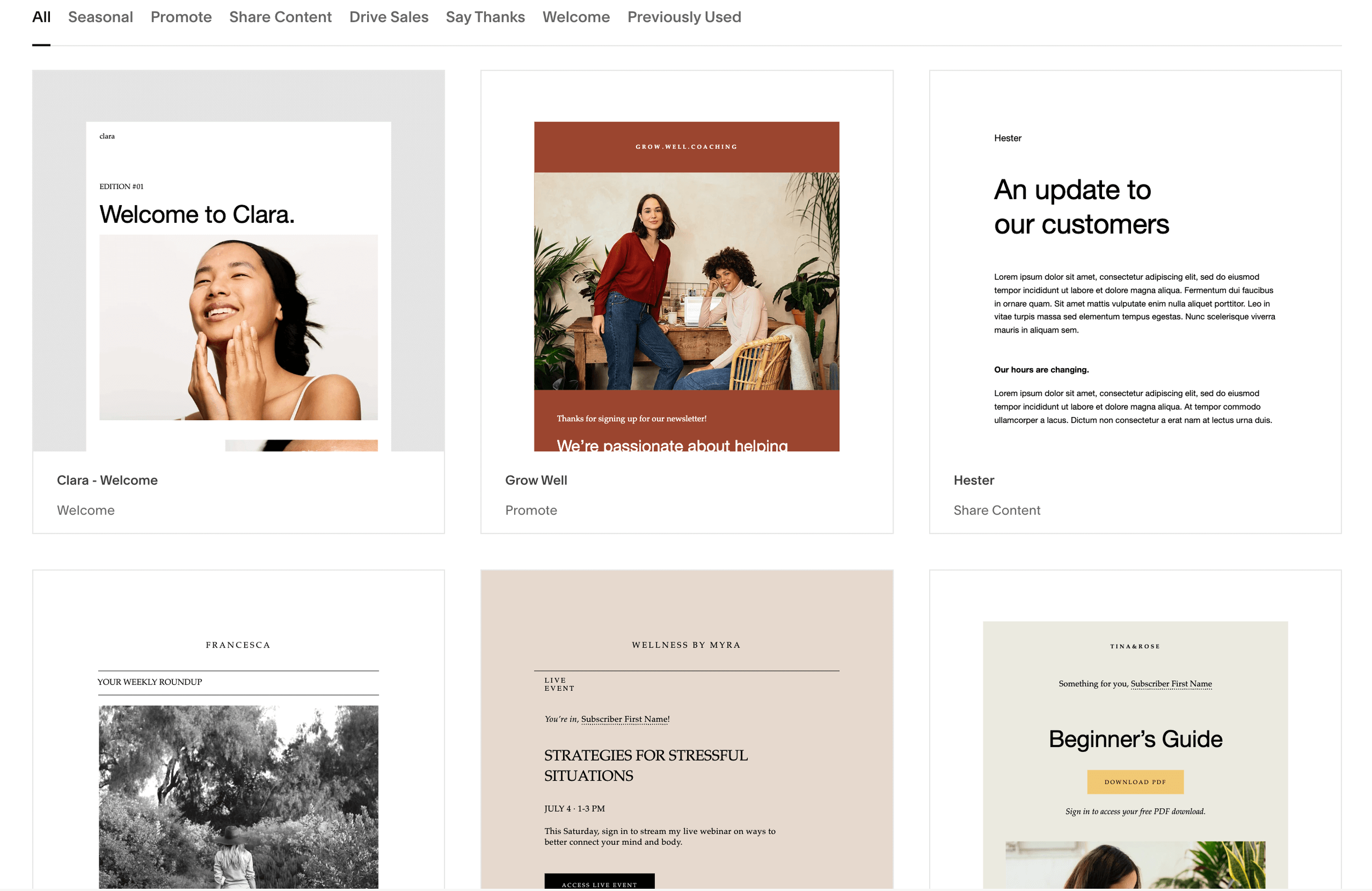
And while the Squarespace Email Campaigns templates are also stunningly designed, there’s a slightly better balance between image-based content and text. Of course, how much of each element you use is up to you, but just keep in mind that the heavier your emails are with images, the less successful your deliverability rate will be.
Another awesome feature of the email editing interface is that you can quickly match your email color themes to your website themes! This means that instead of individually choosing new colors, you’ll be able to choose from all of your existing color combinations which saves so much time.
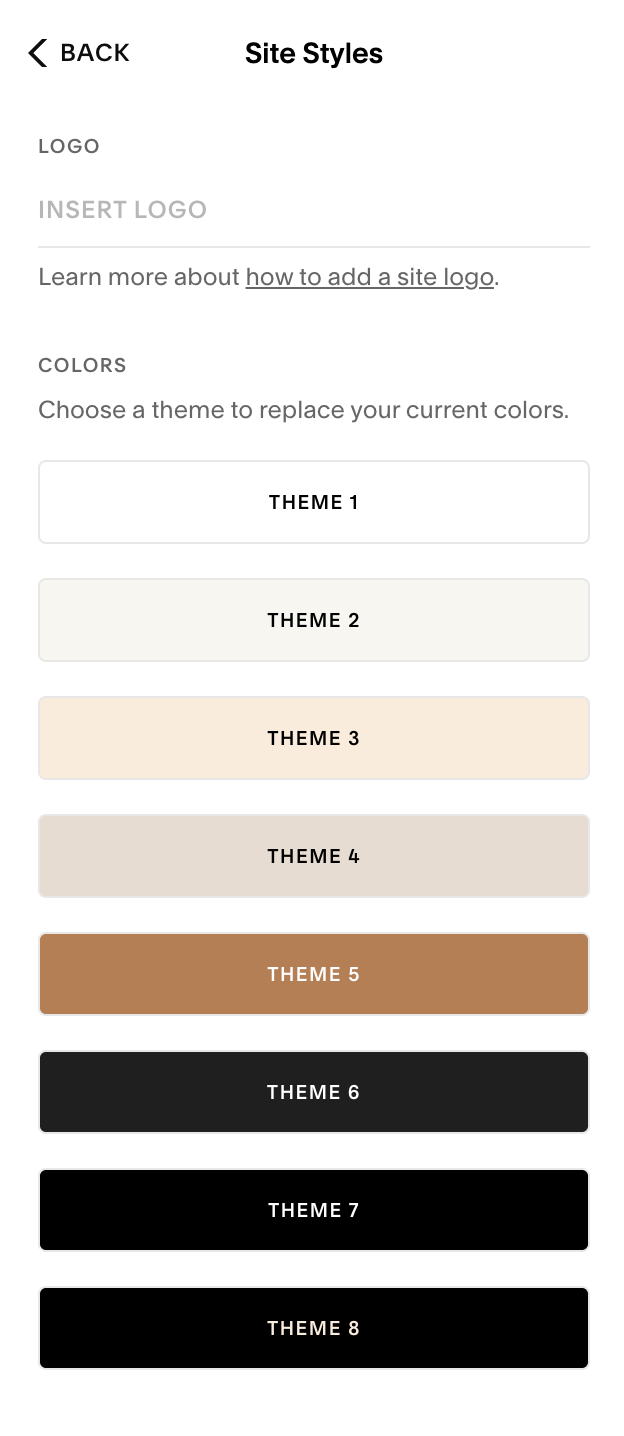
You can also choose from different font packs to create a combination that matches your brand without having to individually search and select each font.
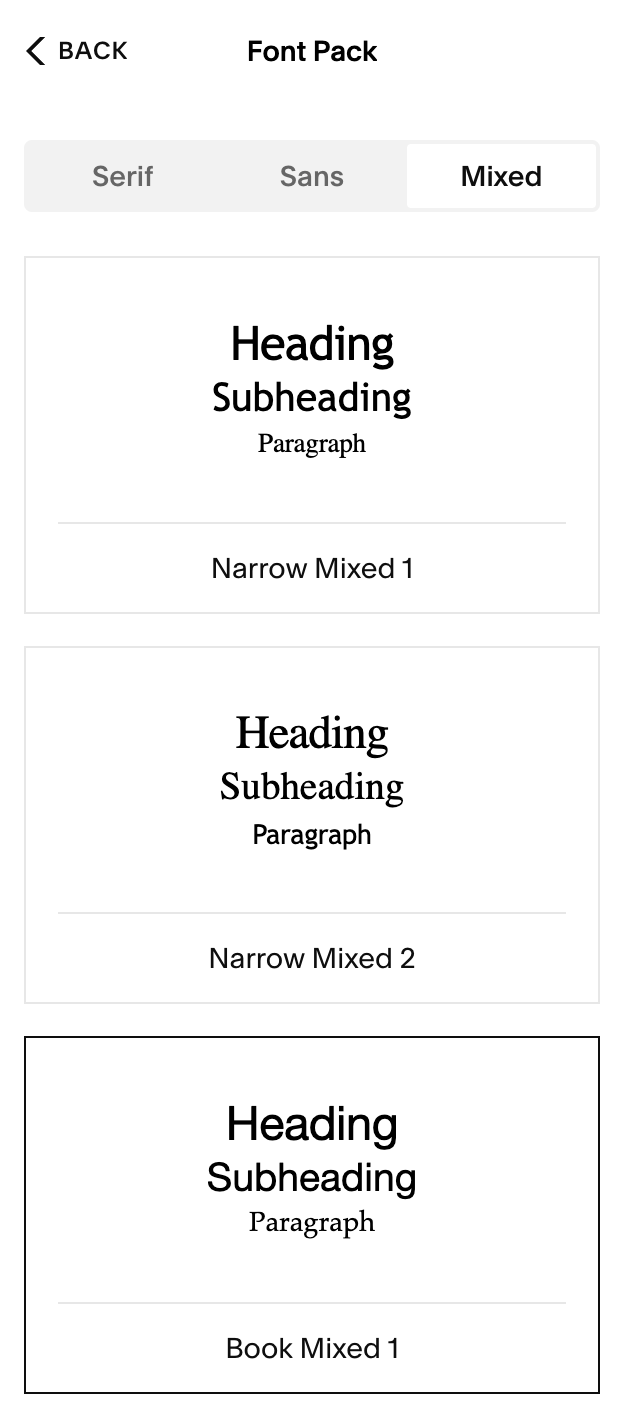
Now, when it comes to mobile responsiveness, the biggest difference from the normal Squarespace editor is that, unfortunately, you cannot uniquely customize the mobile view!
The platform will automatically resize your content to fit on a mobile screen, however there isn’t anything further you can do to customize things beyond that. For the most part, this shouldn’t be a huge problem as the Squarespace email templates are designed super efficiently, however you should be sure to check the mobile view as you work to make sure you’re happy with the way things look.
Email Functionality & Features
When it comes to the functionality of your email marketing platform, there are a few super important categories to pay attention to! Below, we’ll break down each of these features and let you know how Flodesk and Squarespace Email Campaigns each stack up.
1. Automation
Flodesk
When it comes to automations, Flodesk offers something called workflows. Workflows are a series of connected steps that guide your subscriber through a specific journey. The workflow starts with a trigger (someone subscribing, making a purchase, etc.) and you can have up to 6 different triggers within each workflow you create!
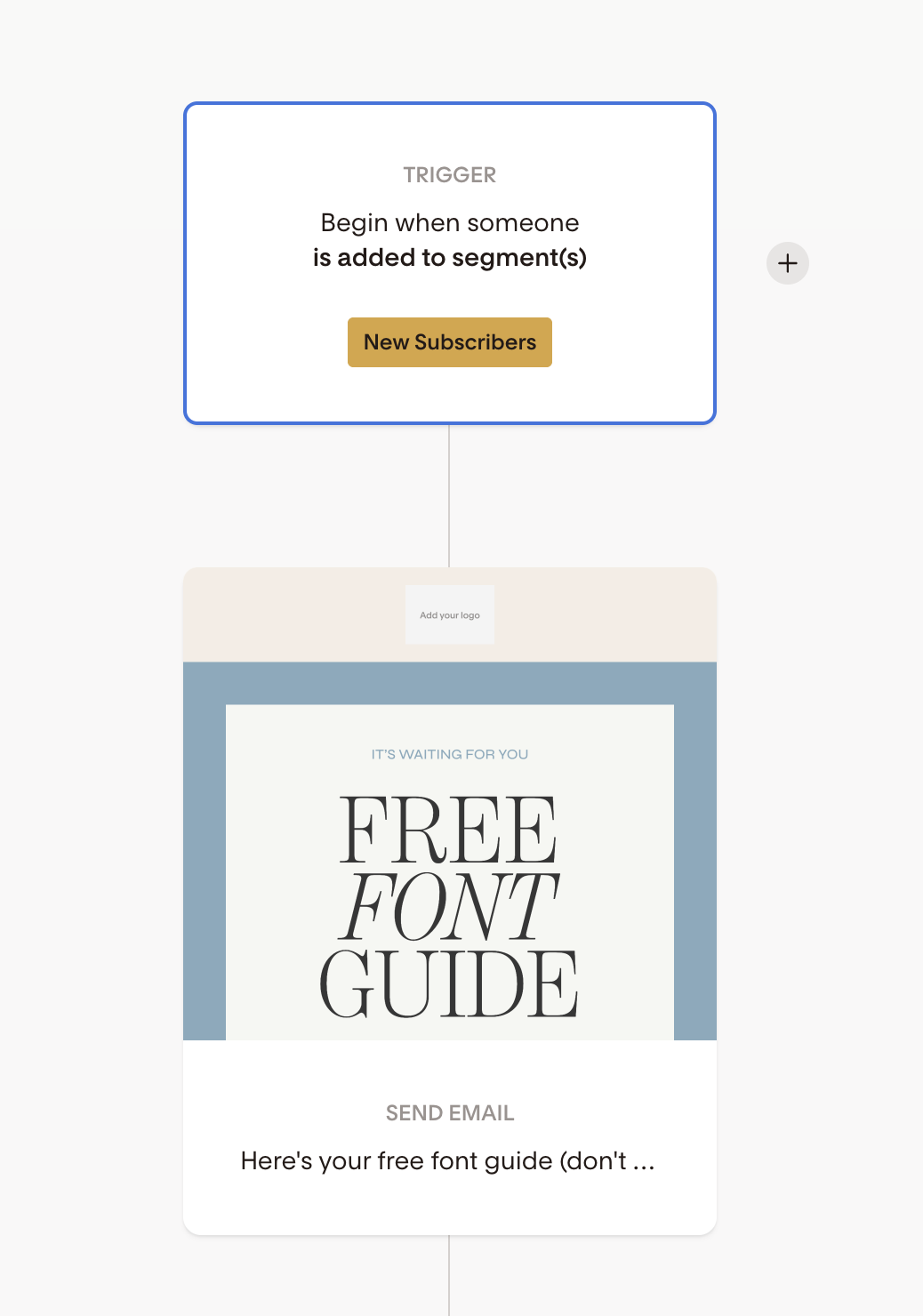
Workflows help you deliver messages to your growing audience without the manual effort. Since your emails will send automatically based on the trigger and related workflow, you can be confident that your promotions and sales funnels are at work whether you’re online or not.
The one downside to Flodesk workflows is that you can only create them under the Pro plan or higher, so you do have to spend a bit more money to access this super helpful feature.
Squarespace Email Campaigns
Squarespace also offers their own automated campaigns which are targeted emails that you can send to subscribers after they’ve performed a specific action.
The 3 main types of automations that squarespace has take effect after someone
Subscribes to your mailing list
Completes a form submission
Purchases a physical or digital product
From there, you can assign a preset activity to determine what type of email is sent to your new subscriber. There are a few different types of preset activities that Squarespace offers including a welcome email, a discount offer, and a subscriber engagement email which is sent after an extended period of time to keep your audience involved.
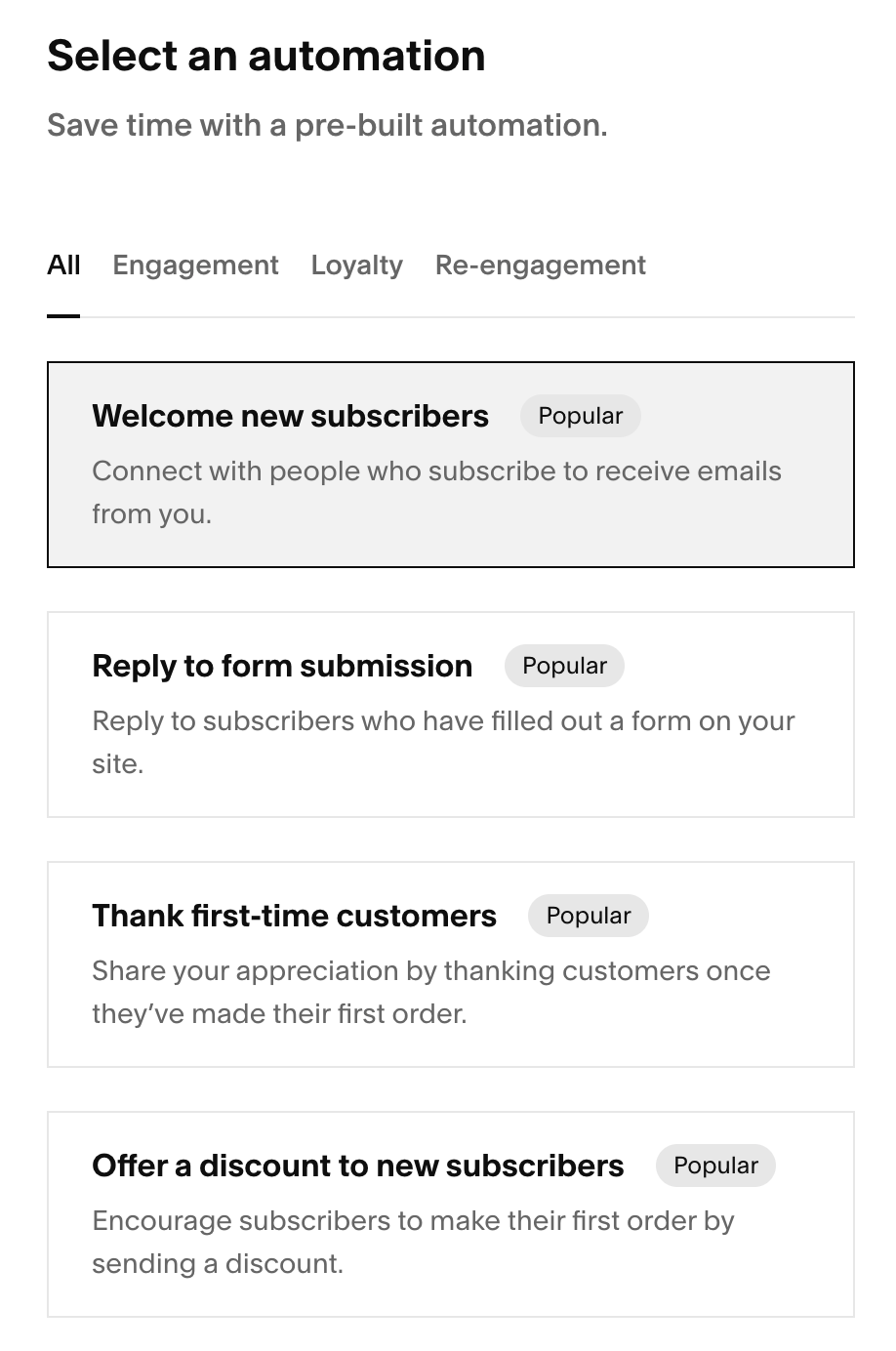
The welcome email series is super nice to set for new subscribers so that you know that all new contacts are receiving the information they need in a timely manner! Having peace of mind that your community is being engaged with is so helpful for a new business owner.
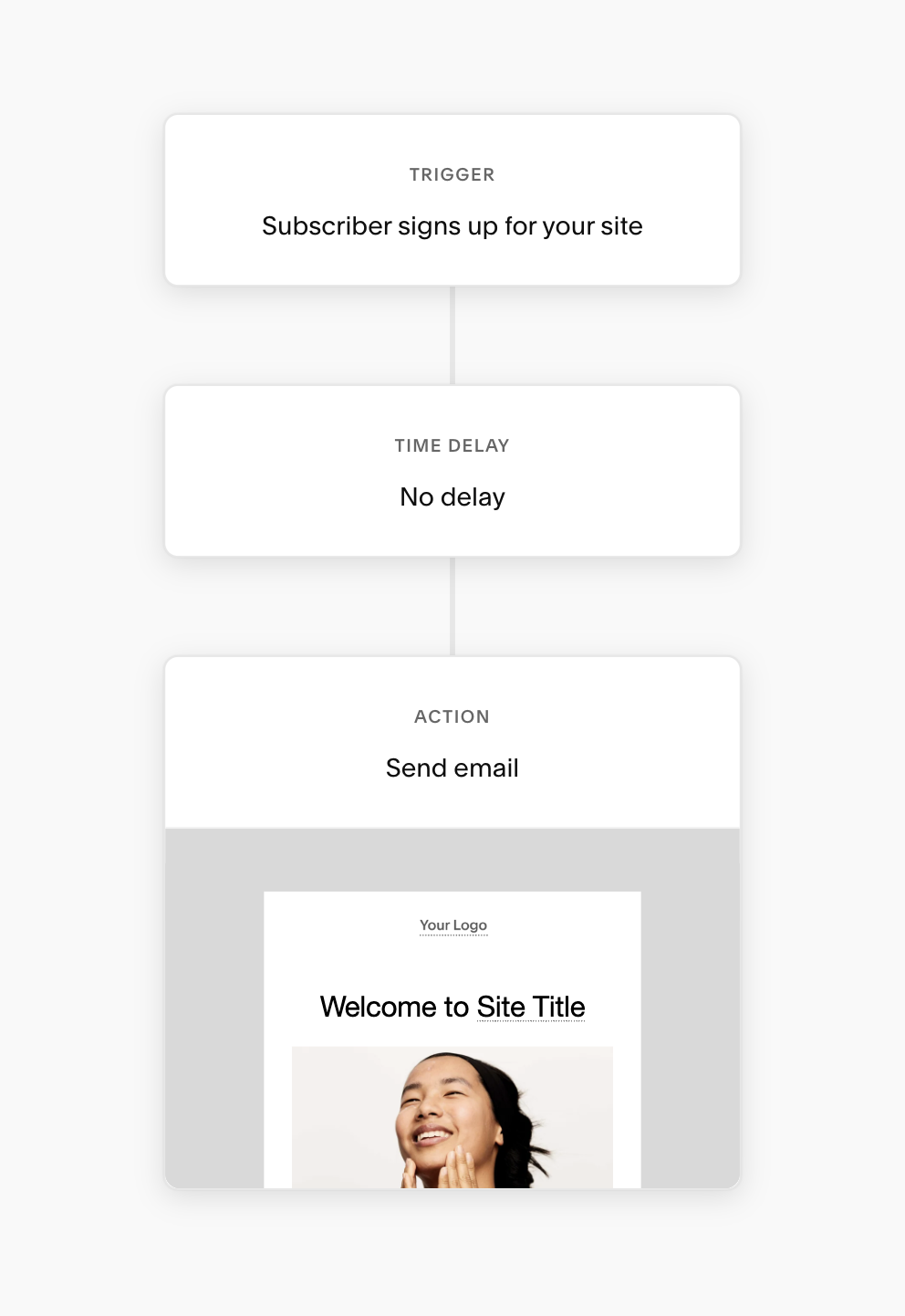
It is important to keep in mind that with Squarespace automations, each email sent through an automated campaign counts toward your monthly send limit. That means that your allotment can fill up quickly if you’re having a large influx of subscribers and you might need to adjust the amount of email blasts you send out as a result.
2. Segmentation
Flodesk
Flodesk makes it really simple to organize your subscribers through segments. Segments are like categories that house certain groups of subscribers. For example, you might have a segment for new subscribers and another for members of a course you offer.
You can then add or exclude segments from your email blasts so that only certain people receive certain information!
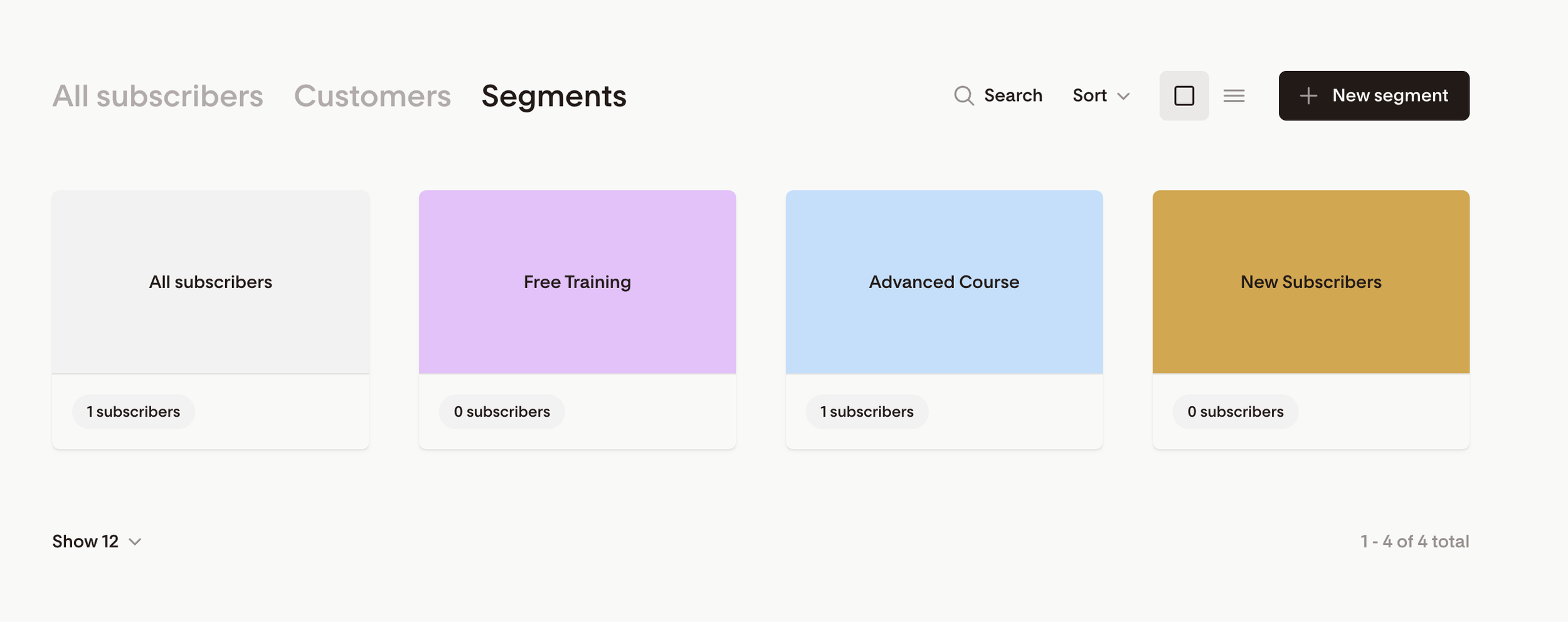
While Flodesk’s segments are super easy to use and a very helpful organizing tool, there are also some limitations. For example, there isn’t an option to have your subscribers opt-in to a segment themselves or to make segmentation based on a specific action. You have to either create a different sign-up form for each segment, or you have to manually add people to segments yourself.
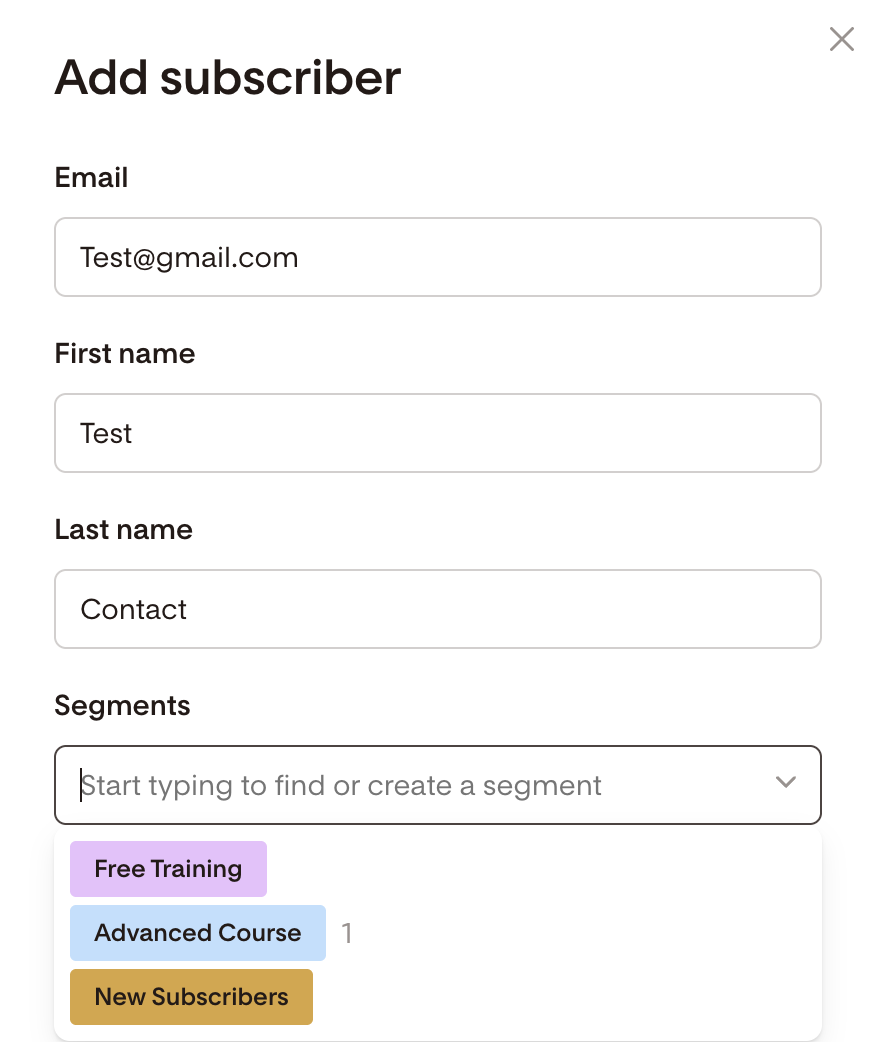
This means that there might be a little extra work required on your end which isn’t the most ideal and just something to keep in mind for down the line.
Squarespace Email Campaigns
Squarespace allows you to organize all of your contacts within mailing lists and you can have up to 20 different lists.
These mailing lists can be used the same way you would use segments or categories. You can separate new subscribers, customers, interested clients, and more into different mailing lists to help organize your audience. You can then assign a specific mailing list to any newsletter sign-up form you create on your website so that those contacts will automatically filter into the appropriate list.
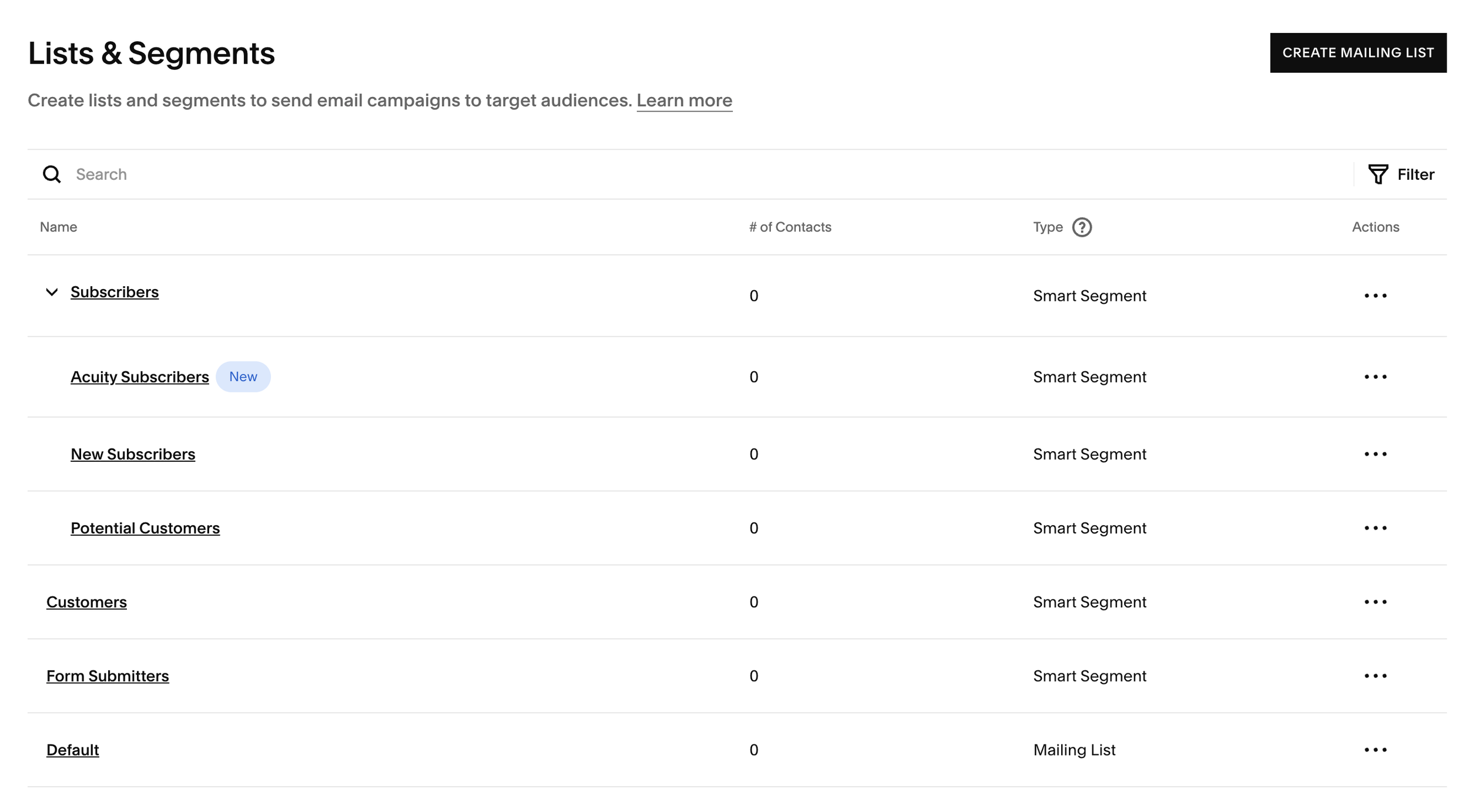
In addition to mailing lists, you can also use segments to further filter your subscribers. Squarespace automatically provides a few “smart segments” that organize contacts based on how they’ve engaged with your site. These segments cannot be edited or deleted, however you can also create up to 5 of your own segments if you have more specific requirements.
Some of the activity that engages a segment includes:
Subscribing before or after a specific day
Making a purchase
Signing up for an appointment
Making a form submission
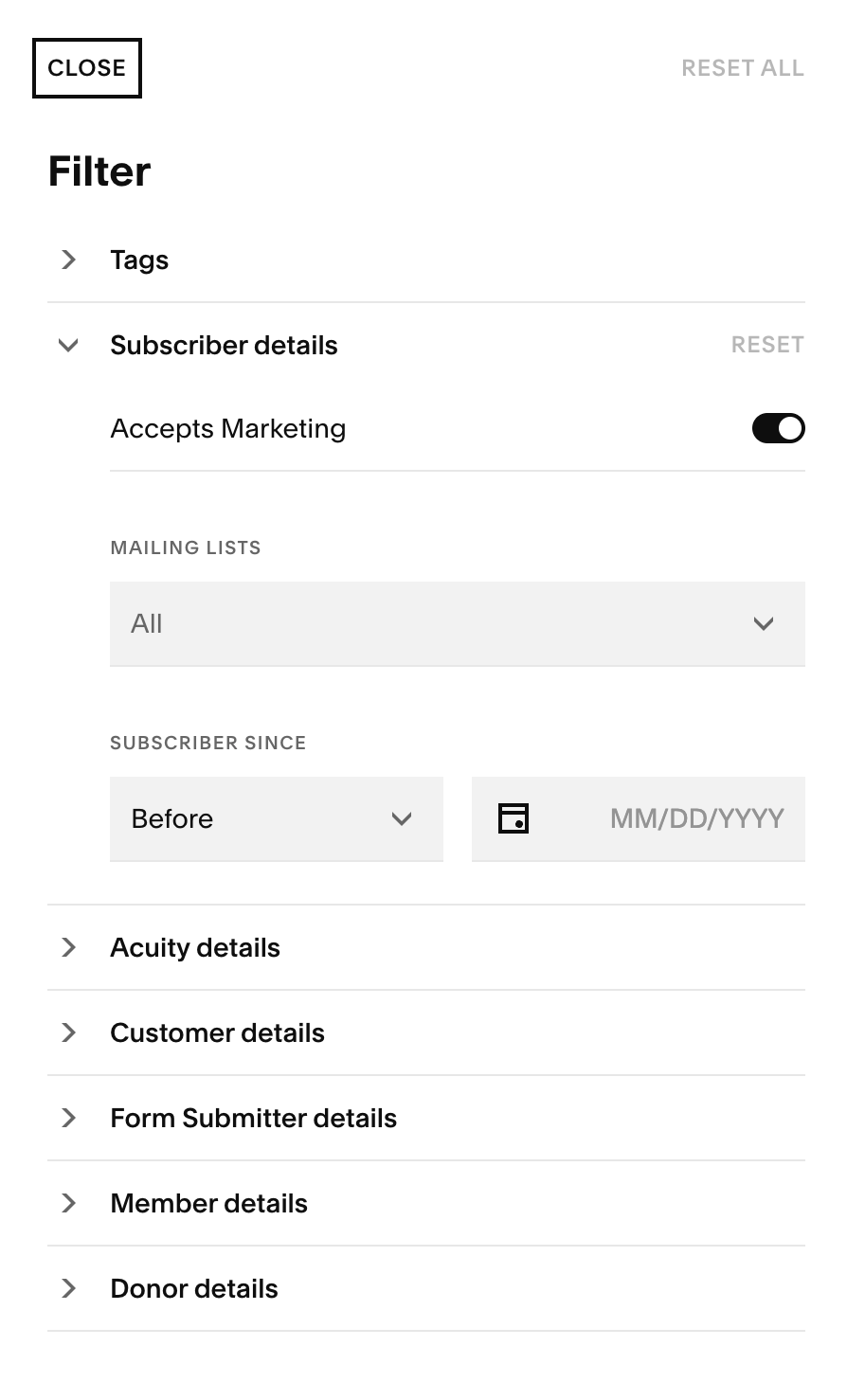
This allows some level of automation when it comes to organizing your contacts which is super nice! You will most likely still need to manually add contacts to mailing lists from time to time, however any help is much appreciated!
3. Analytics & Reporting
Flodesk
Flodesk allows you to view general analytics for your subscribers, emails, forms, workflows, and checkouts (if applicable).
You can view specific metrics for each email you send including
Open rate
Click rate
Clicks by device (desktop vs mobile)
Deliverability
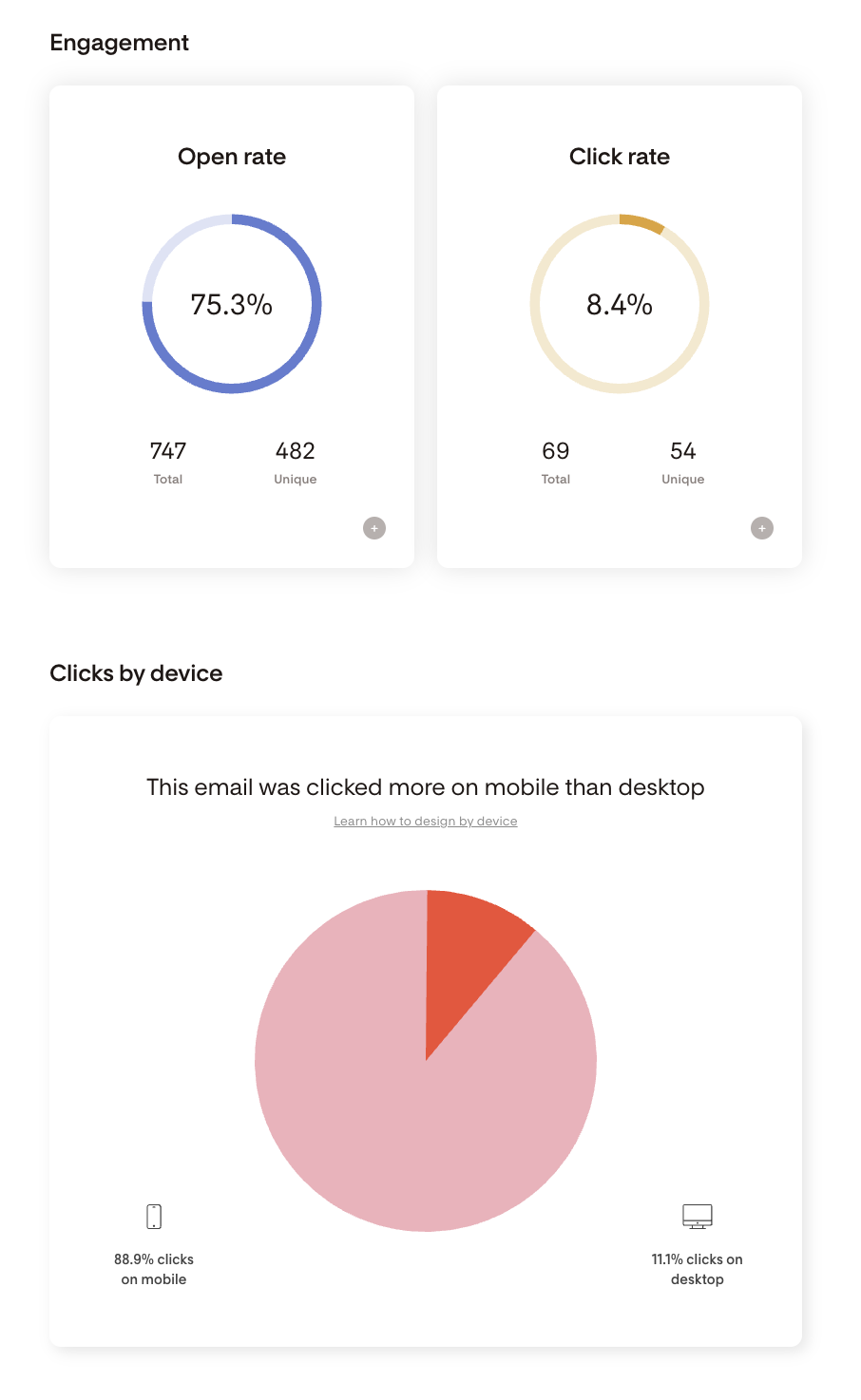
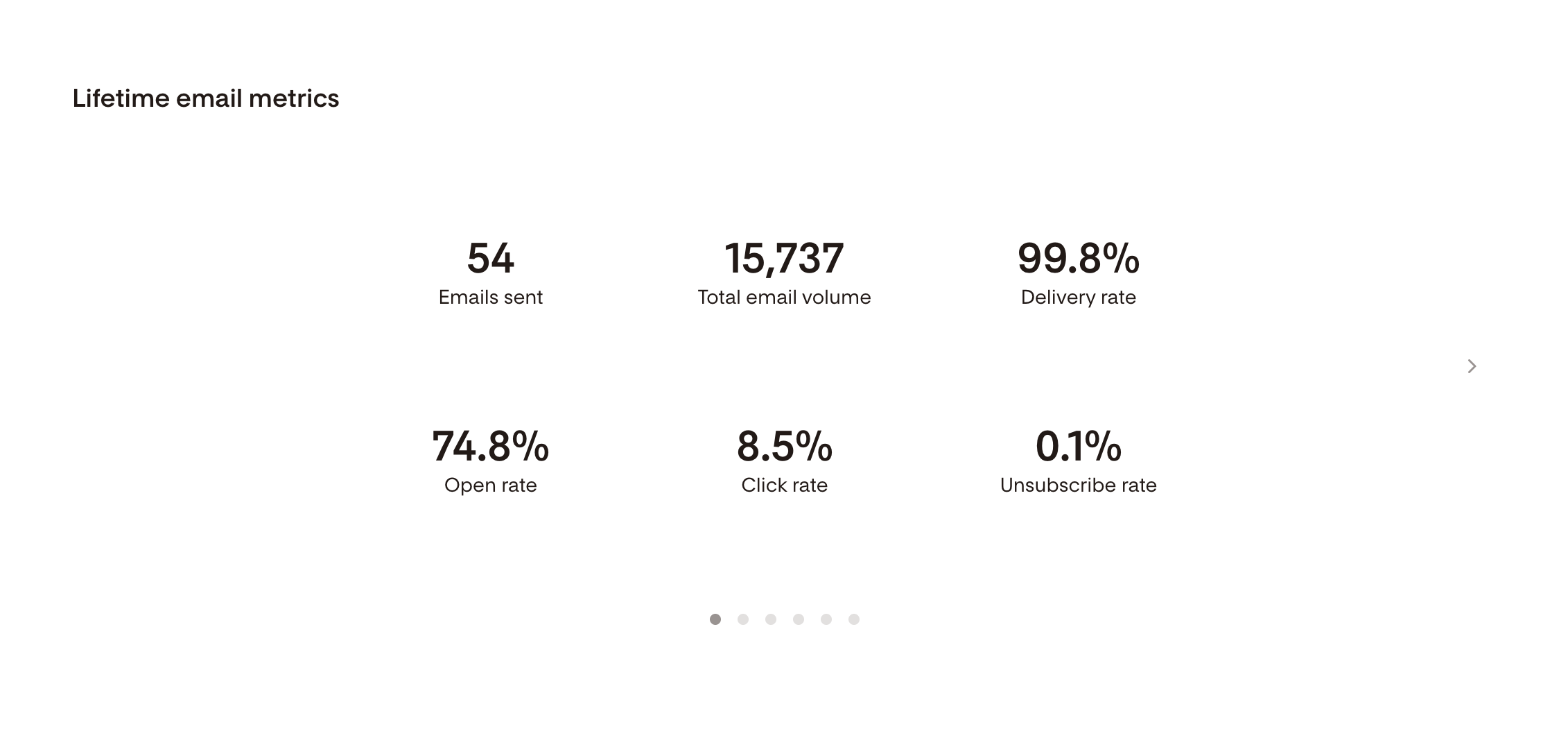
However, under their Analytics tab you can go even more in depth. Here, Flodesk provides you with a “lifetime” overview of your email metrics so that you can see how things have performed since your first email.
You can also review things like your email sending activity, the best days and times to send emails based on your history, and a performance comparison of all the emails you’ve sent.
And when it comes to your subscribers, Flodesk provides overall metrics showing subscriber growth, recent subscriber activity, performance by segment, and individual performance information for each of your subscribers.
And the best part is that you don’t need to be a data expert to understand any of this! All of the information is conveniently kept under one Analytics tab and is super easy to navigate and analyze.
Squarespace Email Campaigns
Squarespace allows you to view specific analytics for each email campaign you send.
You’re able to see:
How many emails were actually delivered
How many emails were opened
Who clicked on links (and which links they clicked on)
How many people unsubscribed from your list
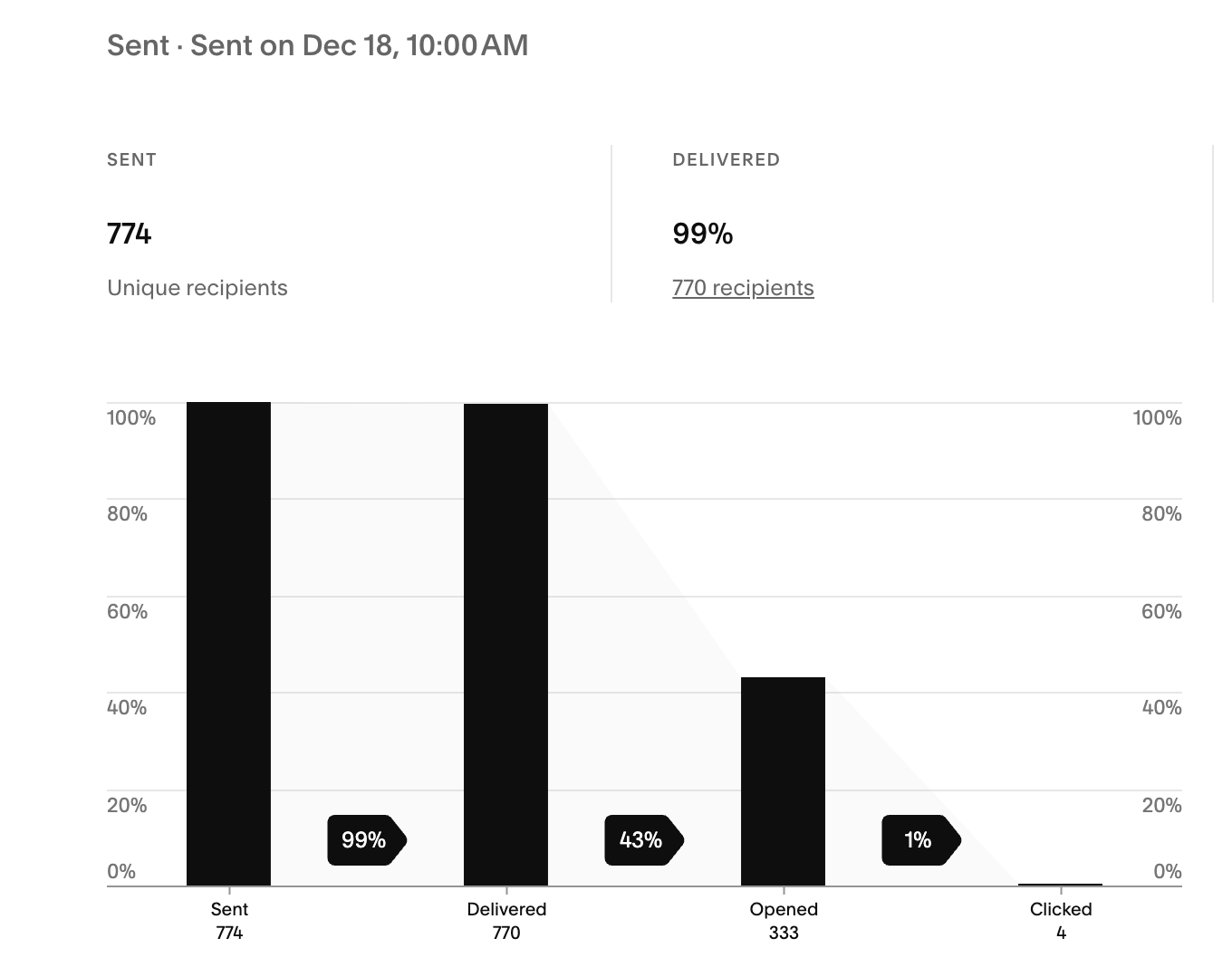
In addition to that, you can also view which of your emails has contributed most to your overall site traffic in the main Analytics tab. This is super helpful in letting you know which pieces of content are most effective when it comes to getting your audience to engage! Once you have that information, you can send more of the same type of emails.
Squarespace also allows you to view limited analytics on subscribers, like the source of their sign-up and how long they’ve been subscribed. However, there isn’t an overall look at subscriber behavior and it’s a little tedious to view individual information as you have to go into each of your mailing lists to locate that specific info.
4. A/B Testing
A/B Testing, sometimes referred to as split testing, is the method of sending different versions to different user groups to compare what performs best, and it’s super helpful for businesses that rely on advanced data.
Unfortunately, neither Flodesk or Squarespace Email Campaigns offers a built-in A/B Testing tool that automatically generates the test for you. However, there are workarounds!
In both platforms, you can set up your own form of A/B Testing. To do this, you’ll need to:
Create 2 separate segments (Flodesk) or mailing lists (Squarespace).
Split your subscribers into each category or separate them however you need to for the test.
Create 2 emails that are mostly identical except for the part you want to test! This is usually the subject line or a call to action within the email, however it can also sometimes be the day/time that you send the email or the name that you address it to.
You can then send the emails to each of your groups and see which version performs better.
Deliverability & Performance
Email deliverability is the process of your email effectively arriving in the inboxes of your subscribers. Sometimes deliverability can run into obstacles like email bounces or spam folders, which might result in people deleting your emails or unsubscribing all together.
The main goal of email marketing is to create engagement that leads to sales, and if your audience isn’t even getting your emails, it’s going to affect your metrics and your email marketing strategy will be unsuccessful.
The good thing is that there are some things you can do to ensure stronger deliverability for your emails. This list includes:
Authenticating your custom domain
Only adding active subscribers to your list who want to receive emails
Include an unsubscribe link clearly in your email
Warm up your sending address by starting small with a tight group of your most engaged subscribers
For the most part, all of these measures can be taken in both Flodesk and Squarespace Email Campaigns. It’s just a matter of taking a few extra steps to ensure that you’re set up for success! There are, however, a couple of things that each platform does, or does not do, that are important to point out.
Flodesk
✅ Domain Setup: Flodesk allows you to very simply confirm and authenticate your domain in order to make your emails less likely to end up in the spam folder.
✅ Deliverability Analytics: Flodesk gives you a deliverability rate for each email you send, but they also tell you specifically how many emails bounced or were marked as spam. These metrics allow you to make changes that you might not have realized you needed.
❌ Image-Heavy Emails: We already talked about the downside to image-heavy emails and how they’re more likely to get marked as spam. This can be a con to using Flodesk, however if you do choose this platform, you’ll just need to focus on intentionally customizing your templates to be more effective.
Squarespace Email Campaigns
✅ Domain Authentication: If you’ve purchased your domain through Squarespace, it’s likely already set up and okay to use with emails, however if you’re using a domain from a third party provider, you’ll need to authenticate it. Squarespace allows you to do this through DNS records, which can be a little bit confusing, however if you follow the steps provided you shouldn’t have any problems.
✅ Balanced email designs: Squarespace has a much better balance in their email templates, usually opting for more text-rich designs which get delivered more successfully.
❌ Deliverability Analytics: Squarespace, unfortunately, doesn’t get as specific with their deliverability analytics. They tell you a percentage of how many emails were delivered, but that doesn’t account for emails that end up in the spam folder!
Integrations & Ecosystem
Flodesk
Flodesk isn’t the most robust platform when it comes to integrations, but they still offer a decent amount of options depending on your needs!
The great thing about Flodesk is that they now offer e-commerce functionalities built-in to the platform. You do have to pay for a higher plan to access this feature, but if you’re someone looking to sell, it’s very nice to have tools at your fingertips without needing to add in a third party provider.
Other than that, Flodesk integrates with platforms like:
Honeybook
Canva
Shopify
Squarespace
Wix
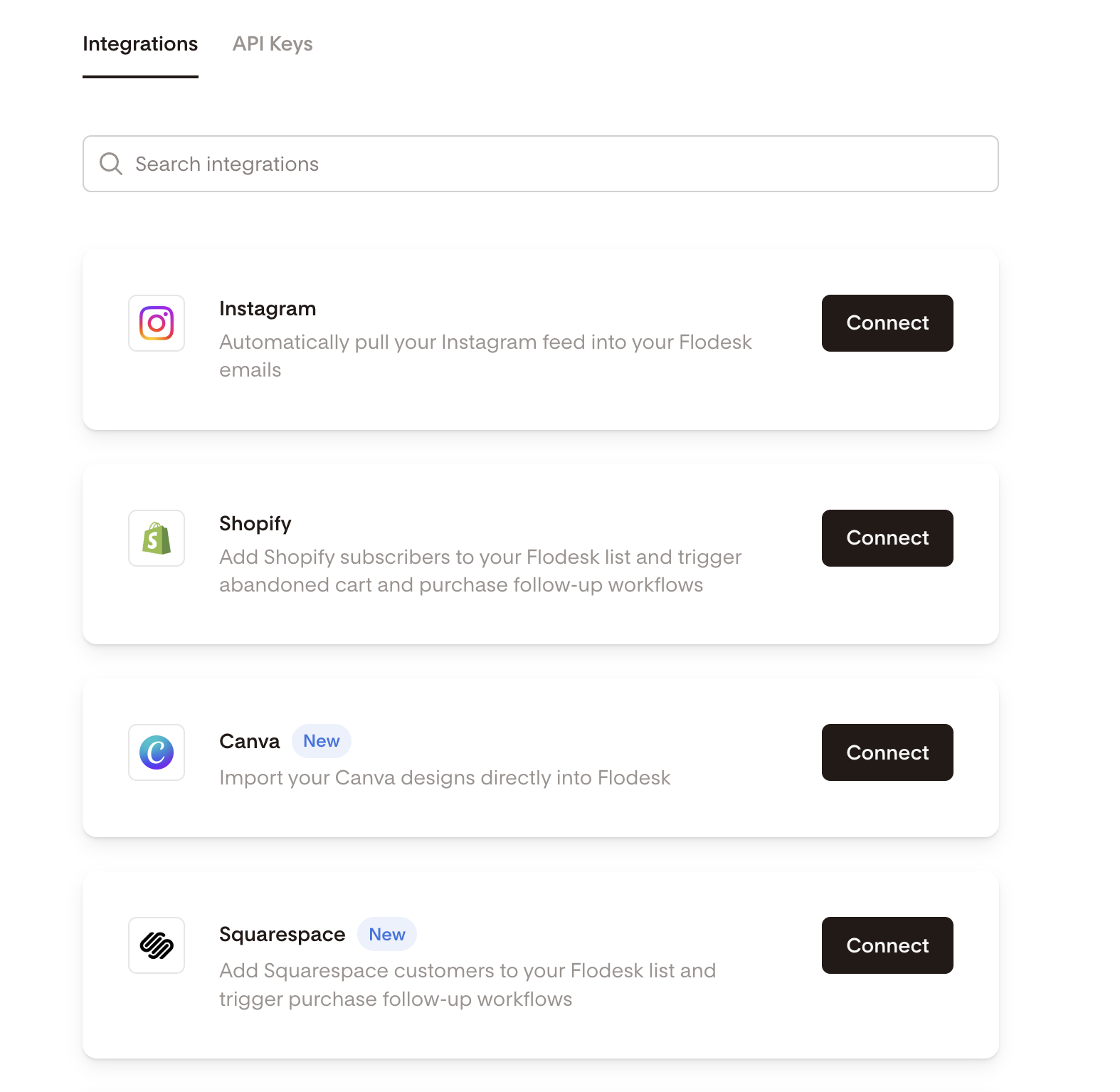
And most importantly, they integrate with Zapier, which is a tool that allows you to connect apps. With Zapier you have a ton more options for integration to choose from. So, even though it’s a little extra work, the opportunity is there.
👉 How to add Flodesk to Squarespace
Squarespace Email Campaigns
With Squarespace Email Campaigns you can easily integrate and sync with other Squarespace features that you’re already using!
Directly within your email, you can add sections for:
Blog Posts
Products that you sell
Discounts you offer
And you can also add buttons that link directly to important pages on your website like your Sales Page, your Contact Page, and any other forms or pieces of content that you want your audience to have access to.
Support, Community & Resources
Support is so important when it comes to something as big as your email marketing strategy. While these platforms are very user friendly, there still might be times where you’re stuck or need a little help with a specific feature, and it’s important that you are able to get that help easily and in a timely manner!
Let’s look at a breakdown of support resources for both Flodesk and Squarespace Email Campaigns.
Flodesk
✅ Help Center: Flodesk does have a help center with tutorials and resources for all of their features and tools. It’s easy to access and always available to you.
✅ Community: The platform has a community Facebook page, Youtube Channel, Blog and Tips Board, so there are plenty of opportunities to interact and get inside help.
❌ Contact & Live Support: Their live customer support is, unfortunately, somewhat limited. They do offer an automated chat bot to help you find resources, but otherwise there’s no way for you to immediately get in touch with someone. You need to send their support team an email and then wait to hear back, which can sometimes take a while.
Squarespace Email Campaigns
✅ Help Center: Squarespace has one of the biggest help centers out there. They have a ton of articles and video tutorials for every single element of their site and email campaigns is no different. If you have a question, you’re likely to find an answer to it there.
✅ Community: Squarespace offers a bunch of different community forums where people can ask questions and find answers. Sometimes information from your peers can be more insightful, so this is a really helpful resource.
✅ Contact & Live Support: Squarespace’s chat feature is much more comprehensive, and if it can’t help you with what you need, it will connect you with a real person via chat. Plus, they also have an email option that you can use if needed.
Flodesk vs Squarespace Email Campaigns: Which one Should you Choose?
Now that you know ALL there is to know about both Flodesk and Squarespace Email Campaigns, let’s get a little bit more specific as to which platform might be best for certain demographics or business types.
Our general recommendation would be as follows:
Best for Creatives & Designers → Flodesk
Best for Squarespace Site Owners → Squarespace Email Campaigns
Best for e-commerce stores → If you already have a store via Squarespace, then best to stick with Squarespace Email Campaigns, however, Flodesk’s new e-commerce features are great for someone who wants to dip their toes into selling.
Best for service-based businesses → Squarespace Email Campaigns, especially if you’re already using the built-in Acuity Scheduling feature.
Best for beginners vs advanced senders → Flodesk for beginners, Squarespace Email Campaigns for experienced senders.
Overall, we would recommend choosing Flodesk if you are a creative that is super design focused and looking for emails that are going to captivate your audience visually through images and other creative elements. With its intuitive interface and flexible tools, Flodesk is also great for beginners or someone who can’t spend a ton of time learning a new system! With that being said, you should watch out for Flodesk’s potentially low deliverability rate and higher prices.
On the other hand, we would recommend choosing Squarespace Email Campaigns if you are someone who’s already using Squarespace for your website or if you’re wanting an all encompassing platform that won’t break the bank or drain your energy with difficult systems! Squarespace has amazing support which makes getting started practically foolproof and having your website, business tools, and email marketing all in one place is a major bonus for any business owner. You should, however, keep in mind that Squarespace’s email templates are slightly less design heavy and their customizations can be somewhat limited.
Of course, you should always go with the option you feel most aligned with and the platform that will ultimately provide the most success for your personal marketing strategy. There really is no right or wrong answer.
And if you’re still not totally sure which platform to go with, you can always start a free trial for each and see which one meets your needs. We also put together a convenient comparison table for you that might help!
| Pricing | Squarespace (especially if you’re already using the platform) |
| Ease of Use | Flodesk (if you’re new to both platforms) / Squarespace (if you’re an existing user) |
| Design & Templates | Flodesk |
| Email Functionality | Flodesk OR Squarespace (very similar features) |
| Deliverability | Squarespace (slightly better) |
| Integrations | Flodesk OR Squarespace (depending on your needs) |
| Support | Squarespace |
At the end of the day, having an email marketing strategy is crucial to growing your business, especially in the early stages! And having a solid email marketing platform that caters to your specific needs is going to make life so much easier for you as a business owner.
Hopefully this in-depth guide helped you feel prepared to choose between Flodesk and Squarespace Email Campaigns and get started implementing your new email marketing strategy! We promise, starting an email list and growing your community will be the best decision you make.
Want more tips? Check out the posts below:
How to Add a Pop-up in Squarespace
Everything You Need to Know to Create Freebies That (actually) Grow Your Email List
Should you use Squarespace Email Campaigns? Pros, Cons, and Alternatives
How to add an email sign-up form to your Squarespace site
How to get started with email marketing: a simple guide for beginners
If you liked this post, Pin it to Pinterest! 👇🏻